> For the complete documentation index, see [llms.txt](https://docs.nexthink.com/platform/llms.txt). Markdown versions of documentation pages are available by appending `.md` to page URLs; this page is available as [Markdown](https://docs.nexthink.com/platform/overview/products.md).
# Infinity Products
Find the Nexthink Infinity products on this page. To learn more about how Nexthink Infinity can help your organization, contact your Nexthink representative and [schedule a demo](https://www.nexthink.com/demo/).
## Workplace | VDI | Mobile Experience
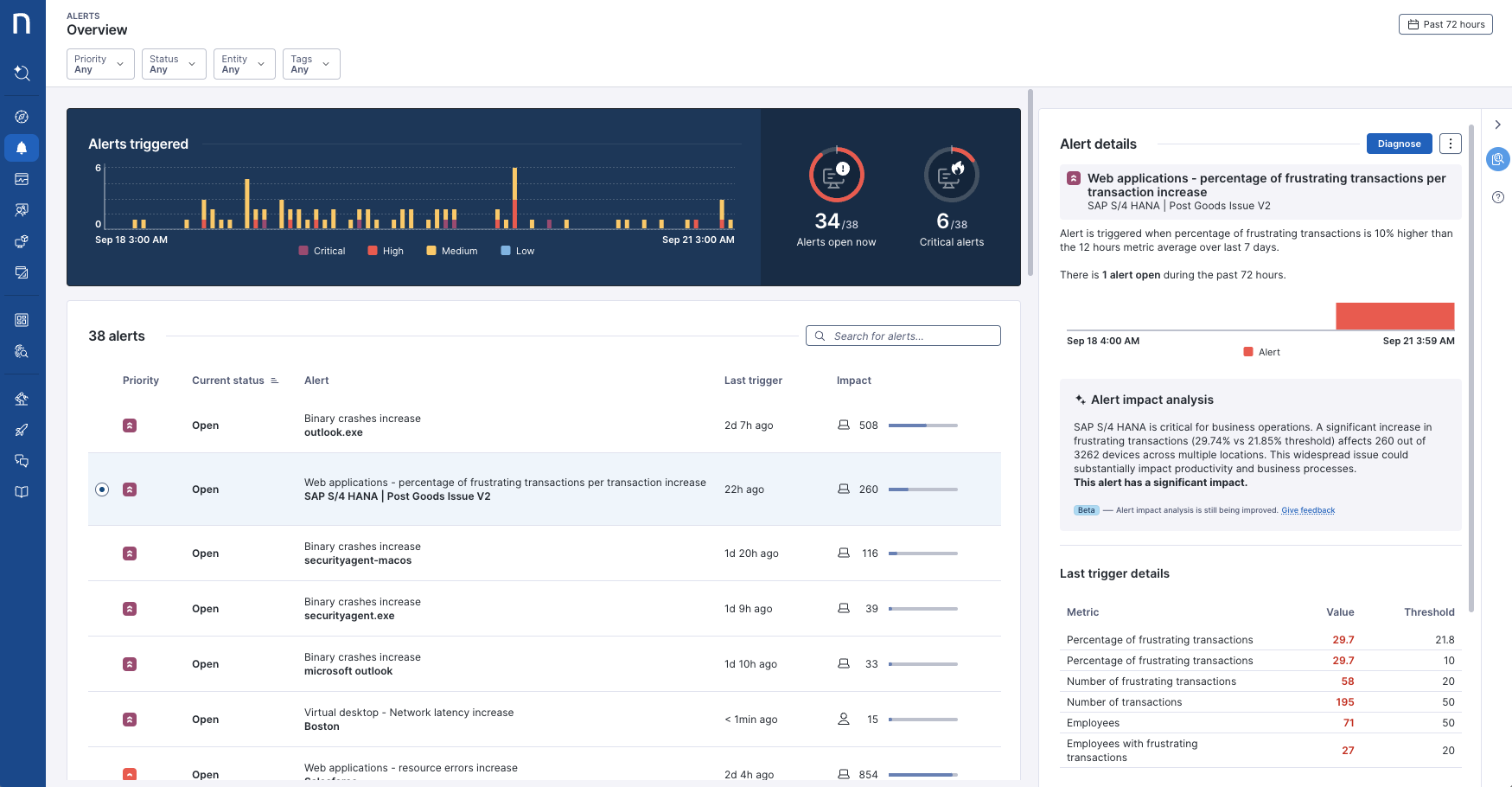
Workplace Experience, VDI Experience and Mobile Experience are the three **Core** Nexthink products powered by Nexthink Infinity, the leading digital workplace observability and automation platform. They deliver unparalleled visibility across all environments so IT teams can continuously diagnose and fix digital workplace issues for productivity and resource optimization.
Expedite tactical troubleshooting
From applications crashing to network connection failures and the dreaded blue screen, Nexthink helps customers go from proactive incident identification to automated fixes in minutes.
Drive strategic initiatives
Digital transformation is and will continue to be a top priority for IT Teams. Nexthink provides customers with the insights needed to optimize hardware lifecycles, reclaim unused SaaS licenses, and implement operating system migrations.
Deliver on core KPIs
Nexthink provides tangible value to contribute back to the business and hit key leadership priorities. Lowering MTTR and driving digital transformation leads to cost reduction, time savings, improved sustainability, increased employee productivity and more.
{% tabs %}
{% tab title="Workplace Experience" %}
Nexthink Workplace Experience delivers continuous insight into the condition and performance of employee devices.
It tracks system behavior, connectivity, and application interactions in real time, enabling teams to pinpoint degradation, evaluate its effect on users, and implement swift, lasting corrections.
{% endtab %}
{% tab title="VDI Experience" %}
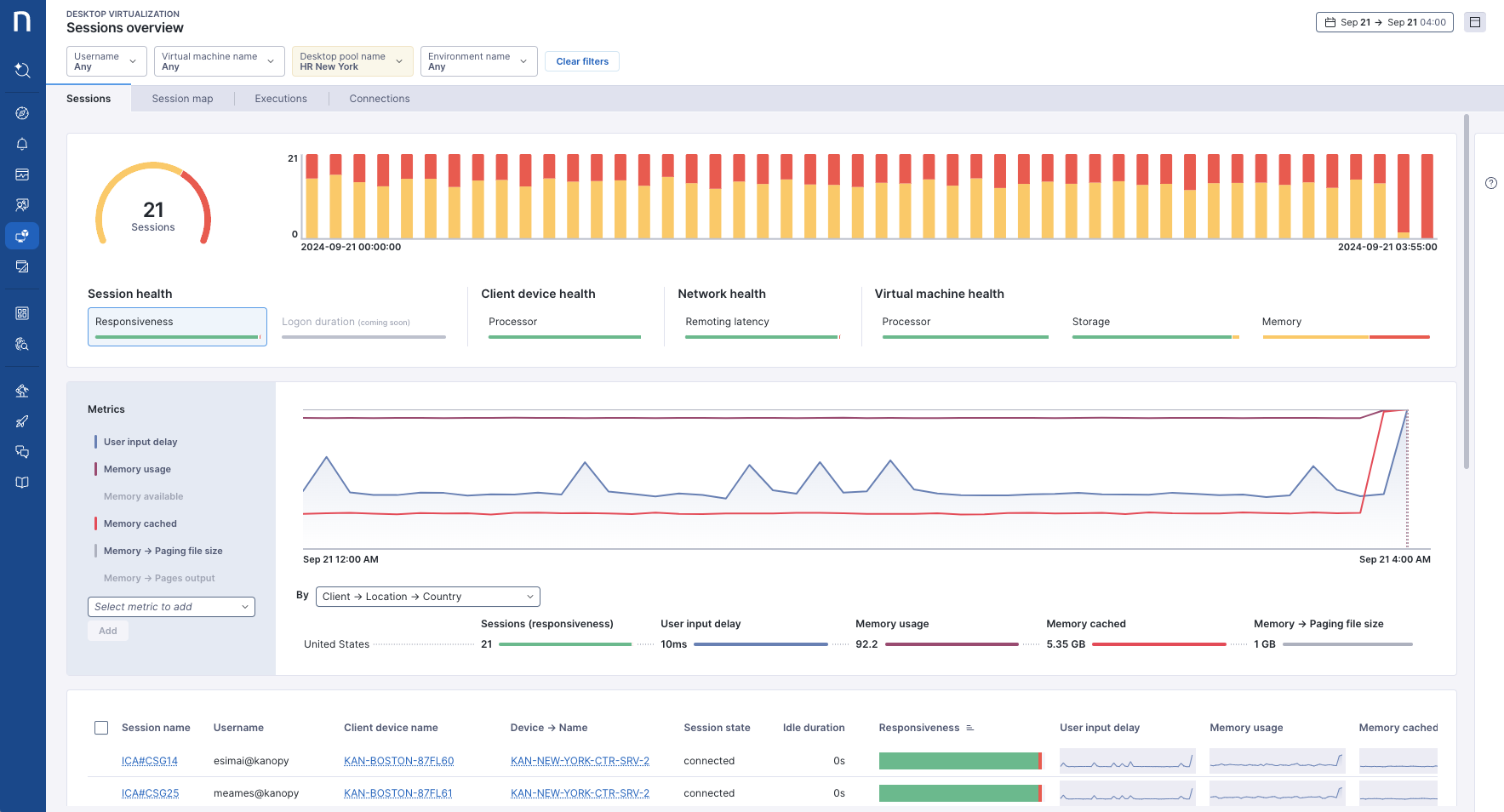
Nexthink VDI Experience provides real-time visibility into virtual desktop infrastructure (VDI) performance and user experience.
Continuously monitor every aspect of VDI sessions to quickly identify issues, understand their impact, and resolve them—fast and permanently.
{% hint style="info" %}
Nexthink VDI Experience enables the [Desktop Virtualization](/platform/user-guide/vdi-experience.md) module in the Nexthink Infinity user interface.
{% endhint %}
{% endtab %}
{% tab title="Mobile Experience" %}
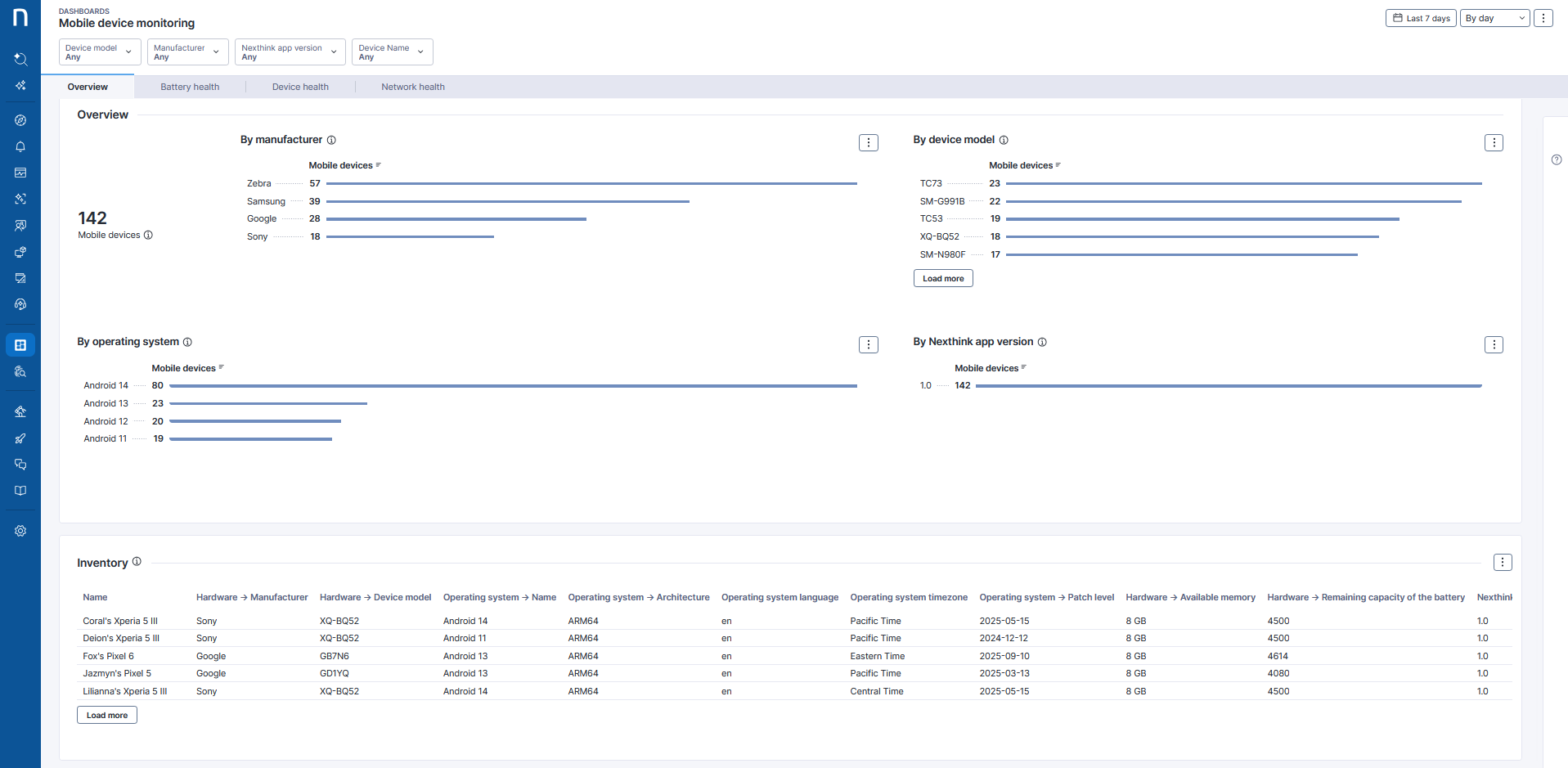
As mobile devices become essential for work, IT needs better visibility and control. Nexthink Mobile Experience extends DEX to company-managed and bring-your-own (BYO) devices, delivering unified insights across the entire mobile estate.
By tracking device health, connectivity, and usage, IT can detect issues early, optimize performance, and keep employees productive wherever they work.
{% endtab %}
{% endtabs %}
## Amplify
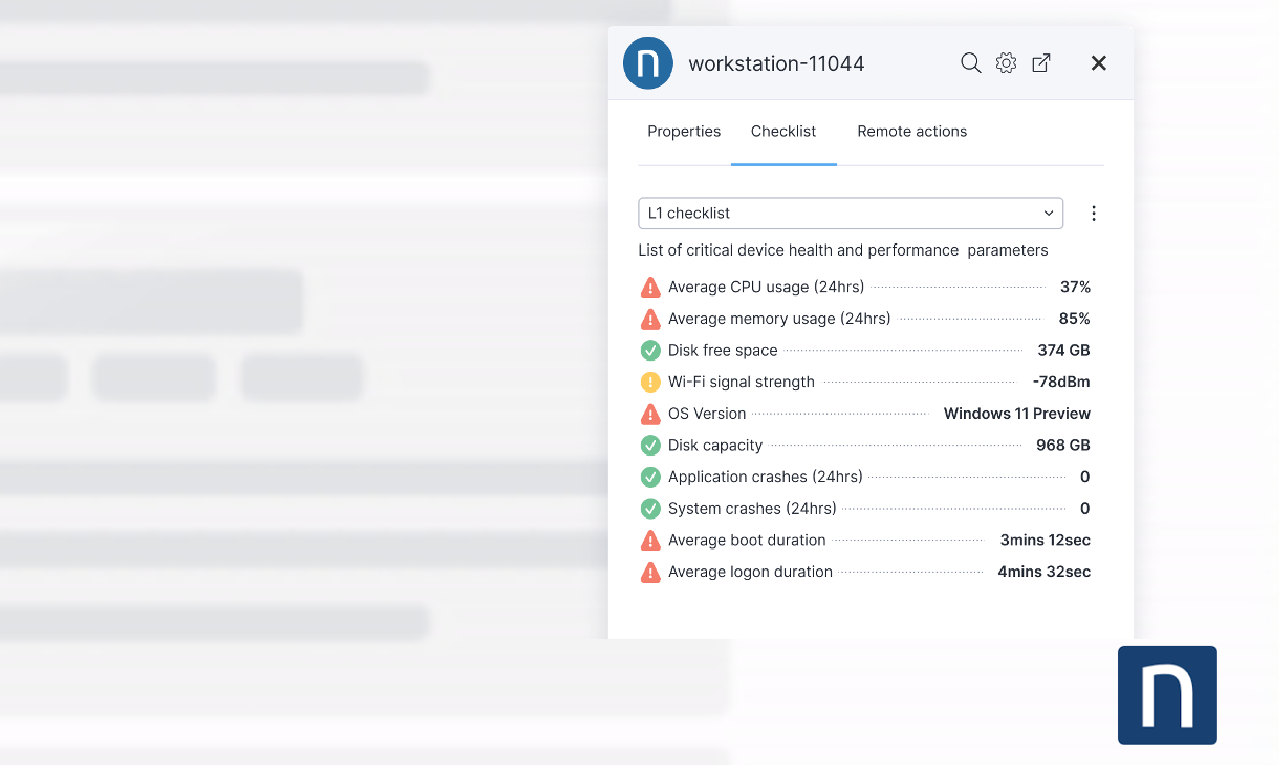
Nexthink Amplify is an easy-to-install, platform-agnostic browser plugin that unleashes the power of Nexthink into any service desk tool: see context fast, diagnose with checklists and take actions remotely.
L1 agents can close tickets faster and escalate less, leading to massive reductions in average handling time (AHT), mean time to resolution (MTTR), and overall efficiency gains in service desk operations.
{% hint style="info" %}
Refer to the [Amplify](/platform/user-guide/amplify.md) documentation for more information.
{% endhint %}
## Application Experience
Nexthink Application Experience gives comprehensive visibility into the performance, reliability and adoption of all applications, ensuring a positive digital experience and cost-effective digital transformation projects.
Optimize performance
Application Experience provides a single pane of glass that IT teams need for all applications, no matter the type, to ensure the fastest possible cross-team remediation.
Triage issues - Reduce tickets
Application telemetry with advanced AI analytics and diagnostics immediately routes issues to the right team in context, eliminating blame games to accelerate issue resolution.
Drive faster adoption
Gain clear visibility into application usage to align with employee needs and optimize licensing. Understand in-app employee interactions to deliver targeted education and accelerate adoption.
{% hint style="info" %}
Nexthink Application Experience enables the [Application](/platform/user-guide/applications.md) module in the Nexthink Infinity user interface.
{% endhint %}
## AI Drive
Nexthink AI Drive provides actionable visibility into how generative AI tools are used across your organization—transforming AI adoption into measurable business value. Ultimately, AI Drive enables you to move fragmented experimentation to outcome-driven AI strategies.
Uncover AI usage across your organization
AI Drive reveals how generative AI tools are used across your environment, including unapproved or shadow applications.
Gain visibility into which tools employees adopt, where usage is growing, and where unmanaged risk may exist. This enables you to support innovation while maintaining control.
Turn AI adoption into measurable business value
Track adoption patterns, identify champions, and detect areas of friction. Measure employee-perceived time and feedback to understand whether AI investments drive real productivity gains.
Benchmark and scale what works
AI Drive benchmarks your AI adoption against industry peers to help you evaluate your competitive position.
With clear AI-powered insights and recommendations, you can reinforce successful use cases, prioritize high-impact tools, and deprioritize investments that do not deliver results. This ensures AI initiatives align with real business outcomes.
{% hint style="info" %}
Nexthink AI Drive enables the **AI Tools** module in the Nexthink Infinity user interface. Refer to the [AI Tools](/platform/user-guide/ai-tools.md) documentation.
{% endhint %}
## Collaboration Experience
Nexthink Collaboration Experience delivers comprehensive visibility into the call quality issues affecting DEX by monitoring leading collaboration applications, such as Microsoft Teams and Zoom.
Quickly detect, isolate, and remediate call quality issues using pre-built dashboards and alerts.
Session context visibility
Prevent issues, speed up resolutions and inform vendor relationships with comprehensive visibility into all aspects of employee session experience.
**Speed issue resolution**
Enable IT to route issues instantly with full context, speeding resolution. Combine application and session telemetry with device, configuration, and network data using AI analytics and diagnostics.
**Proactive assurance**
Identify and resolve potential employee performance and availability issues while using collaboration tools long before employee sessions are impacted.
Speed issue resolution
Enable IT to route issues instantly with full context, speeding resolution. Combine application and session telemetry with device, configuration, and network data using AI analytics and diagnostics.
Proactive assurance
Identify and resolve potential employee performance and availability issues while using collaboration tools long before employee sessions are impacted.
{% hint style="info" %}
Nexthink Collaboration Experience enables the **Collaboration Tools** module in the Nexthink Infinity user interface. Refer to the [Collaboration Tools](/platform/user-guide/collaboration-experience.md) documentation.
{% endhint %}
## Employee Engagement
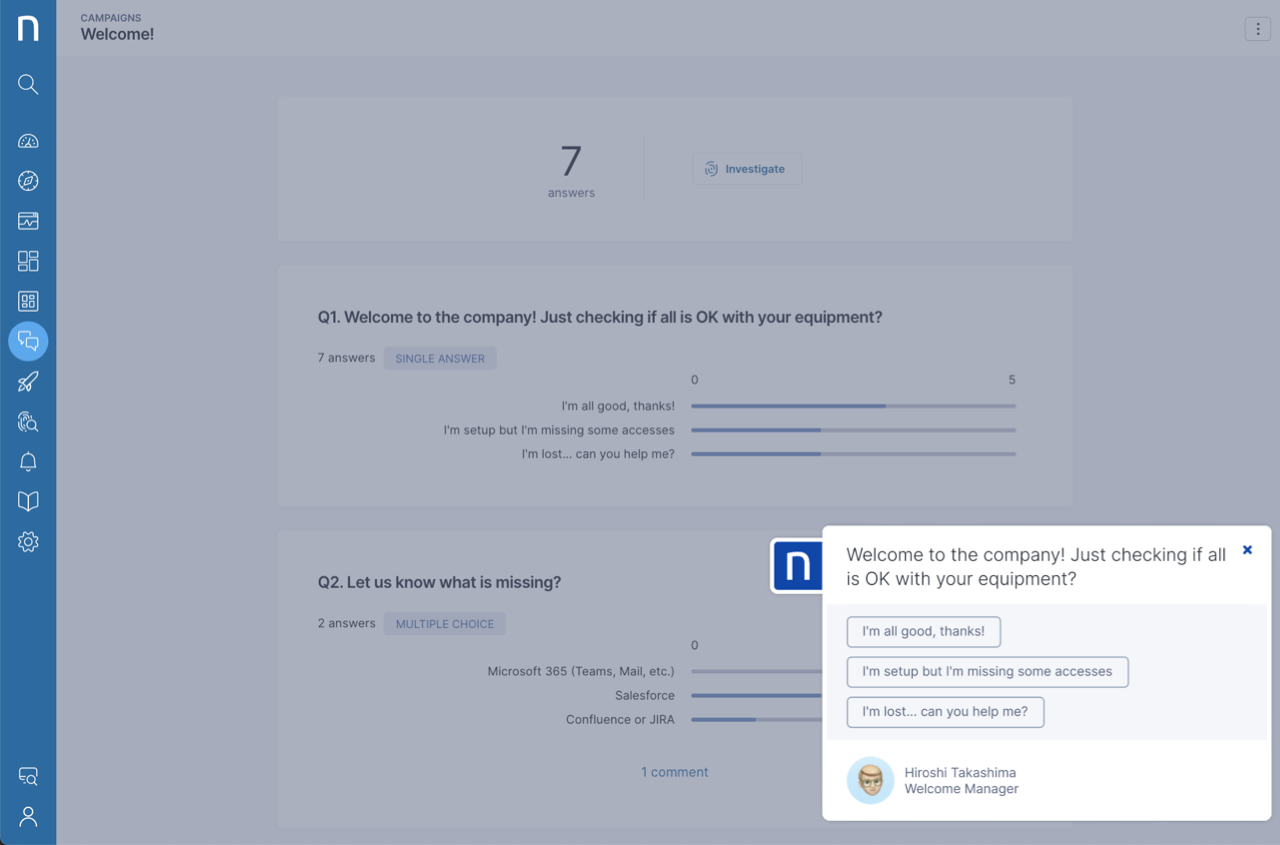
Employee Engagement supports two-way communication to notify and assist users while collecting feedback. Cut through the digital workplace noise with attention-grabbing messages that employees respond to.
Scale proactive self-help
Automatically send targeted one-click self-help messaging to all impacted employees to fix employee issues before they realize they have them.
Notify and inform
When an incident occurs, such as an outage or company update, rapidly notify impacted employees with timed and targeted pop-up notifications they can’t miss.
Collect employee feedback
Solve problems employees care about. Understand employee needs by engaging them in a campaign. Collect feedback in real-time, but never during a presentation or important meeting.
{% hint style="info" %}
Nexthink Employee Engagement enables the [Campaigns](/platform/user-guide/campaigns.md) module in the Nexthink Infinity user interface.
{% endhint %}
## Experience Central
Experience Central offers a strategic view of employee digital experience to guide IT improvements.
IT leaders can now measure, govern, and make well-informed strategic decisions to optimize their IT teams and workplace technologies and processes and maximize employee digital experience, reduce costs, and improve IT reputation.
Prevent issues proactively
Continuous and deep view into every aspect of Digital Employee Experience (DEX) enables IT Teams to see, diagnose, and fix issues, reduce costs, and improve employee productivity.
Best practice DEX
Continuous and rapid DEX visibility gives IT leaders the data to identify and replicate organizational DEX best practice successes, speed cost savings, and productivity gains.
Manage what matters
Ranked views of the most urgent issues help IT leaders focus where it matters most by answering: *Where do I stand? What should I improve? Where should I invest?*
{% hint style="info" %}
Nexthink Experience Central enables the [Digital Experience](/platform/user-guide/digital-experience.md) module in the Nexthink Infinity user interface.
{% endhint %}
## Flow
Nexthink Flow enables IT teams to automate detection, orchestration, and remediation across their digital workplace using real-time signals and a low-code visual designer. Flow connects Nexthink data, remote actions, and third-party systems into structured, repeatable workflows that run reliably at scale.
Eliminate manual effort, standardize responses, and resolve issues faster by orchestrating deterministic actions across tools and teams—freeing capacity for more strategic initiatives.
Automate IT workflows at scale
Nexthink Flow lets IT teams automate detection, orchestration, and remediation using real-time signals and a low-code visual designer. Workflows run consistently at scale to reduce manual effort.
Orchestrate actions across systems
Flow connects Nexthink data, remote actions, and third-party tools into structured workflows. This standardizes responses across devices, applications, and IT systems.
Resolve issues faster and proactively
Flow triggers workflows in real time, on schedules, or through integrations to automate repeatable fixes. This shortens resolution time and frees teams to focus on higher-value work.
{% hint style="info" %}
Nexthink Flow enables the [Workflows](/platform/user-guide/workflows.md) module in the Nexthink Infinity user interface.
{% endhint %}
## Guides
Nexthink Guides simplifies digital adoption and drives transformation by embedding contextual guidance directly into web applications. It reduces complexity and enables real-time support.
As a DEX-powered digital adoption solution, Nexthink Guides enables teams to monitor application success, boost productivity, and maximize software investments.
Embed contextual guidance in applications
Nexthink Guides enables contextual guidance or overlays directly into web applications to help employees complete tasks and adapt to change in real time.
In-app guides reduce complexity and provide support without disrupting the employees' workflow.
Monitor guide engagement and adoption
Guides provide visibility into how employees engage with in-app guidance, including usage and completion. These insights help teams understand effectiveness, identify friction, and track adoption over time.
Create and deploy in-app guidance faster
Guides simplify content creation by capturing actions in applications and suggesting steps as you build guides. This reduces authoring effort and helps teams create and update guidance more efficiently.
{% hint style="info" %}
Refer to the [Guides](/platform/user-guide/adopt.md) documentation for more information.
{% endhint %}
## Spark
Nexthink Spark is the first personal IT agent for employees. Built on the Nexthink Infinity platform, Spark brings together live DEX context, IT knowledge, and governed actions to enable a zero-ticket support model with full IT control and visibility.
Act as the autonomous IT front line
Spark operates as the first line of IT support, autonomously handling common Level-1 issues using IT-approved actions. This reduces ticket volume and accelerates resolution without manual intervention.
Spark triggers context-rich escalations only when human intervention is required.
Resolve issues instantly for employees
Spark uses DEX telemetry, full endpoint context, and IT knowledge to diagnose and resolve IT issues as they occur. Employees get immediate support and resolution through service chats.
Maintain full IT control and visibility
Spark runs only within IT-defined guardrails, with every interaction and action logged. IT teams retain complete visibility, governance, and control while Spark continuously improves with every interaction.
{% hint style="info" %}
Refer to the [Spark](/platform/user-guide/spark.md) documentation for more information.
{% endhint %}
***
RELATED TOPICS
* [Overview](/platform/overview.md)
* [Capabilities](/platform/overview/capabilities.md)
* [Nexthink Infinity Platform](/platform/overview/nexthink-infinity-platform.md)
* [Getting started](/platform/getting-started.md)
* [Understanding key data platform concepts](/platform/understanding-key-data-platform-concepts.md)
* [Unlocking AI-powered DEX with Nexthink](/platform/getting-started/unlocking-ai-powered-dex-with-nexthink.md)
---
# Agent Instructions
This documentation is published with GitBook. GitBook is the documentation platform designed so that both humans and AI agents can read, navigate, and reason over technical content effectively. Learn more at gitbook.com.
## Querying This Documentation
If you need additional information that is not directly available in this page, you can query the documentation by asking a question.
Perform an HTTP GET request on the following URL with the `ask` and `goal` query parameters:
```
GET https://docs.nexthink.com/platform/overview/products.md?ask=&goal=
```
`ask` is the immediate question: it should be specific, self-contained, and written in natural language.
`goal` is what the user is ultimately trying to achieve, the reason they need the answer. Sharing it helps GitBook give you a better, more relevant answer. A goal is most helpful when it describes the outcome the user wants rather than restating the question. For example, with `ask=how do I create an API token`, a goal like `automate deployments from our CI pipeline` lets GitBook tailor the answer to that use case.
The response will contain a direct answer to the question and relevant excerpts and sources from the documentation.
Use this mechanism when the answer is not explicitly present in the current page, you need clarification or additional context, or you want to retrieve related documentation sections.
1.png?alt=media&token=5773330b-87e1-4fd6-a8cc-94fbf143ab7f)