> For the complete documentation index, see [llms.txt](https://docs.nexthink.com/platform/llms.txt). Markdown versions of documentation pages are available by appending `.md` to page URLs; this page is available as [Markdown](https://docs.nexthink.com/platform/getting-started/navigating-the-web-interface/my-account.md).
# My Account
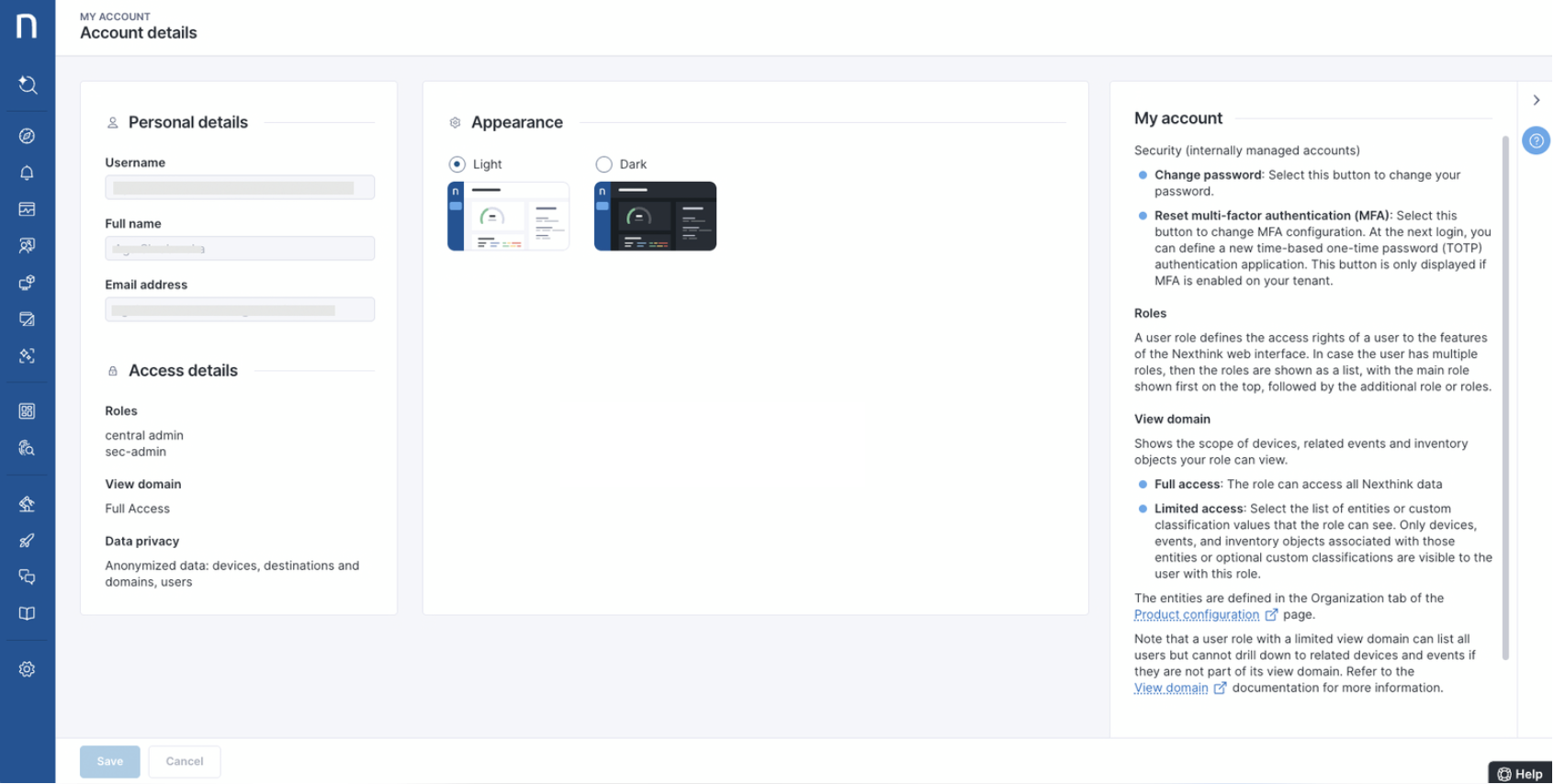
The **My Account** page allows users to verify their account settings, security preferences, role visibility, and data privacy.
## Security Settings (internally managed accounts)
If your Nexthink tenant uses **internally managed accounts**, you’ll see two key options in the *Security* section:
* **Change Password -** Click to change your current password.
* **Reset Multi-Factor Authentication (MFA) -** If MFA is enabled for your tenant, you can reset your MFA configuration here. Upon your next login, you’ll be prompted to set up a new TOTP (time-based one-time password) authentication app. Note that this option only appears if MFA is enabled in your instance.
## Roles
Roles define what features and data you can access in the Nexthink platform.
* If you have multiple roles, they’ll appear as a list. Your **primary role** appears first, followed by any **additional roles**.
* Each role determines your access to the Nexthink web interface, including visibility of devices, events, and inventory objects. Refer to the [Roles](/platform/user-guide/administration/account-management/roles.md) and [Accounts](/platform/user-guide/administration/account-management/accounts.md) documentation for more information.
## View Domain
This shows the scope of access your role provides:
* **Full Access**: Grants access to all Nexthink data.
* **Limited Access**: Restricts visibility based on selected **entities** or **custom classification values** (defined in the *Organization* tab of the *Product Configuration* page).
{% hint style="info" %}
Roles with a limited view domain can list all users, but can only drill down into related devices and events that fall within their permitted domain. Refer to the [View domain](/platform/user-guide/administration/account-management/roles/view-domain.md) documentation for more information.
{% endhint %}
## Data Privacy
This section shows which types of data are anonymized (e.g., **user names**, **device names**, etc.) based on your organization’s configuration.
## Language
By default, the Infinity Platform web interface is available in English, as the instance language is set to English. However, some organizations may have their instance language set to Japanese. You can choose your preferred instance language—either English or Japanese—at the time of the Infinity instance setup. Once the instance language is set to either English or Japanese, it cannot be changed later. Contact your Nexthink representative for more information on Japanese language support.
Configured instance language
User actions
English
Navigate all the Nexthink web interface pages in EN.
Install library packs or individual content in EN.
Update content in EN.
Select Copy from Library, to create a copy of the library content in EN.
Japanese
Navigate the Nexthink web interface pages in JA.
Install library packs or individual content in JA.
Update content in JA.
Select Copy from Library, to create a copy of the library content in JA.
---
# Agent Instructions
This documentation is published with GitBook. GitBook is the documentation platform designed so that both humans and AI agents can read, navigate, and reason over technical content effectively. Learn more at gitbook.com.
## Querying This Documentation
If you need additional information that is not directly available in this page, you can query the documentation dynamically by asking a question.
Perform an HTTP GET request on the current page URL with the `ask` query parameter, and the optional `goal` query parameter:
```
GET https://docs.nexthink.com/platform/getting-started/navigating-the-web-interface/my-account.md?ask=&goal=
```
`ask` is the immediate question: it should be specific, self-contained, and written in natural language.
`goal` is optional and describes the broader end goal you are ultimately trying to accomplish on behalf of the user. GitBook uses it to tailor the answer towards what is most useful for that goal.
The response will contain a direct answer to the question and relevant excerpts and sources from the documentation.
Use this mechanism when the answer is not explicitly present in the current page, you need clarification or additional context, or you want to retrieve related documentation sections.