> For the complete documentation index, see [llms.txt](https://docs.nexthink.com/llms.txt). Markdown versions of documentation pages are available by appending `.md` to page URLs; this page is available as [Markdown](https://docs.nexthink.com/library-packs/l1-support/workflow-zscaler-vpn-assisted-troubleshooting/usage-guide-zscaler-vpn-assisted-troubleshooting.md).
# Usage guide: Zscaler (VPN) assisted troubleshooting
{% hint style="warning" %}
This page outlines various ways to use the pack, including use case examples.
Administrators can refer to the [Configuration guide](/library-packs/l1-support/workflow-zscaler-vpn-assisted-troubleshooting/configuration-guide-zscaler-vpn-assisted-troubleshooting.md) to set up and customize the installed content.
{% endhint %}
The **Zscaler (VPN) assisted troubleshooting** library pack enables IT teams to:
* Gather information about the Zscaler client status.
* Remediate common issues by resetting the Zscaler connection or prompting user reauthentication.
* Update the ITSM ticket with the progress and results of the troubleshooting process.
## Library pack uses
{% hint style="info" %}
Jump to [Use cases](#use-cases) on this page to see relevant scenario applications.
{% endhint %}
Use the library pack content for the following purposes.
### **Visibility**
This library pack focuses on the **Zscaler (VPN) assisted troubleshooting** [workflow](/user-guide/workflows.md). It gathers information on the local Zscaler status and provides remediation where required.
An ITSM ticket is updated at each step of this process.
### **Workflow triggering**
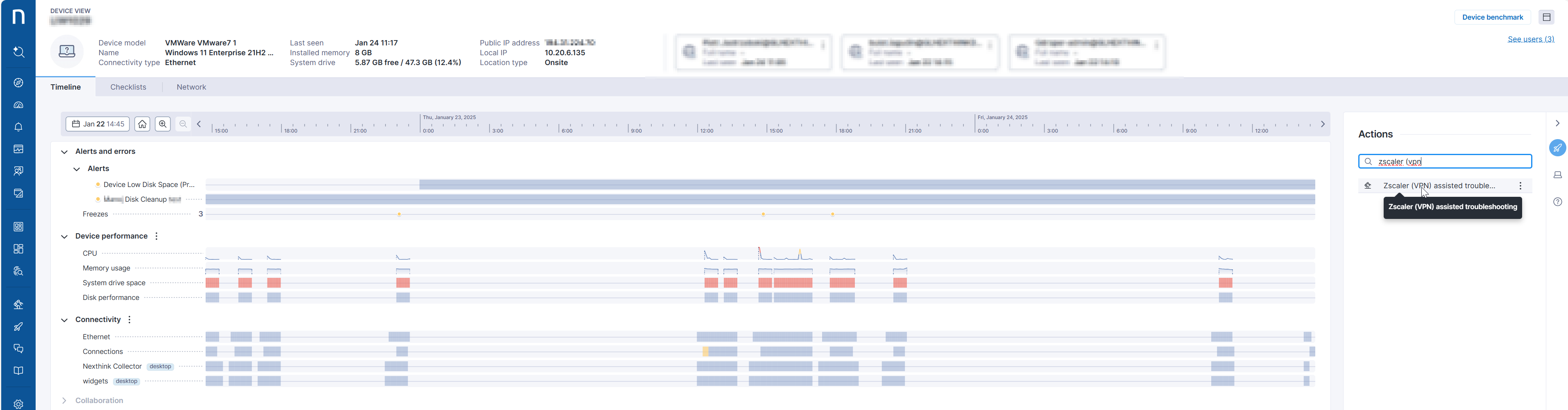
This workflow is intended to be launched on a specific device during a call with an employee or in response to an issue raised by an employee experiencing Zscaler stability issues. This can be achieved using [device view](/user-guide/device-view.md) (as shown below) or from [Amplify](/configuring_nexthink/bringing-data-into-your-nexthink-instance/deploying-nexthink-in-non-vdi-environment/configure-amplify.md). The workflow uses the **Incident number** parameter to track progress.
An ITSM ticket should be raised before launching the workflow, as it will be updated during its operation.
**Workflow parameter:** This workflow has one parameter, **Incident number**. This ITSM ticket reference will be used throughout the workflow as information is added. It should be entered manually when the workflow is executed.
## **Predefined workflow structure and steps**
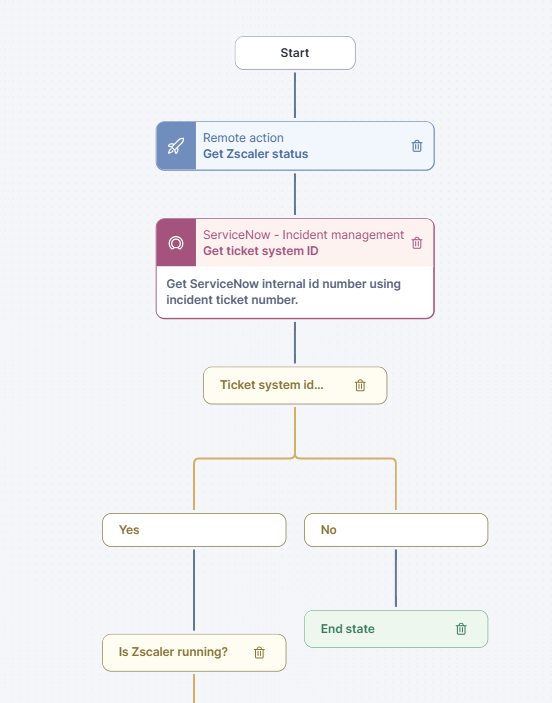
The **Zscaler (VPN) Assisted Troubleshooting** workflow follows a sequence of steps to diagnose and resolve issues efficiently.
1. The workflow begins by verifying whether Zscaler is running on the endpoint using the **"Get Zscaler Status"** remote action. Then, it retrieves the ITSM ticket `sys_id` based on the provided incident ticket number.
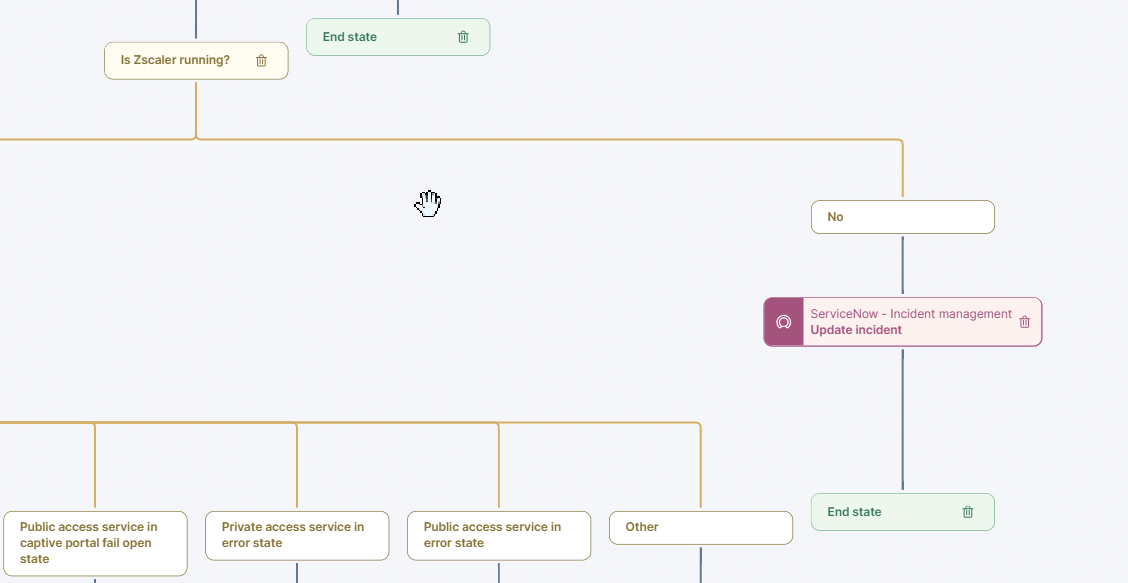
2. The workflow determines the next steps based on the Zscaler status. If Zscaler is not running, the ITSM ticket is updated, and the workflow concludes. If Zscaler is running, the workflow assesses the status of private and public access services.
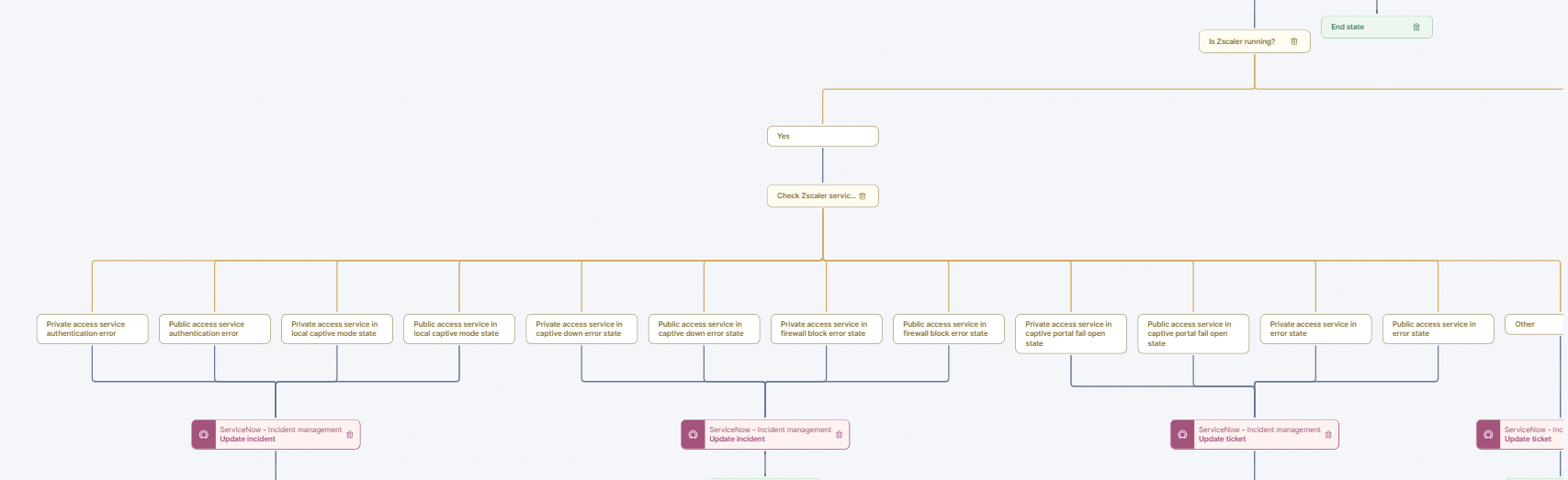
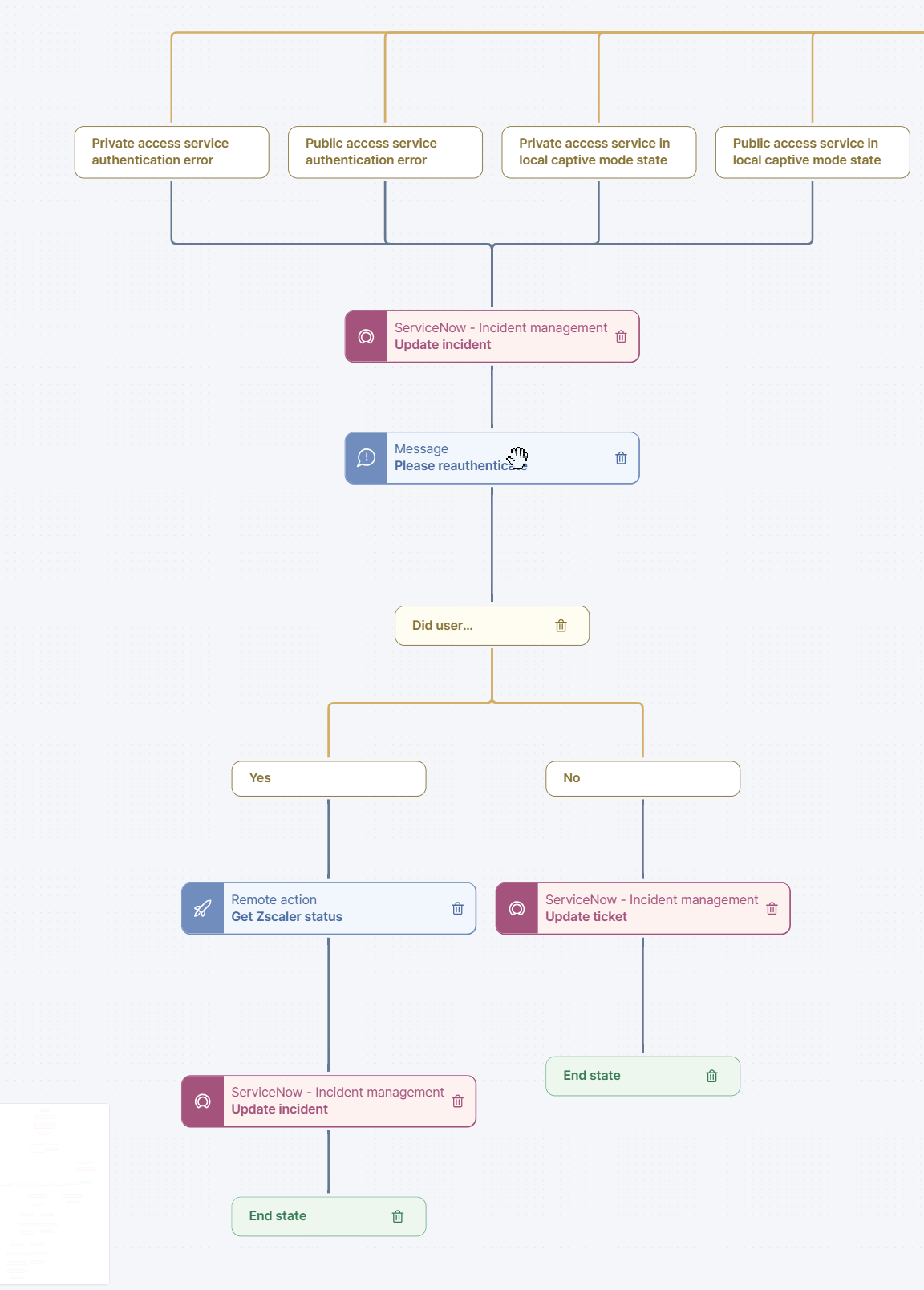
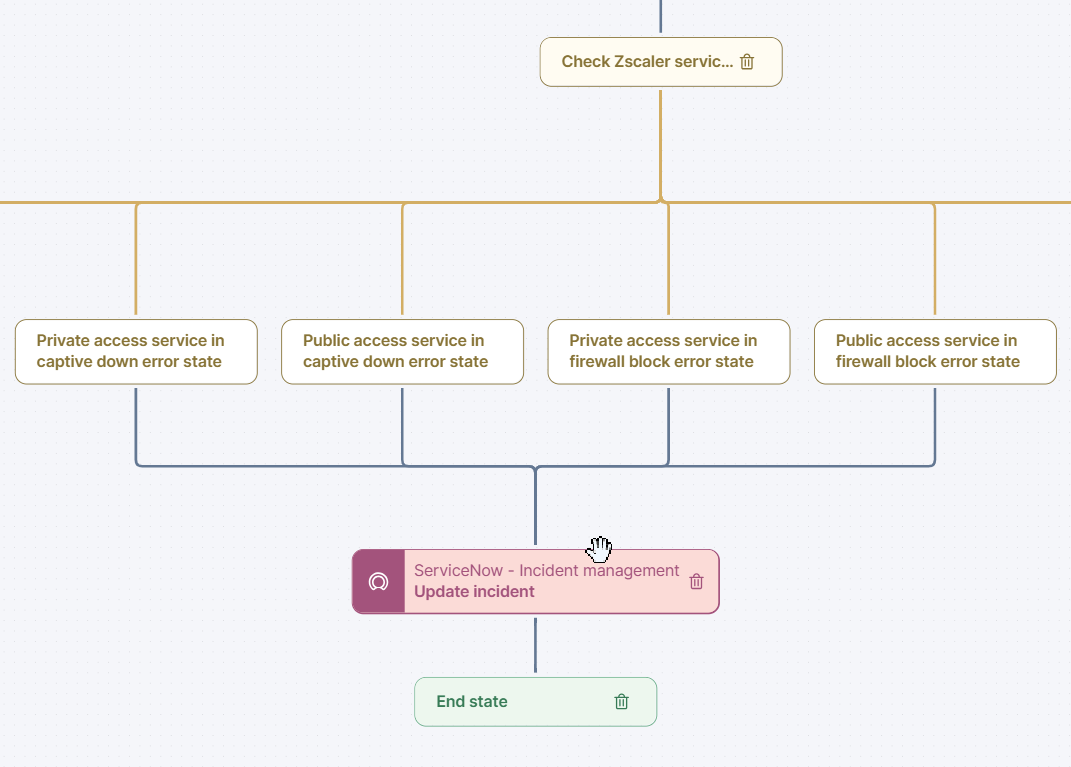
3. The workflow evaluates various Zscaler service conditions, including authentication errors, captive mode states, firewall block errors, and captive portal fail-open states.
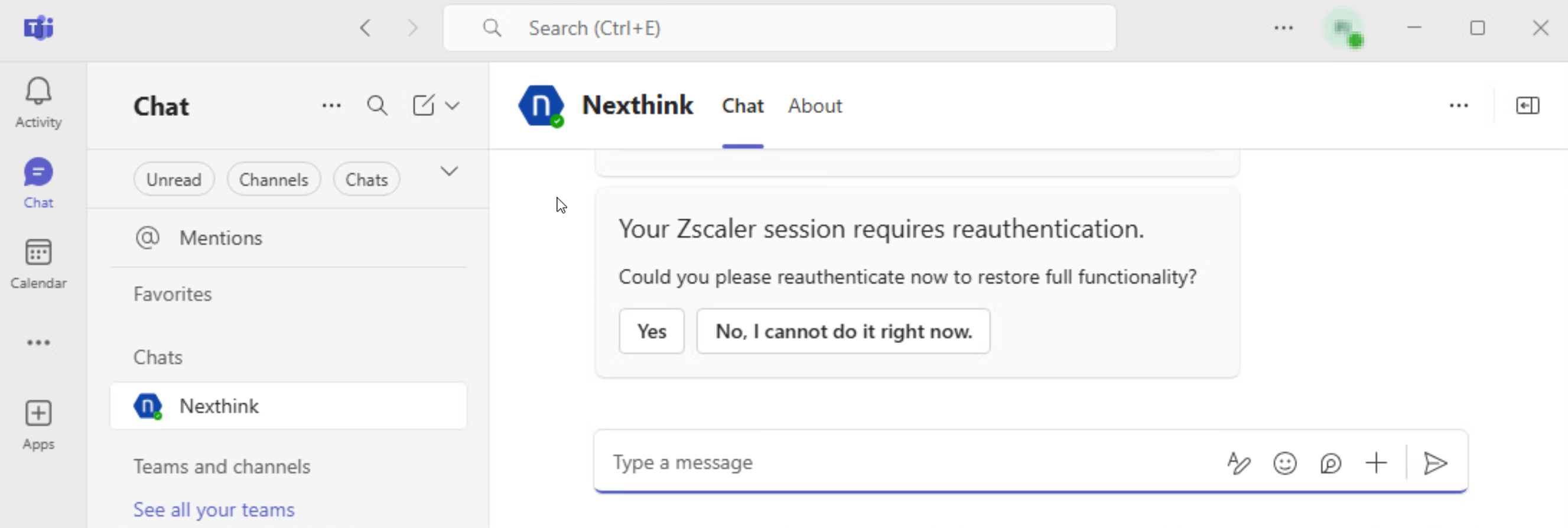
* If the detected errors require user reauthentication, the workflow notifies the user via Microsoft Teams and prompts them to reauthenticate.
* If a firewall block or captive down error is detected, the workflow updates the ITSM incident with relevant details.
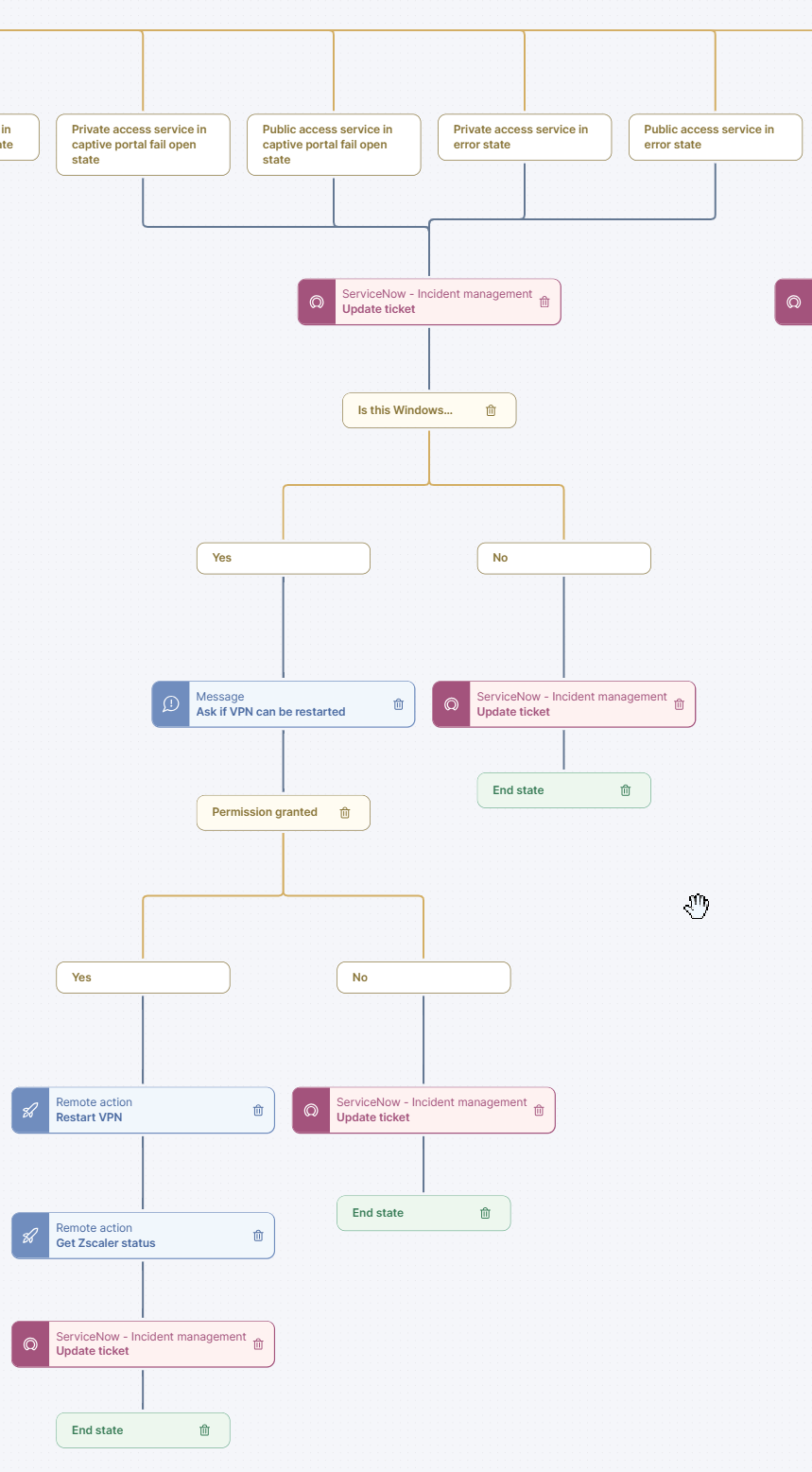
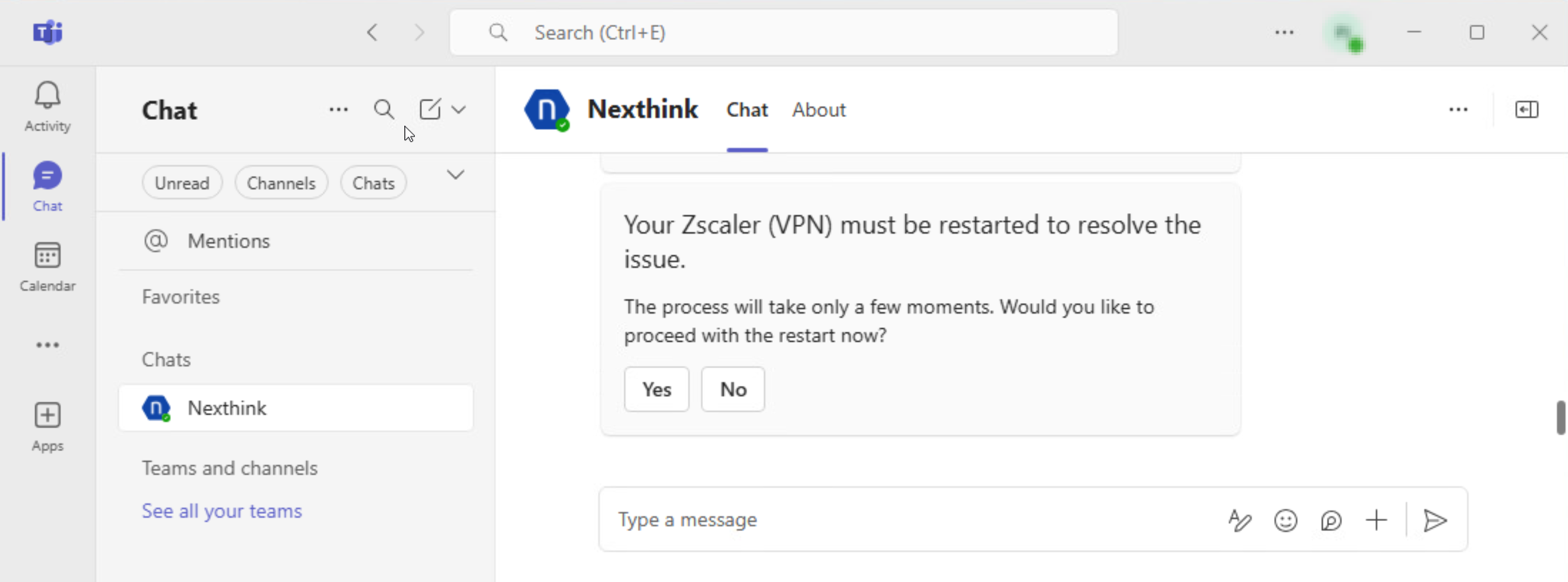
* If a captive portal failure or other general errors are identified, the workflow attempts to restart the VPN for Windows devices. The user is informed via Microsoft Teams before the restart, and the ITSM ticket is updated accordingly.
5. The process involves disabling and re-enabling the Zscaler adapter, with a cautionary note that VPN traffic will be disrupted while the adapter is disabled. Only the ITSM ticket is updated for macOS devices, and no automatic remediation is performed.
***
RELATED TOPICS
* [Manage Workflows](https://docs.nexthink.com/platform/user-guide/workflows/managing-workflows)
* [Manage Remote Actions](https://docs.nexthink.com/platform/user-guide/remote-actions/getting-started-with-remote-actions)
---
# Agent Instructions
This documentation is published with GitBook. GitBook is the documentation platform designed so that both humans and AI agents can read, navigate, and reason over technical content effectively. Learn more at gitbook.com.
## Querying This Documentation
If you need additional information that is not directly available in this page, you can query the documentation by asking a question.
Perform an HTTP GET request on the following URL with the `ask` and `goal` query parameters:
```
GET https://docs.nexthink.com/library-packs/l1-support/workflow-zscaler-vpn-assisted-troubleshooting/usage-guide-zscaler-vpn-assisted-troubleshooting.md?ask=&goal=
```
`ask` is the immediate question: it should be specific, self-contained, and written in natural language.
`goal` is what the user is ultimately trying to achieve, the reason they need the answer. Sharing it helps GitBook give you a better, more relevant answer. A goal is most helpful when it describes the outcome the user wants rather than restating the question. For example, with `ask=how do I create an API token`, a goal like `automate deployments from our CI pipeline` lets GitBook tailor the answer to that use case.
The response will contain a direct answer to the question and relevant excerpts and sources from the documentation.
Use this mechanism when the answer is not explicitly present in the current page, you need clarification or additional context, or you want to retrieve related documentation sections.