> For the complete documentation index, see [llms.txt](https://docs.nexthink.com/platform/llms.txt). Markdown versions of documentation pages are available by appending `.md` to page URLs; this page is available as [Markdown](https://docs.nexthink.com/platform/library-packs/applications/workday-experience/configuration-guide_-workday-experience.md).
# Configuration guide: Workday experience
To get started with this library pack, please ensure all related content is installed and configured appropriately. This page provides guidance on which content is included and how to configure it.
Please keep in mind this is just a guide and represents suggested configurations. You are free to customize and edit content as you see fit based on your specific environment.
## Pre-requisites
This library pack contains content from the following [expansion products](https://nexthink.gitbook.io/opd/overview/products):
* [Application Experience - Applications](https://nexthink.gitbook.io/opd/user-guide/applications). A license is required to install and access the application in this library pack.
## Content list and dependency
This library pack contains the following content and dependencies:
| Type | Name | Description | Dependencies |
| -------------------------------------------------------------------------------------------------------- | ----------- | ---------------------------------------------------------------------------------------------------------------------------------------------------------------------------------------------------------------------------- | ------------------------------------------------------------------ |
| [Application](https://nexthink.gitbook.io/opd/user-guide/applications/getting-started-with-applications) | Workday HCM | Monitor the adoption, speed, reliability, and sentiment of your Workday HCM application, as well as troubleshoot any issues, directly from [Nexthink Applications](https://nexthink.gitbook.io/opd/user-guide/applications). |
Required to populate specific dashboard widgets.
|
## Configuration guide
To effectively use this library pack, the content must be installed and configured appropriately. Below are some suggested steps to install and configure the content properly before use.
### **Step 1) Install library pack content**
Go to the [Nexthink Library](https://nexthink.gitbook.io/opd/user-guide/nexthink-library) and install all required content from the *Workday experience* library pack.
### **Step 2) Configure the application**
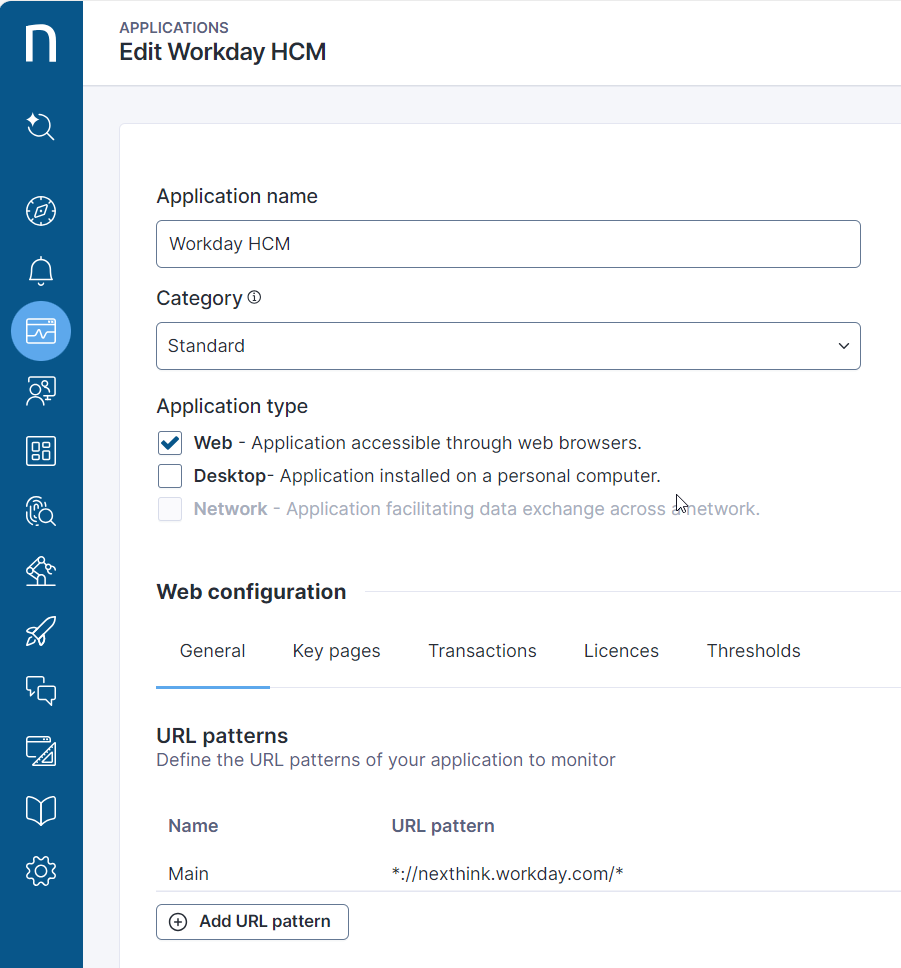
Navigate to the [manage application](https://nexthink.gitbook.io/opd/user-guide/applications/managing-applications) administration page to review and edit the “Workday HCM” application. Ensure the URL pattern of your application is defined for your organization:
Example URL pattern
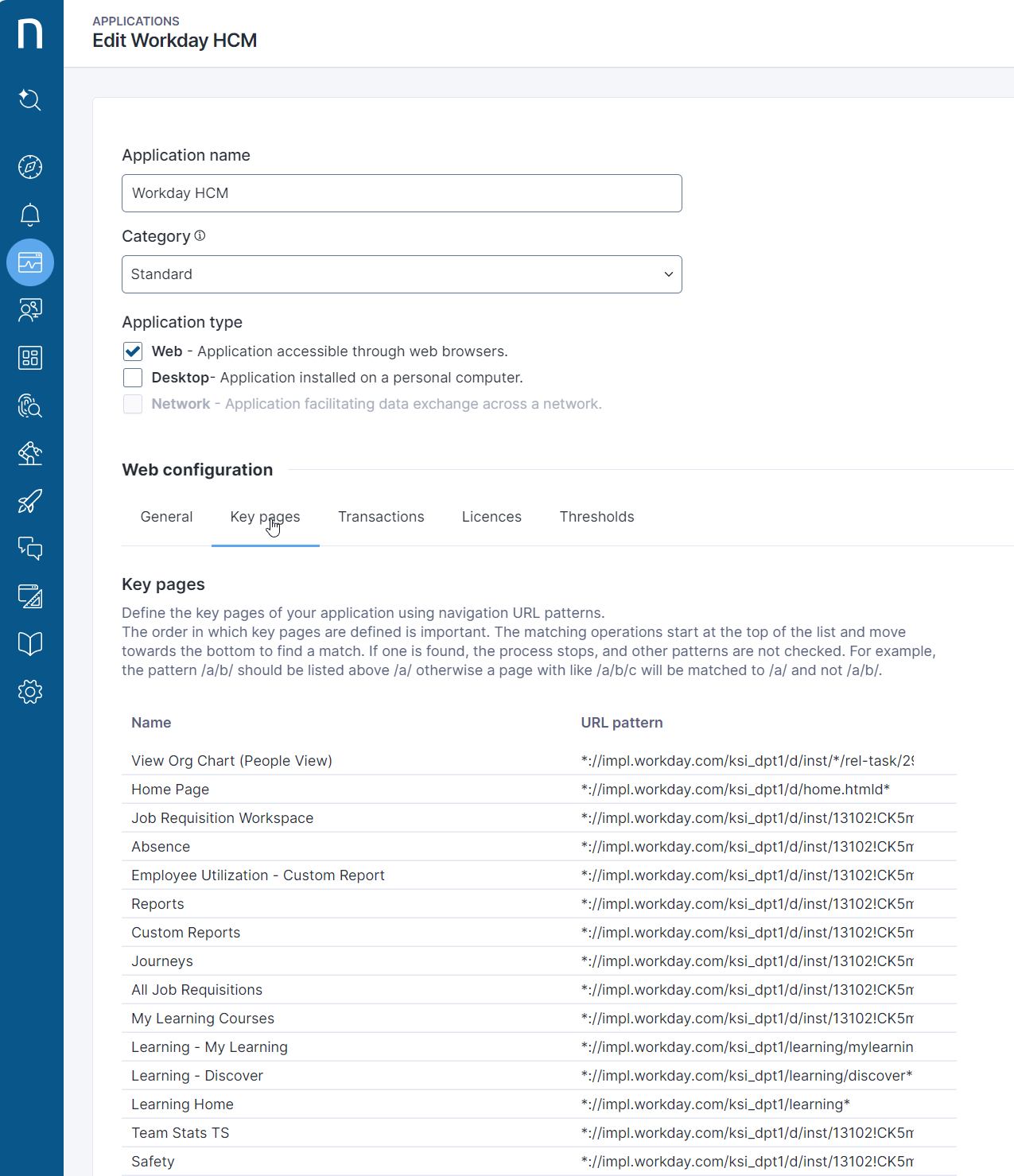
**Key pages**
By default, this application monitors the following Key pages:
* Benefits
* Compensation
* Expenses
* Recruiting
* Job Change
* Talent
* Time and Absence
* Performance
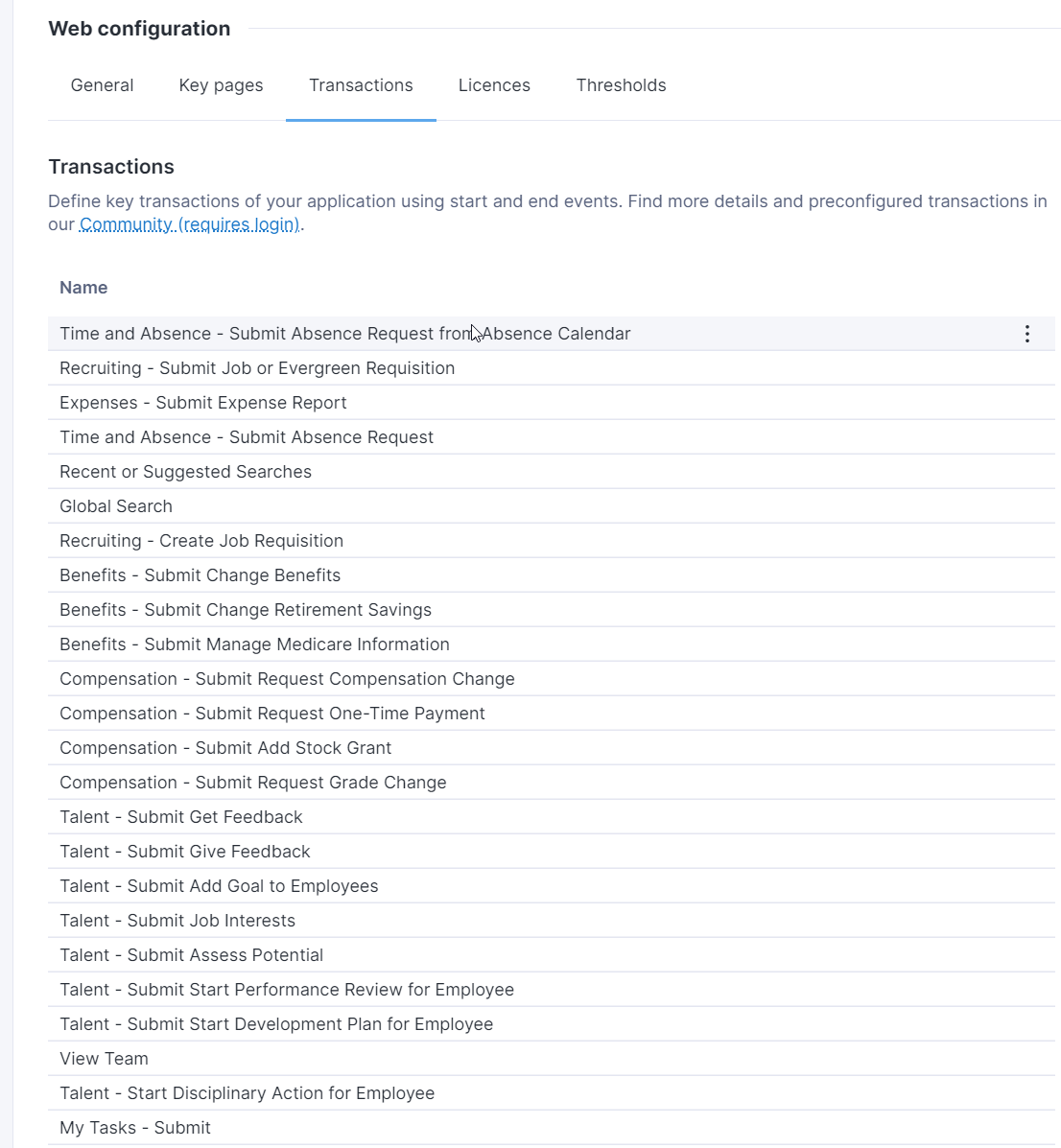
**Transactions**
There are several examples of transactions provided in this Library Pack by default. These examples can be used to create similar transactions if needed.
## Usage guide
Your content is now configured and ready to be used. For usage overview and recommendations, you can visit the usage guide:
[Usage guide: Workday experience](/platform/library-packs/applications/workday-experience/usage-guide_-workday-experience.md)
---
# Agent Instructions
This documentation is published with GitBook. GitBook is the documentation platform designed so that both humans and AI agents can read, navigate, and reason over technical content effectively. Learn more at gitbook.com.
## Querying This Documentation
If you need additional information that is not directly available in this page, you can query the documentation dynamically by asking a question.
Perform an HTTP GET request on the current page URL with the `ask` query parameter, and the optional `goal` query parameter:
```
GET https://docs.nexthink.com/platform/library-packs/applications/workday-experience/configuration-guide_-workday-experience.md?ask=&goal=
```
`ask` is the immediate question: it should be specific, self-contained, and written in natural language.
`goal` is optional and describes the broader end goal you are ultimately trying to accomplish on behalf of the user. GitBook uses it to tailor the answer towards what is most useful for that goal.
The response will contain a direct answer to the question and relevant excerpts and sources from the documentation.
Use this mechanism when the answer is not explicitly present in the current page, you need clarification or additional context, or you want to retrieve related documentation sections.