> For the complete documentation index, see [llms.txt](https://docs.nexthink.com/platform/llms.txt). Markdown versions of documentation pages are available by appending `.md` to page URLs; this page is available as [Markdown](https://docs.nexthink.com/platform/whats-new/2022/whats-new-2022.10.md).
# What's new 2022.10
The version 2022.10 release date is November 28, 2022. See the release notes section on our community website for the [release notes](https://community.nexthink.com/s/knowledge#release_notes) and download links.
## Device View improvements
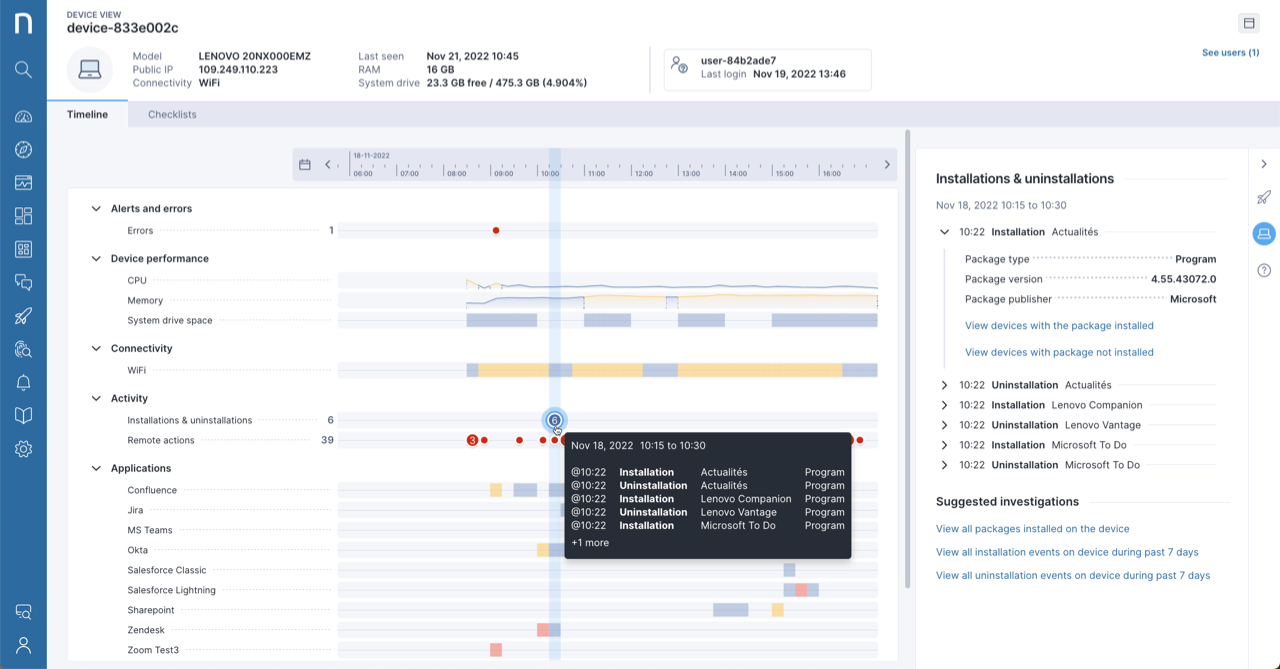
Gain support efficiency with new functionality in Device View:
* Identify performance issues easily with new color-coded resource usage bars on the timeline.
* Display recent installations and uninstallations on the timeline to correlate with other events on the device.
Refer to the [Device View](/platform/user-guide/device-view.md) documentation for more information.
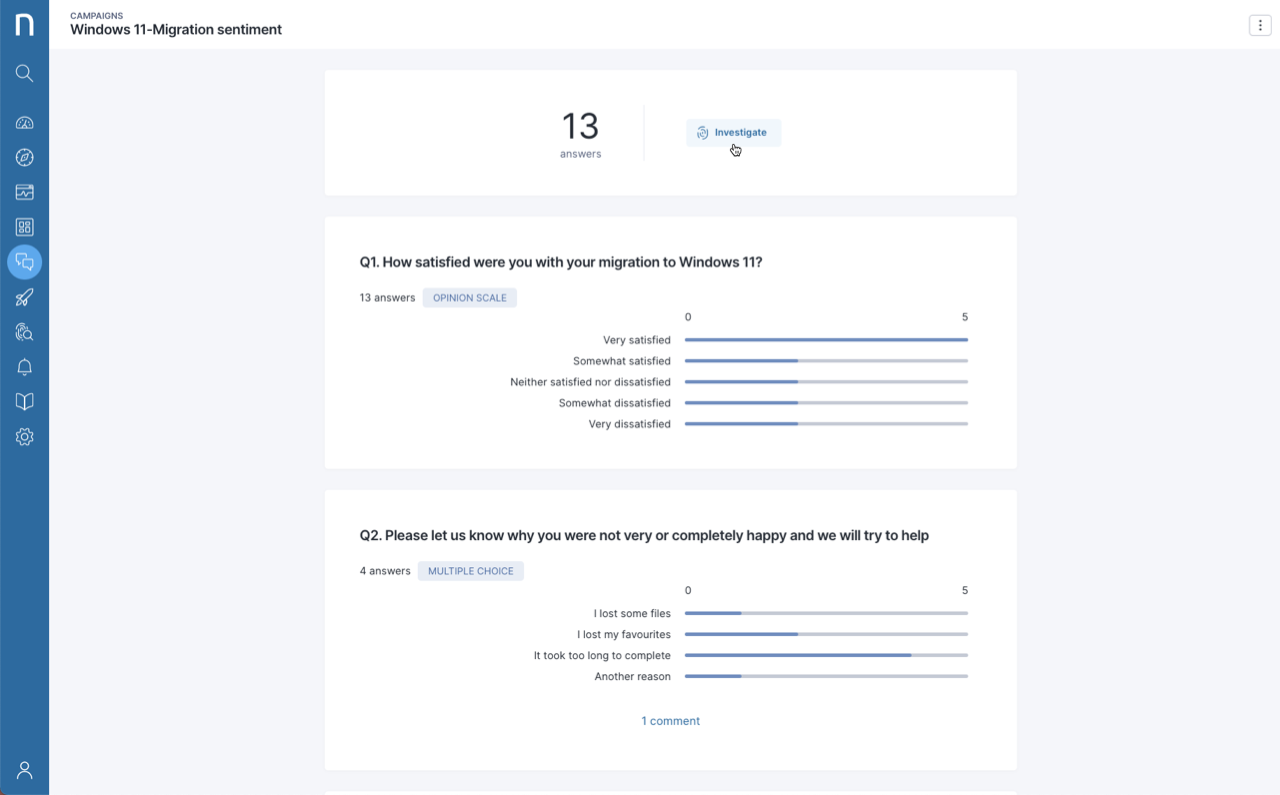
## Investigate and export Campaign responses
Start an investigation from the Campaign module and customize the NQL query to retrieve campaign results. Export to CSV to perform additional analysis in the tool of your choice.
Refer to the [Investigations](/platform/user-guide/investigations.md) documentation for more information.
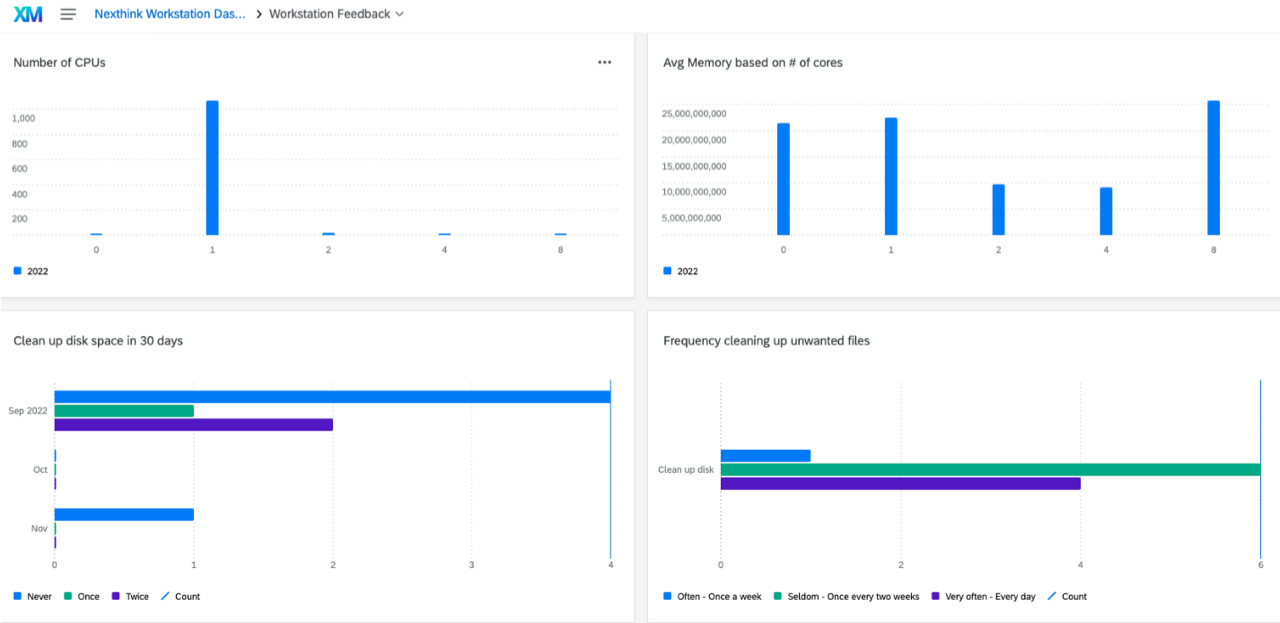
## Import Nexthink data into Qualtrics
Combine Nexthink factual data with employee sentiment data by importing it into Qualtrics on a regular schedule to address issues and improve the digital employee experience (DEX).
## New and updated courses on Learn
Build your Infinity skill set with these new courses and learning paths:
* [What is the NQL data model?](https://learn.nexthink.com/courses/what-is-the-nql-data-model)
* [How to manage Nexthink content](https://learn.nexthink.com/courses/how-to-manage-content)
* [Transitioning from Finder to the web](https://learn.nexthink.com/learn/learning-path/transition-from-finder-to-web)
Revisit these learning paths, now updated with new content:
* [Nexthink Content Management](https://learn.nexthink.com/learn/learning-path/nexthink-content-management)
* [Nexthink Platform Administration](https://learn.nexthink.com/learn/learning-path/nexthink-platform-administration)
* [Troubleshooting with Nexthink](https://learn.nexthink.com/learn/learning-path/troubleshooting-with-nexthink)
Consult the **Update History** at the end of each Infinity course to review the latest course changes.
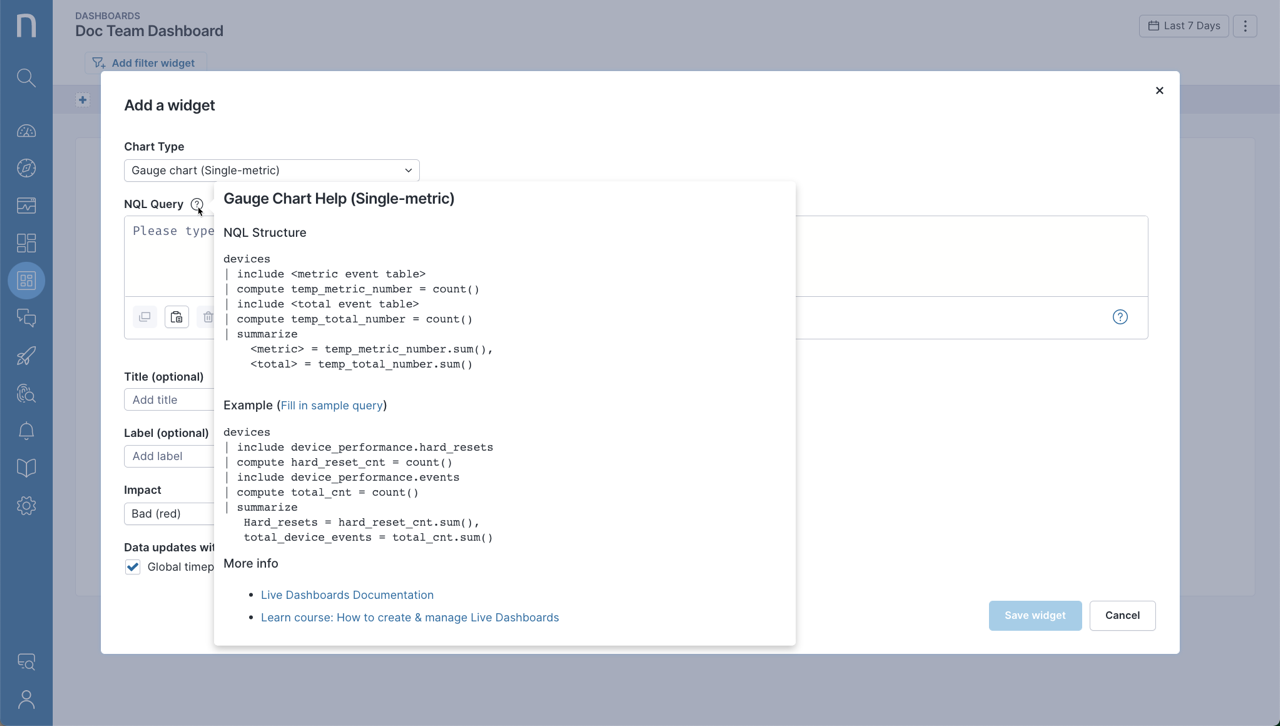
## Live dashboard sample queries
Get a head start on building Live dashboards with convenient sample queries. Refer to the [Manage Live Dashboards](/platform/whats-new/2022/whats-new-2022.10.md) documentation for more information.
## Adoption of new macOS Endpoint Security Framework
Nexthink has adopted the new macOS Endpoint Security Framework that is more robust, secure and complies with Apple’s privacy guidelines. To continue gathering the same execution data using the new framework, Collector needs **Full Disk Access,** which you can provision using a Configuration Profile. Refer to [Installing Collector on macOS](/platform/configuring_nexthink/bringing-data-into-your-nexthink-instance/deploying-nexthink-in-non-vdi-environment/installing-collector/installing-collector-on-macos.md) for more information.
## New user permissions for Nexthink Library
Allow or deny access to the in-product Nexthink Library by assigning rights to specific user profiles. Refer to the [Nexthink Library](/platform/user-guide/nexthink-library.md) documentation for more information.
## Simplify the configuration of ServiceNow CMDB connector
Use the update set Nexthink has provided to streamline the configuration process when importing assets into ServiceNow CMDB. Refer to the [CMDB import from SFTP into ServiceNow](/platform/configuring_nexthink/bringing-data-into-your-nexthink-instance/integrating-nexthink-with-third-party-tools/outbound-connectors/data-exporters/exporter-for-secure-file-transfer-protocol-sftp-server/cmdb-import-from-sftp-into-servicenow.md) documentation for more information.
---
# Agent Instructions
This documentation is published with GitBook. GitBook is the documentation platform designed so that both humans and AI agents can read, navigate, and reason over technical content effectively. Learn more at gitbook.com.
## Querying This Documentation
If you need additional information that is not directly available in this page, you can query the documentation dynamically by asking a question.
Perform an HTTP GET request on the current page URL with the `ask` query parameter, and the optional `goal` query parameter:
```
GET https://docs.nexthink.com/platform/whats-new/2022/whats-new-2022.10.md?ask=&goal=
```
`ask` is the immediate question: it should be specific, self-contained, and written in natural language.
`goal` is optional and describes the broader end goal you are ultimately trying to accomplish on behalf of the user. GitBook uses it to tailor the answer towards what is most useful for that goal.
The response will contain a direct answer to the question and relevant excerpts and sources from the documentation.
Use this mechanism when the answer is not explicitly present in the current page, you need clarification or additional context, or you want to retrieve related documentation sections.