> For the complete documentation index, see [llms.txt](https://docs.nexthink.com/llms.txt). Markdown versions of documentation pages are available by appending `.md` to page URLs; this page is available as [Markdown](https://docs.nexthink.com/library-packs/nexthink-management/infinity-transition-support/usage-guide_-infinity-transition-support.md).
# Usage guide: Infinity transition support
## Overview
If you have started (or are thinking about starting) your transition to Nexthink Infinity, you need to understand the current usage of platform features that will be deprecated in the future.
The Nexthink Infinity Transition library pack helps Nexthink users transition to Nexthink Infinity by monitoring the current usage of key platform features and understand the progress on new feature adoption.
Ensure your library pack is properly configured by following the steps highlighted in its configuration guide:
[Configuration guide: Infinity transition support](/library-packs/nexthink-management/infinity-transition-support/configuration-guide_-infinity-transition-support.md)
## Platform usage
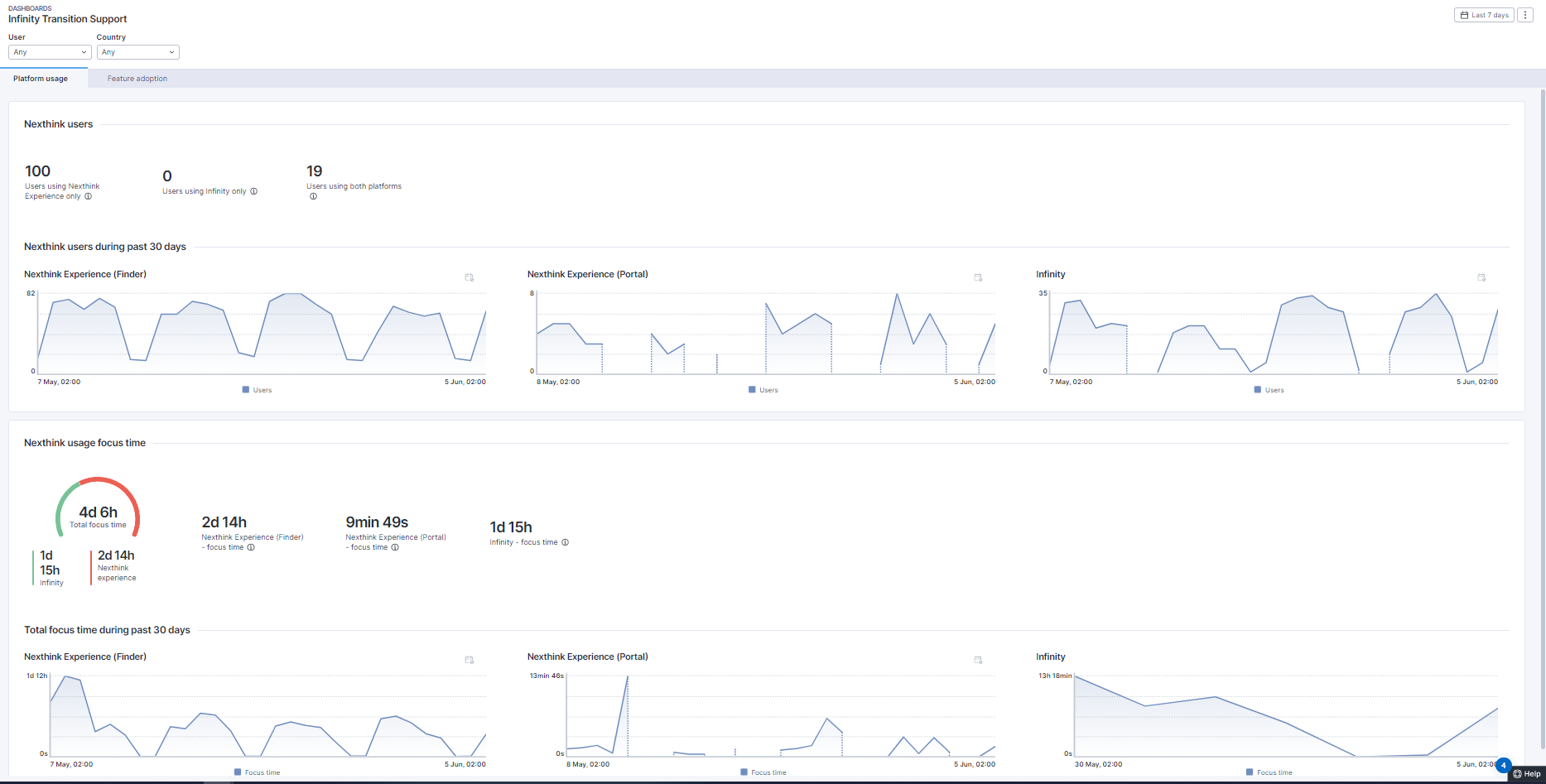
The “Platform usage” tab provides details on the number of Nexthink users and their focus time on both the Nexthink Experience and Infinity platforms. A KPI is available to indicate users who only use Infinity, suggesting that access to the Nexthink Experience could potentially be removed after consulting with those users, for example, via Engage. The “Focus time” gauge accurately displays the amount of time users actively spend on both platforms.
## Feature adoption
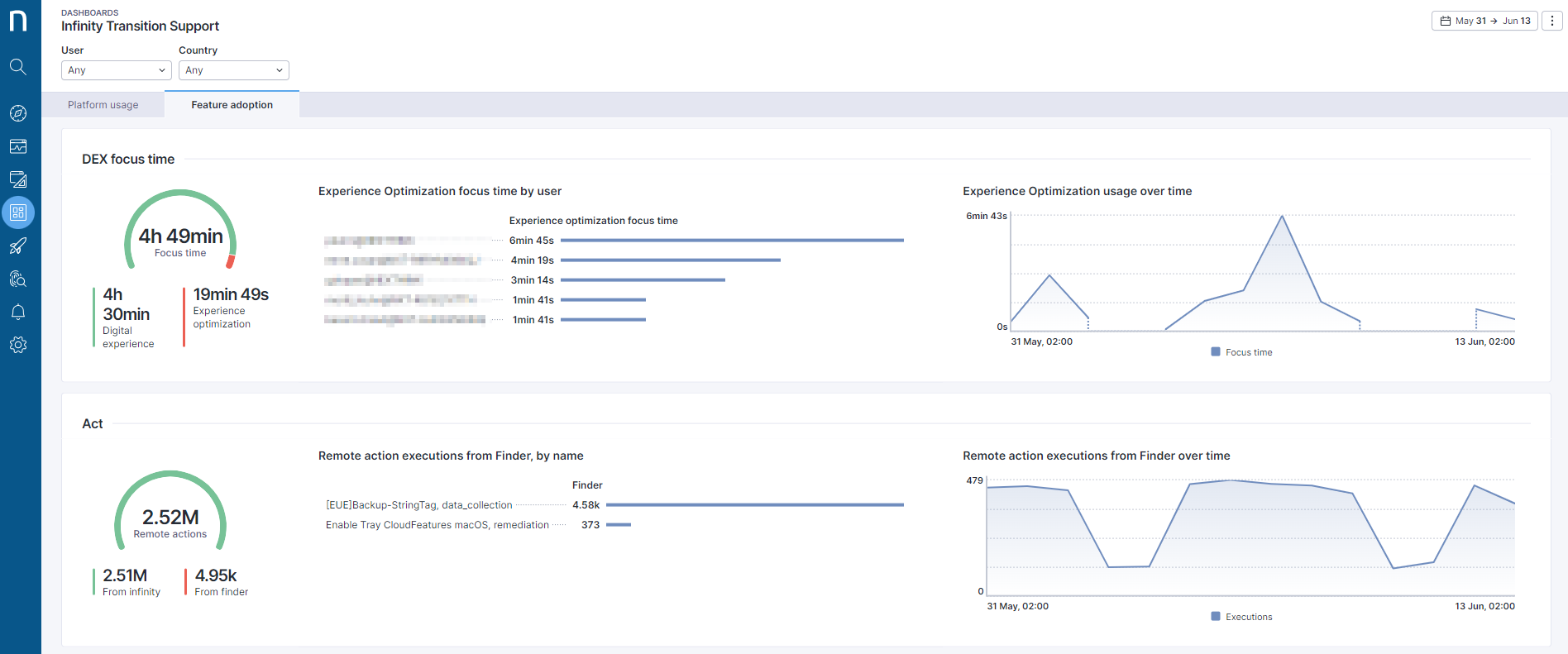
The “Feature adoption” view provides detailed information on individual feature adoption. It focuses on details from the old platform to provide transition managers with the information they need to facilitate the transition. The following features are reported on this dashboard tab:
* Dashboard focus time
* DEX focus time
* Number of remote actions
* Number of campaigns
It is important to ensure that the landing page is correctly set up and maintained as one of the Infinity pages rather than the old ones. For more information on how to set up the landing page, please see [Profiles.](https://nexthink.gitbook.io/opd/user-guide/administration/account-management/roles)
## Infinity connectivity
This page describes the status of the "**Get connectivity status to Infinity**" remote action.
This remote action checks that the device can access the new platform, which is a critical step for the transition process.
The remote action should be run for all devices that are part of the transition scope.
The gauge charts display
* Devices that the remote action ran on
* Devices that the remote action completed successfully on
* Devices that have the correct connectivity configuration for the Infinity platform.
## “Nexthink Infinity Transition” application
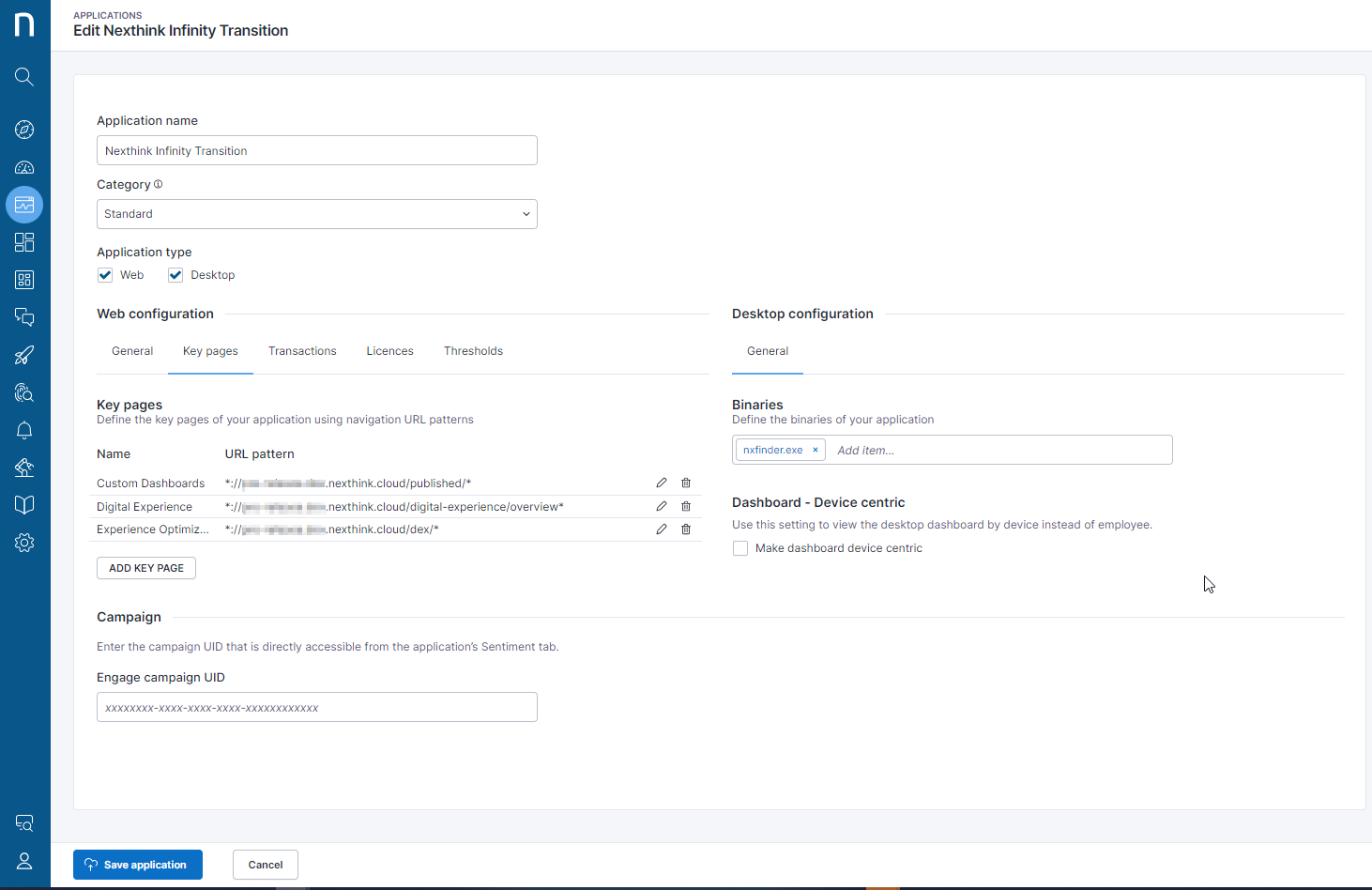
The “Nexthink Infinity Transition” application is a crucial component of this Library pack. The image below illustrates the configuration details of this application. After installation, it requires additional maintenance by updating the tenant ID/name in the “URL patterns” section of the “General” tab.
---
# Agent Instructions
This documentation is published with GitBook. GitBook is the documentation platform designed so that both humans and AI agents can read, navigate, and reason over technical content effectively. Learn more at gitbook.com.
## Querying This Documentation
If you need additional information that is not directly available in this page, you can query the documentation by asking a question.
Perform an HTTP GET request on the following URL with the `ask` and `goal` query parameters:
```
GET https://docs.nexthink.com/library-packs/nexthink-management/infinity-transition-support/usage-guide_-infinity-transition-support.md?ask=&goal=
```
`ask` is the immediate question: it should be specific, self-contained, and written in natural language.
`goal` is what the user is ultimately trying to achieve, the reason they need the answer. Sharing it helps GitBook give you a better, more relevant answer. A goal is most helpful when it describes the outcome the user wants rather than restating the question. For example, with `ask=how do I create an API token`, a goal like `automate deployments from our CI pipeline` lets GitBook tailor the answer to that use case.
The response will contain a direct answer to the question and relevant excerpts and sources from the documentation.
Use this mechanism when the answer is not explicitly present in the current page, you need clarification or additional context, or you want to retrieve related documentation sections.