> For the complete documentation index, see [llms.txt](https://docs.nexthink.com/platform/llms.txt). Markdown versions of documentation pages are available by appending `.md` to page URLs; this page is available as [Markdown](https://docs.nexthink.com/platform/whats-new/2022/whats-new-2022.2.md).
# What's new 2022.2
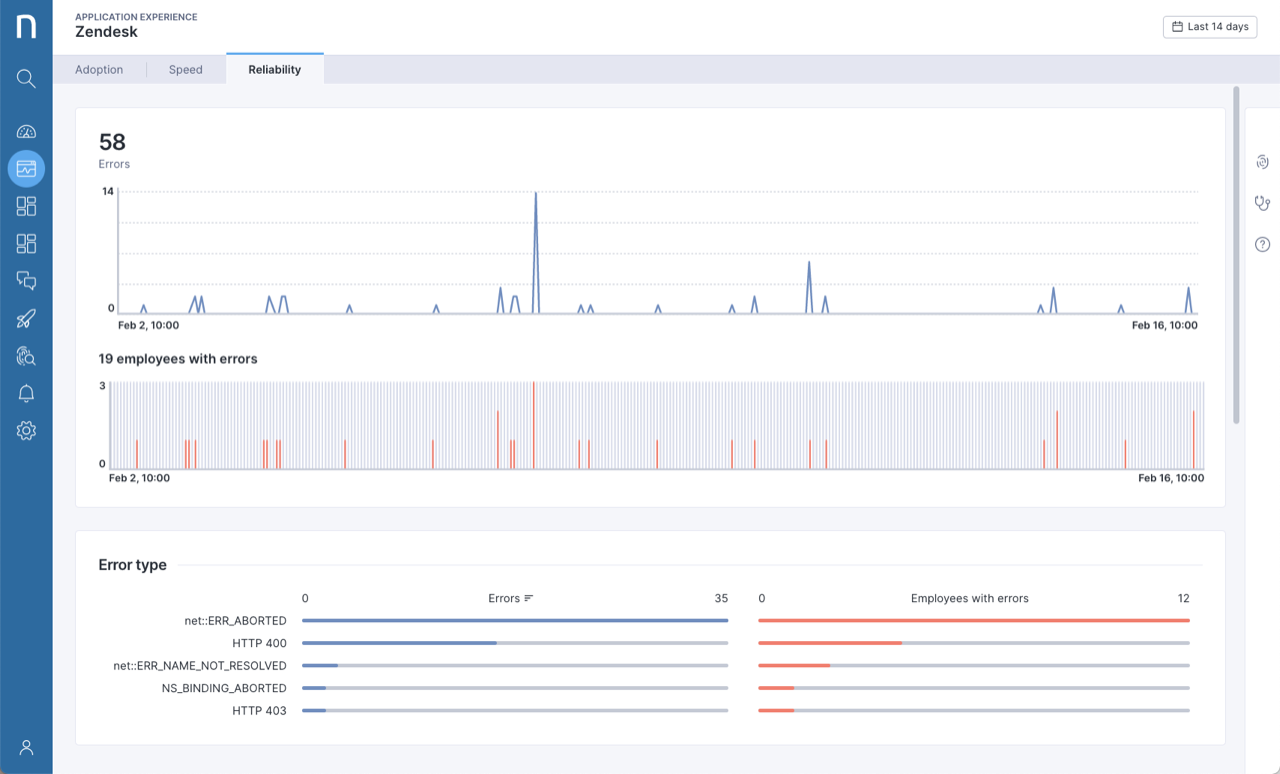
## Application Experience Enhancements
Application experience has been enhanced to offer more ease and convenience to end-users.
* Dashboards are now keyboard accessible.
* New extension info message for end-users has been added.
* Overview dashboard: open the screen associated with the selected metric when clicking on the tile.
* Reliability dashboard: “employees with errors” are now shown in red on charts.
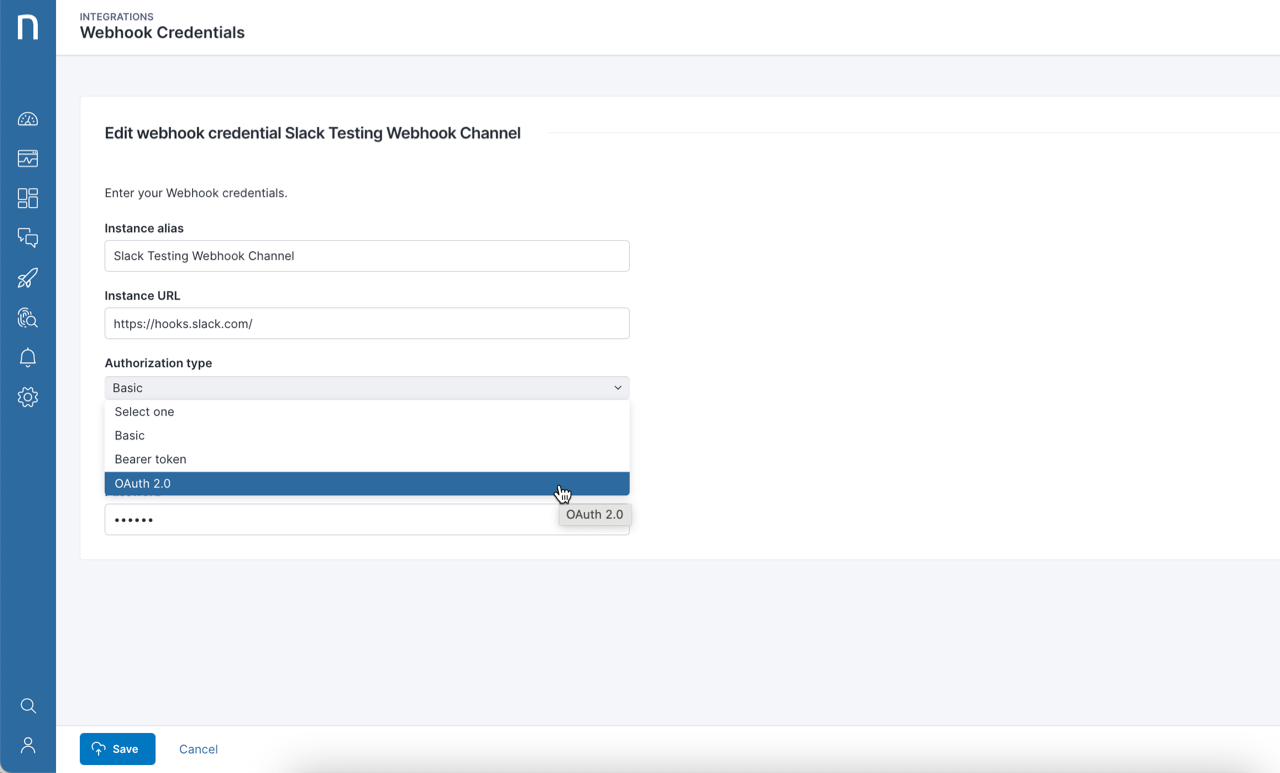
## Webhooks support for OAuth 2.0 authentication
Webhooks can now be used with third-party tools that use OAuth 2.0 client credential flow. This enhancement expands the breadth of third-party tools that can be integrated with Nexthink Experience.
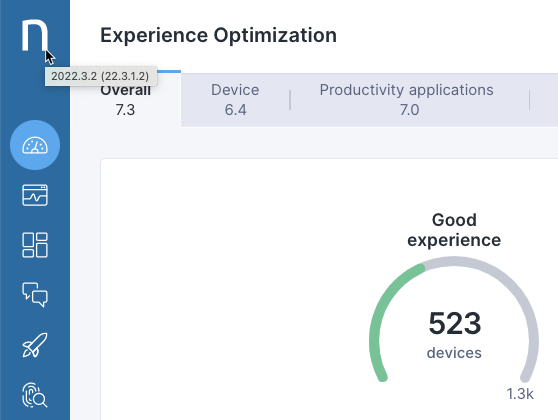
## Enhanced product version tooltip
The product version, shown when hovering over either the Nexthink logo or corporate branded logo in the upper-left of the screen, has been enhanced. The versions of both the Experience platform and Portal/Engine are now displayed, for example, "2022.2.1 (22.2.1.5)." This allows you to confirm when your system has received the latest updates.
## Improved IT Support learning path
Explore the new look and feel of the [IT Support Learning Path](https://learn.nexthink.com/learn/learning-path/it-support) on Nexthink Learn:
* Courses have been reformatted for better readability.
* Exams and quizzes have been recreated and are now less difficult.
* Easy to follow course progress and exam completions have been added.
* The improved overall learning path is now more interactive and user friendly.
If you have already been certified there is no further action required.
---
# Agent Instructions
This documentation is published with GitBook. GitBook is the documentation platform designed so that both humans and AI agents can read, navigate, and reason over technical content effectively. Learn more at gitbook.com.
## Querying This Documentation
If you need additional information that is not directly available in this page, you can query the documentation dynamically by asking a question.
Perform an HTTP GET request on the current page URL with the `ask` query parameter, and the optional `goal` query parameter:
```
GET https://docs.nexthink.com/platform/whats-new/2022/whats-new-2022.2.md?ask=&goal=
```
`ask` is the immediate question: it should be specific, self-contained, and written in natural language.
`goal` is optional and describes the broader end goal you are ultimately trying to accomplish on behalf of the user. GitBook uses it to tailor the answer towards what is most useful for that goal.
The response will contain a direct answer to the question and relevant excerpts and sources from the documentation.
Use this mechanism when the answer is not explicitly present in the current page, you need clarification or additional context, or you want to retrieve related documentation sections.