> For the complete documentation index, see [llms.txt](https://docs.nexthink.com/llms.txt). Markdown versions of documentation pages are available by appending `.md` to page URLs; this page is available as [Markdown](https://docs.nexthink.com/user-guide/administration/system-configuration/collector-management/update-configuration.md).
# Update Configuration
## Pausing updates
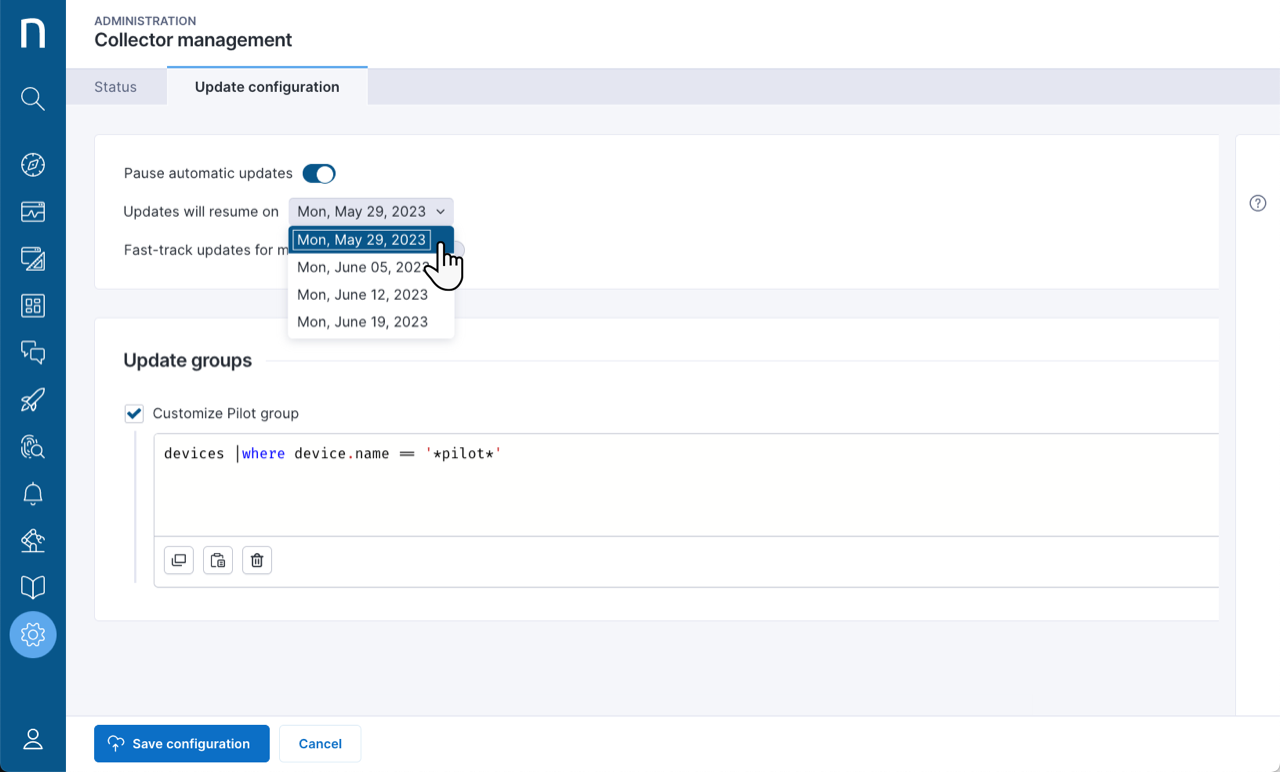
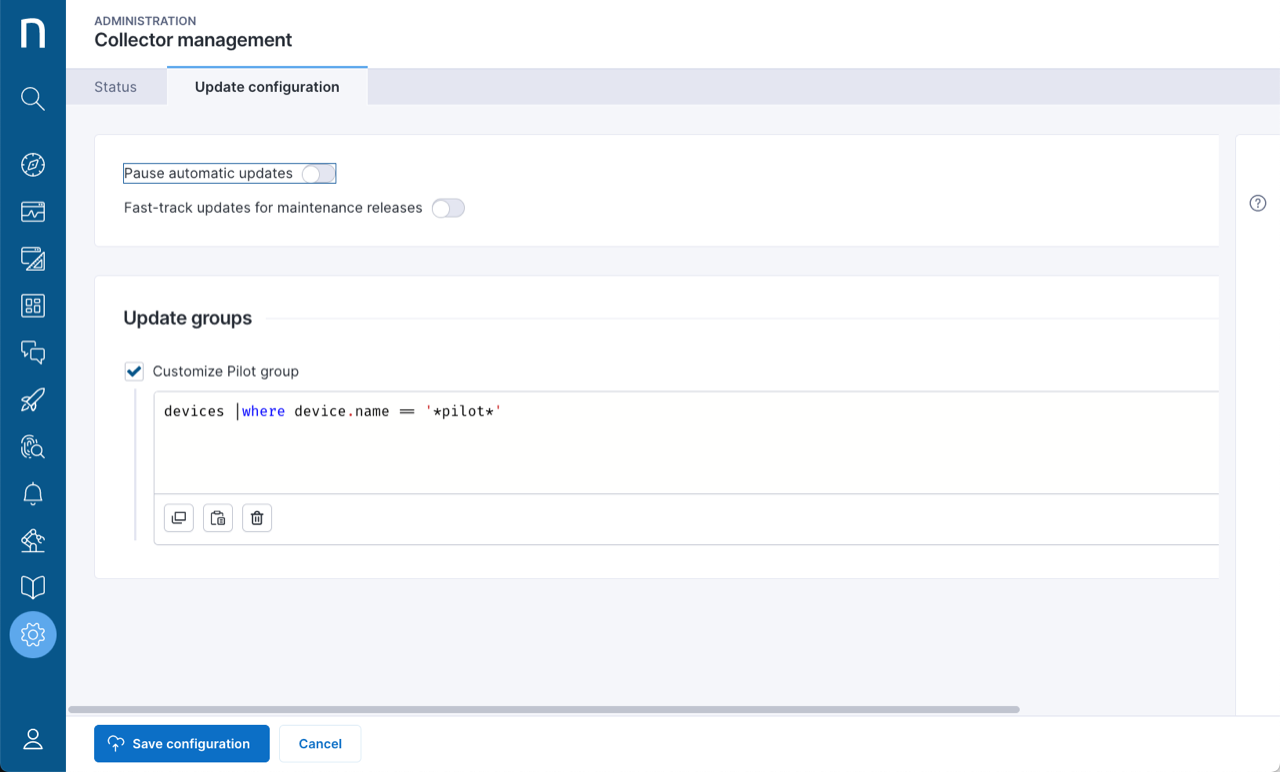
* Activate the **Pause automatic updates** feature to pause the Collector updates on all the devices.
* Select the date from the **Updates will resume** drop-down menu to indicate when to resume the updates.
You can inspect the property `device.collector.target_update_date` to know when the devices will be updated once the pause expires. If the pause functionality is turned off before its expiration, the update dates will be recomputed from that moment.
## Fast-track updates for maintenance releases
Maintenance releases apply to the currently installed versions of Collector and include small fixes for specific security issues or address critical bugs. By default, maintenance releases are rolled out without a delay to all the devices with the same installed version of Collector, to ensure running the most stable Collector release at all times.
Deactivate this setting to let maintenance releases follow the same rollout strategy as new versions of Collector, taking the pilot and main group delays into account. This choice offers more control but delays the adoption of bug fixes.
## Update groups
Define a pilot group of devices the system automatically updates with a new version of Collector before the others. If you do not define the pilot group with NQL, the system randomly chooses 10% of the Collector instances installed on the employee devices.
**Example**
```sql
devices | where device.name == '*pilot*'
```
### Defining the pilot query
The query must target the `devices` collection and can use conditions on any of its fields.
#### **NQL examples**
Targeting specific devices by name:
```sql
devices | where name in ['abc', 'def']
```
Targeting specific devices using a pattern:
```sql
devices | where device.name contains 'NX'
```
Targeting devices with a specific property:
```sql
devices | where ad_site = 'my site'
```
The system does not support the `summarize` , `list`, `with`, `limit` , `during past`, `from .. to ..` statements. It recomputes the pilot query every 6 hours and upon any configuration change, such as an updated query or release of a new Collector version.
### Rolling out updates
The system schedules all devices in the pilot group for an update two days after a new compatible Collector version is available, and all other devices for an update two weeks later or 16 days after a new compatible Collector version is available. Refer to the [Fast-track updates for maintenance releases](#collectormanagement-fast-trackupdatesformaintenancereleasesmaintenance) section for more information about the maintenance releases and how to configure their rollout strategy.
The rollout is paced with the goal of updating all the Collector instances of the pilot group within a week and all other devices within two weeks from the start of the rollout. There is also an upper rate limit to prevent Collector from sending update requests in excess of 100 requests per minute per instance to avoid overloading the network.
### Retry policy
If an update fails, the Collector updater tries the update again after one hour.
### Excluding non-persistent VDI devices
Select the **Do not update shared and pooled VDI devices** option to avoid Collector updates on non-persistent VDI devices, such as pooled and shared virtual desktops. This exclusion prevents such desktops from constantly switching between different Collector versions.
{% hint style="info" %}
You must configure the applicable [inbound connector](/configuring_nexthink/bringing-data-into-your-nexthink-instance/integrating-nexthink-with-third-party-tools/inbound-connectors.md) for your virtual environment to use this feature.
{% endhint %}
---
# Agent Instructions
This documentation is published with GitBook. GitBook is the documentation platform designed so that both humans and AI agents can read, navigate, and reason over technical content effectively. Learn more at gitbook.com.
## Querying This Documentation
If you need additional information that is not directly available in this page, you can query the documentation by asking a question.
Perform an HTTP GET request on the following URL with the `ask` and `goal` query parameters:
```
GET https://docs.nexthink.com/user-guide/administration/system-configuration/collector-management/update-configuration.md?ask=&goal=
```
`ask` is the immediate question: it should be specific, self-contained, and written in natural language.
`goal` is what the user is ultimately trying to achieve, the reason they need the answer. Sharing it helps GitBook give you a better, more relevant answer. A goal is most helpful when it describes the outcome the user wants rather than restating the question. For example, with `ask=how do I create an API token`, a goal like `automate deployments from our CI pipeline` lets GitBook tailor the answer to that use case.
The response will contain a direct answer to the question and relevant excerpts and sources from the documentation.
Use this mechanism when the answer is not explicitly present in the current page, you need clarification or additional context, or you want to retrieve related documentation sections.