> For the complete documentation index, see [llms.txt](https://docs.nexthink.com/platform/llms.txt). Markdown versions of documentation pages are available by appending `.md` to page URLs; this page is available as [Markdown](https://docs.nexthink.com/platform/ja/user-guide/administration/system-configuration/collector-management/update-configuration.md).
# 更新設定
## 更新の一時停止
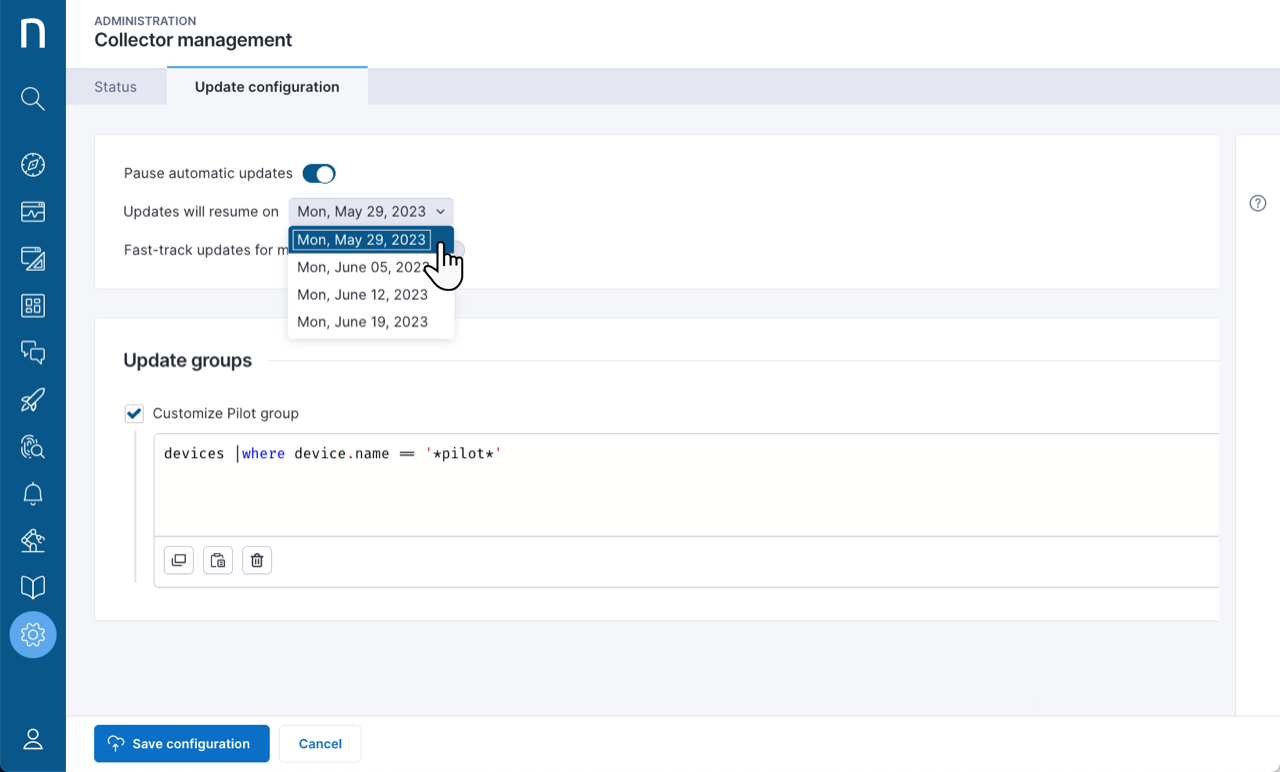
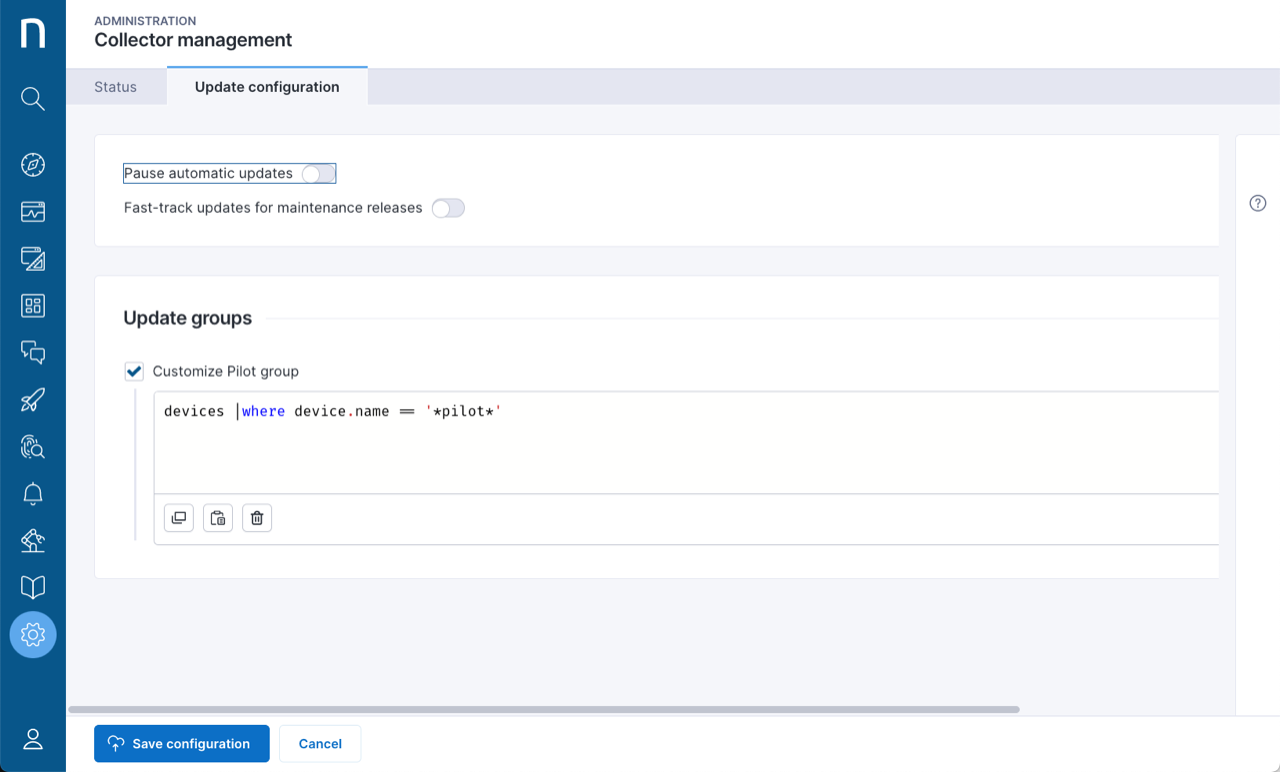
* すべてのデバイスで Collector の更新を一時停止するには、**自動更新を一時停止**機能を有効にします。
* 更新を再開する時期を指定するには、**更新の再開日**ドロップダウンメニューから日付を選択します。
一時停止が終了した後にデバイスが更新される時期は、プロパティ `device.collector.target_update_date` を確認して確認できます。有効期限前に一時停止機能をオフにすると、その時点から更新日が再計算されます。
## メンテナンス リリースの高速更新
メンテナンス リリースは、現在インストールされている Collector のバージョンに適用され、特定のセキュリティ問題に対する小規模な修正や、重大なバグへの対処を含みます。デフォルトでは、常に最も安定した Collector リリースを実行できるように、メンテナンス リリースは遅延なしで、同じバージョンの Collector がインストールされているすべてのデバイスに展開されます。
この設定を無効にすると、メンテナンス リリースは新しいバージョンの Collector と同じ展開戦略に従い、パイロットグループとメイングループの遅延が考慮されます。この選択により制御性は向上しますが、バグ修正の適用は遅れます。
## グループを更新
他のデバイスより先に、新しいバージョンの Collector にシステムが自動的に更新するデバイスのパイロットグループを定義します。 NQL でパイロットグループを定義しない場合、システムは従業員のデバイスにインストールされた Collector インスタンスの 10% をランダムに選択します。
**例**
```sql
devices | where device.name == '*pilot*'
```
### パイロットクエリの定義
クエリは `devices` コレクションを対象とし、その任意のフィールドに条件を使用できます。
#### **NQL の例**
名前で特定のデバイスを対象にする:
```sql
devices | where name in ['abc', 'def']
```
パターンを使用して特定のデバイスを対象にする:
```sql
devices | where device.name contains 'NX'
```
特定のプロパティを持つデバイスを対象にする:
```sql
devices | where ad_site = 'my site'
```
システムでは、`summarize`、`list`、`with`、`limit`、`during past`、`from 。。 to ..` ステートメントはサポートされていません。パイロットクエリは 6 時間ごと、およびクエリの更新や新しい Collector バージョンのリリースなど、設定が変更されるたびに再計算されます。
### 更新の展開
システムは、新しい互換性のある Collector バージョンが利用可能になってから二日後にパイロットグループ内のすべてのデバイスの更新をスケジュールし、それ以外のすべてのデバイスの更新は二週間後、つまり新しい互換性のある Collector バージョンが利用可能になってから十六日後にスケジュールします。メンテナンス リリースおよびその展開戦略の設定方法について詳しくは、[メンテナンス リリースの高速更新](#collectormanagement-fast-trackupdatesformaintenancereleasesmaintenance)セクションを参照してください。
展開は、展開開始から一週間以内にパイロットグループのすべての Collector インスタンスを更新し、二週間以内にその他のすべてのデバイスを更新することを目標に調整されます。ネットワークの過負荷を回避するため、Collector がインスタンスごとに毎分 100 件を超える更新リクエストを送信しないよう、上限レートも設定されています。
### 再試行ポリシー
更新に失敗した場合、Collector アップデーターは一時間後に更新を再試行します。
### 非永続 VDI デバイスの除外
プール型および共有仮想デスクトップなどの非永続 VDI デバイスで Collector の更新が行われないようにするには、**共有およびプール型 VDI デバイスを更新しない**オプションを選択します。この除外により、このようなデスクトップで異なる Collector バージョンへの切り替えが繰り返されるのを防ぎます。
{% hint style="info" %}
この機能を使用するには、仮想環境に適用可能な[inbound connector](/platform/ja/configuring_nexthink/bringing-data-into-your-nexthink-instance/integrating-nexthink-with-third-party-tools/inbound-connectors.md)を設定する必要があります。
{% endhint %}
---
# Agent Instructions
This documentation is published with GitBook. GitBook is the documentation platform designed so that both humans and AI agents can read, navigate, and reason over technical content effectively. Learn more at gitbook.com.
## Querying This Documentation
If you need additional information that is not directly available in this page, you can query the documentation by asking a question.
Perform an HTTP GET request on the following URL with the `ask` and `goal` query parameters:
```
GET https://docs.nexthink.com/platform/ja/user-guide/administration/system-configuration/collector-management/update-configuration.md?ask=&goal=
```
`ask` is the immediate question: it should be specific, self-contained, and written in natural language.
`goal` is what the user is ultimately trying to achieve, the reason they need the answer. Sharing it helps GitBook give you a better, more relevant answer. A goal is most helpful when it describes the outcome the user wants rather than restating the question. For example, with `ask=how do I create an API token`, a goal like `automate deployments from our CI pipeline` lets GitBook tailor the answer to that use case.
The response will contain a direct answer to the question and relevant excerpts and sources from the documentation.
Use this mechanism when the answer is not explicitly present in the current page, you need clarification or additional context, or you want to retrieve related documentation sections.