> For the complete documentation index, see [llms.txt](https://docs.nexthink.com/platform/llms.txt). Markdown versions of documentation pages are available by appending `.md` to page URLs; this page is available as [Markdown](https://docs.nexthink.com/platform/ja/user-guide/administration/system-configuration/collector-management/status.md).
# ステータス
組織に展開されているCollectorインスタンスのステータスを確認し、情報をすばやくフィルタリングして分析に役立てることができます。
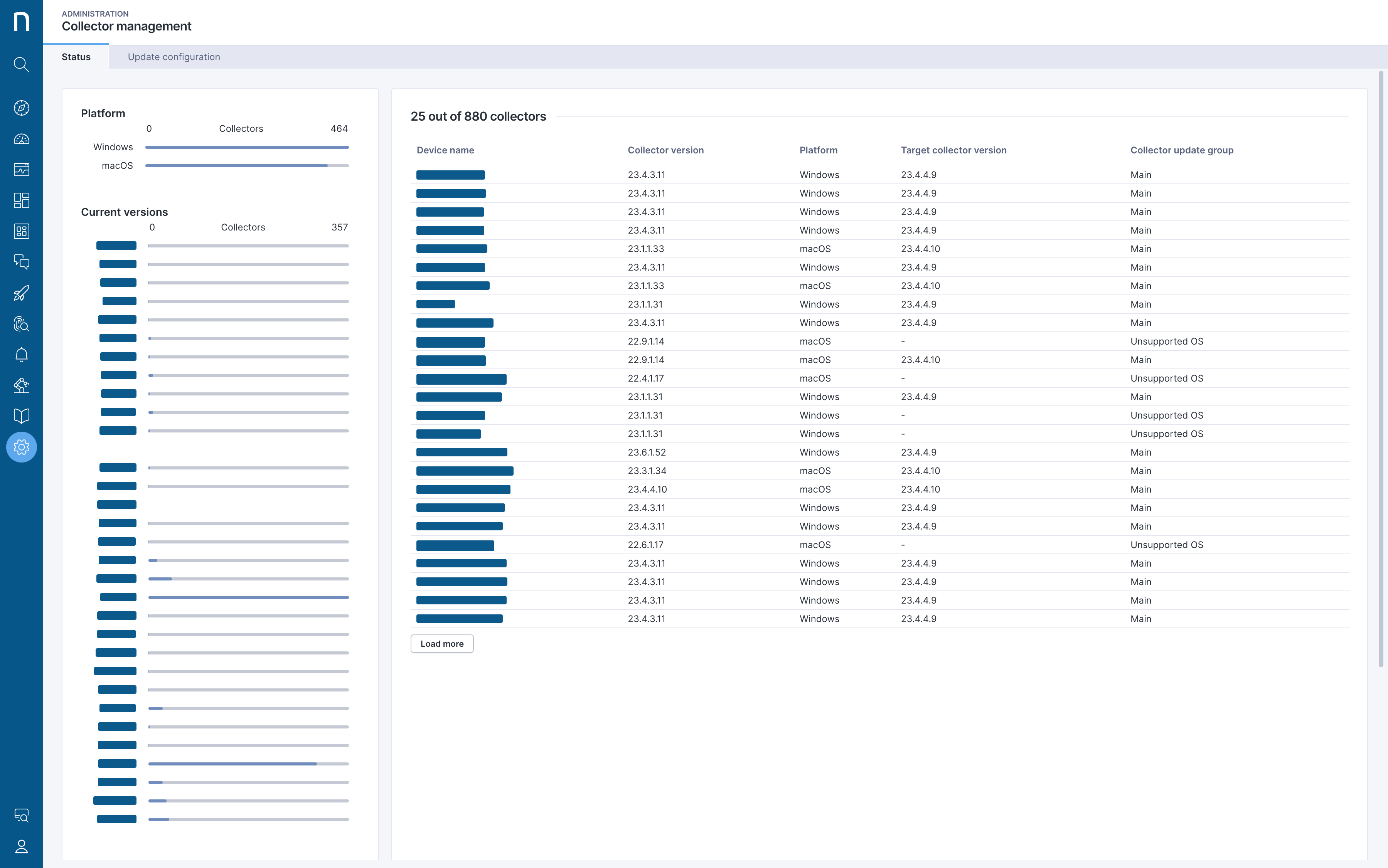
## ステータス棒グラフ
ステータス棒グラフには、プラットフォーム、現在のバージョン、グループ、ターゲットバージョン別の情報が表示されます。
各バーをクリックすると、ステータステーブルに表示される結果をフィルタリングできます。
* **プラットフォーム**: 特定のプラットフォームに展開されているCollectorインスタンスを表示します。現在、CollectorはWindows、macOS、IGELプラットフォームをサポートしています。
* **現在のバージョン**: この棒グラフには、組織に展開されているすべての現在のバージョンが表示されます。
* **グループ**:Collectorインスタンスには、次のグループがあります:
* パイロットグループは、新しいCollectorバージョンが利用可能になってから2日後に更新を開始します。デフォルトでは、ランダムに選択されたCollectorインスタンスの10%が含まれます。パイロットグループのカスタマイズの詳細については、[更新設定](/platform/ja/user-guide/administration/system-configuration/collector-management/update-configuration.md)ページを参照してください。
* メイングループは残りのCollectorインスタンスで構成され、新しいCollectorバージョンが利用可能になってから16日後にシステムによって更新されます。メイングループのカスタマイズ方法およびグループを自動的にターゲットにする方法の詳細については、[更新設定](/platform/ja/user-guide/administration/system-configuration/collector-management/update-configuration.md)ページを参照してください。
* サポート対象外のOSグループには、ホストOSがサポートされなくなったために更新できないCollectorバージョンを実行しているすべてのデバイスが含まれます。詳細については、[ソフトウェア要件](/platform/ja/configuring_nexthink/before-you-begin/technical-requirements/software-requirements.md)ページを参照してください。
* VDI Connectorが構成されている場合、VDIグループには、インテグレーションによって報告された非永続プール型または共有型のVDIタイプを使用するデバイスが含まれます。
* **ターゲットバージョン**: システムが自動更新の対象としているCollectorバージョンを表示します。
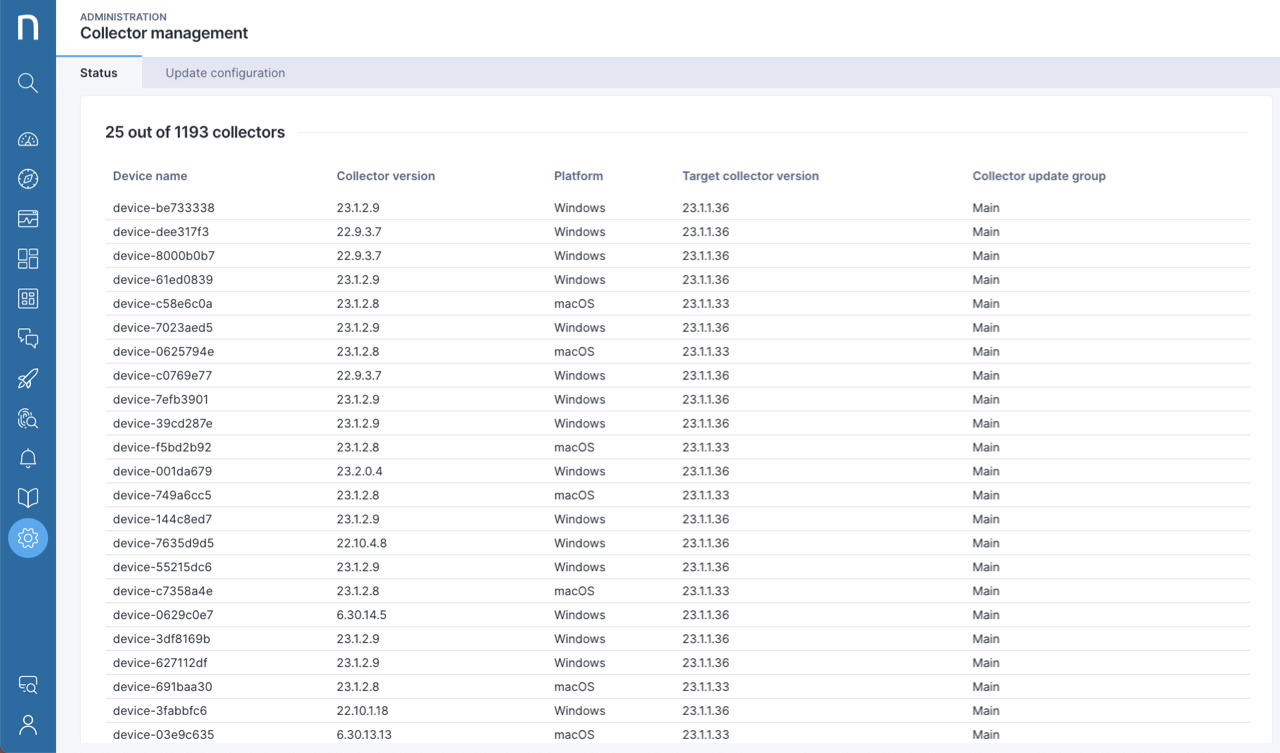
## ステータステーブル
ステータステーブルには、ステータス棒グラフを使用してページに適用したフィルターに応じて、すべてのCollectorインスタンスの結果が一覧表示されます。システムは、デバイス名、Collectorバージョン、プラットフォーム、ターゲットCollectorバージョンごとにテーブルの列を整理します。
---
# Agent Instructions
This documentation is published with GitBook. GitBook is the documentation platform designed so that both humans and AI agents can read, navigate, and reason over technical content effectively. Learn more at gitbook.com.
## Querying This Documentation
If you need additional information that is not directly available in this page, you can query the documentation by asking a question.
Perform an HTTP GET request on the following URL with the `ask` and `goal` query parameters:
```
GET https://docs.nexthink.com/platform/ja/user-guide/administration/system-configuration/collector-management/status.md?ask=&goal=
```
`ask` is the immediate question: it should be specific, self-contained, and written in natural language.
`goal` is what the user is ultimately trying to achieve, the reason they need the answer. Sharing it helps GitBook give you a better, more relevant answer. A goal is most helpful when it describes the outcome the user wants rather than restating the question. For example, with `ask=how do I create an API token`, a goal like `automate deployments from our CI pipeline` lets GitBook tailor the answer to that use case.
The response will contain a direct answer to the question and relevant excerpts and sources from the documentation.
Use this mechanism when the answer is not explicitly present in the current page, you need clarification or additional context, or you want to retrieve related documentation sections.