> For the complete documentation index, see [llms.txt](https://docs.nexthink.com/platform/llms.txt). Markdown versions of documentation pages are available by appending `.md` to page URLs; this page is available as [Markdown](https://docs.nexthink.com/platform/ja/whats-new/2022/whats-new-2022.10.md).
# 2022年10月の新着情報
このバージョン2022.10のリリース日は2022年11月28日です。コミュニティウェブサイトのリリースノートセクションで[リリースノート](https://community.nexthink.com/s/knowledge#release_notes)とダウンロードリンクを確認してください。
## デバイスビューの改善
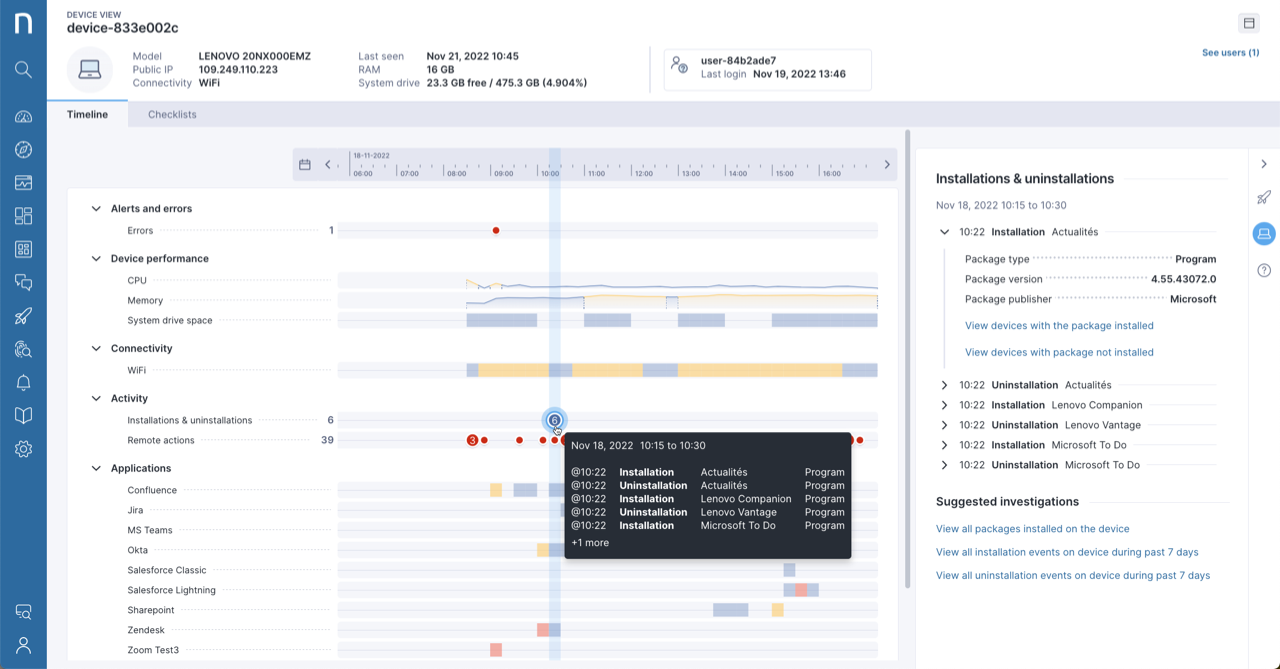
デバイスビューでの新機能でサポート効率を向上させましょう:
* 新しいカラーボーダー付きのリソース使用量バーをタイムラインに表示して、パフォーマンスの問題を簡単に特定。
* タイムラインに最近のインストールやアンインストールを表示して、他のデバイスのイベントと関連付けます。
[デバイスビュー](/platform/ja/user-guide/device-view.md)のドキュメントをご参照ください。
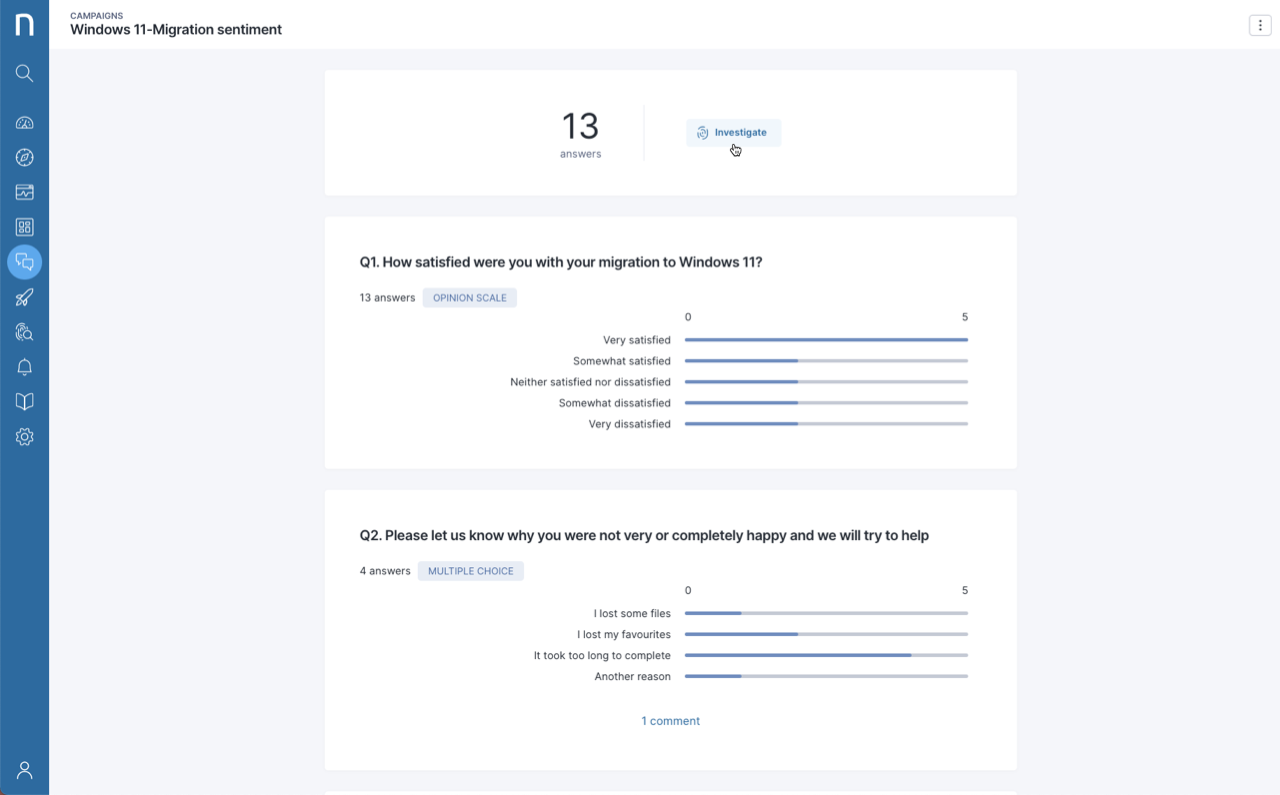
## キャンペーンの応答の調査およびエクスポート
キャンペーンモジュールから調査を開始し、キャンペーンの結果を取得するためにNQLクエリをカスタマイズします。追加の分析のために選択したツールにCSVでエクスポートします。
詳細については[調査](/platform/ja/user-guide/investigations.md)のドキュメントをご参照ください。
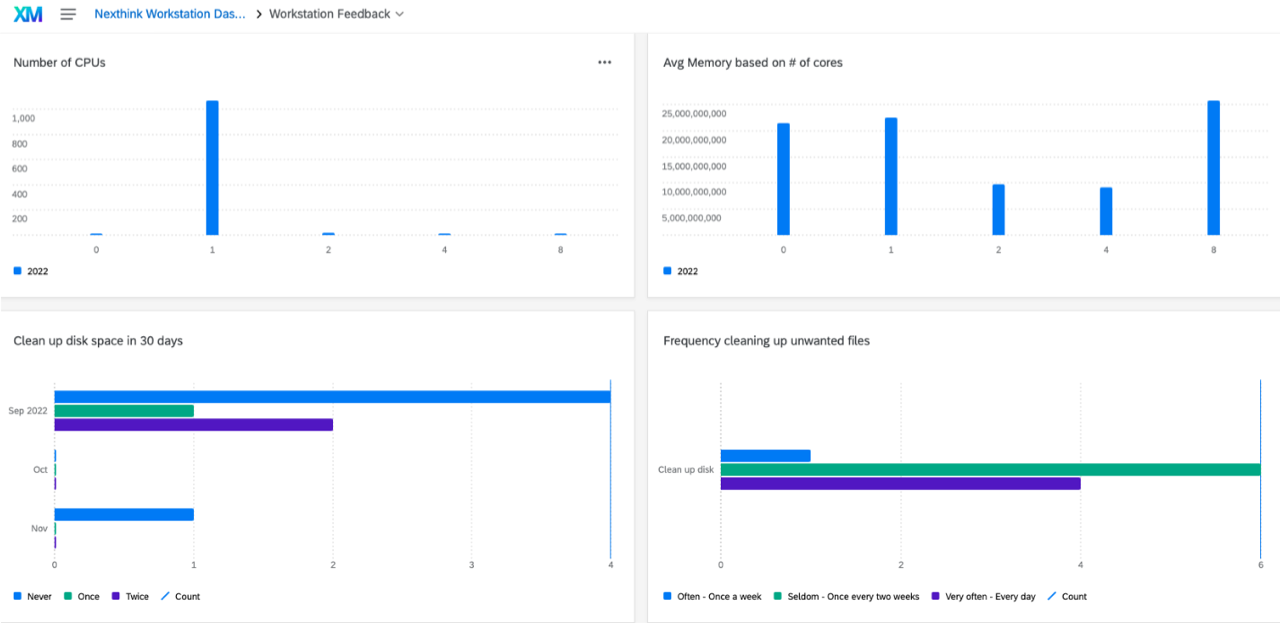
## NexthinkデータをQualtricsにインポート
Nexthinkの事実データを従業員の感情データと組み合わせて、定期的にQualtricsにインポートして問題に対処し、デジタルエクスペリエンス(DEX)を改善します。
## Learnにて新規および更新されたコース
これらの新しいコースや学習の道筋でInfinityスキルセットを構築しましょう:
* [NQLデータモデルとは何か?](https://learn.nexthink.com/courses/what-is-the-nql-data-model)
* [Nexthinkコンテンツを管理する方法](https://learn.nexthink.com/courses/how-to-manage-content)
* [Finderからwebへの移行](https://learn.nexthink.com/learn/learning-path/transition-from-finder-to-web)
以下の学習経路が新しい内容で更新され、再訪します:
* [Nexthinkコンテンツ管理](https://learn.nexthink.com/learn/learning-path/nexthink-content-management)
* [Nexthinkプラットフォーム管理](https://learn.nexthink.com/learn/learning-path/nexthink-platform-administration)
* [Nexthinkによるトラブルシューティング](https://learn.nexthink.com/learn/learning-path/troubleshooting-with-nexthink)
各Infinityコースの最後にある**更新履歴**を確認して最新のコース変更を確認してください。
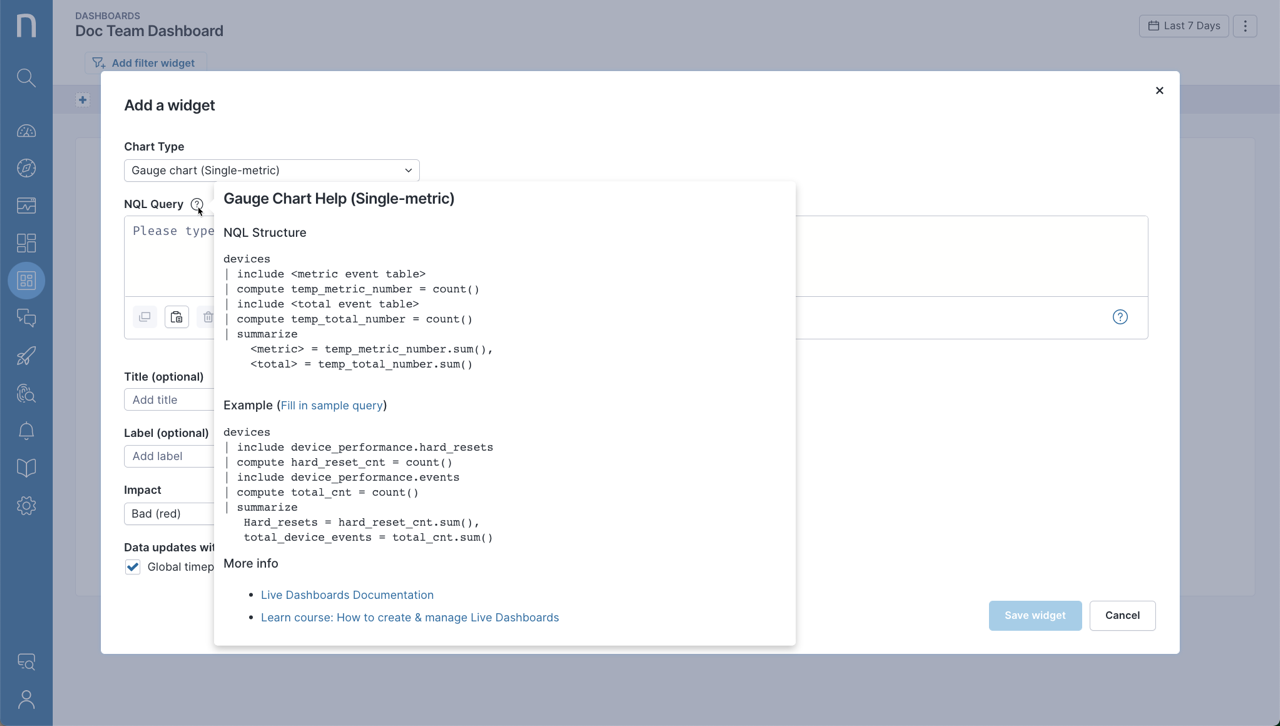
## ライブダッシュボードのサンプルクエリ
便利なサンプルクエリでライブダッシュボードの構築を始めましょう。詳細については、[ライブダッシュボードの管理](/platform/ja/whats-new/2022/whats-new-2022.10.md)ドキュメントをご参照ください。
## 新しいmacOSエンドポイントセキュリティフレームワークの採用
Nexthinkは、より強力で安全かつAppleのプライバシーガイドラインに準拠した新しいmacOSエンドポイントセキュリティフレームワークを採用しました。新しいフレームワークを使用して同じ実行データを収集し続けるためには、Collectorに**フルディスクアクセス**が必要であり、構成プロファイルを使用して提供できます。詳細については、[macOS での Collector のインストール](/platform/ja/configuring_nexthink/bringing-data-into-your-nexthink-instance/deploying-nexthink-in-non-vdi-environment/installing-collector/installing-collector-on-macos.md) を参照してください。
## Nexthink Library用の新しいユーザー権限
特定のユーザープロファイルに権限を割り当てることにより、製品内のNexthink Libraryへのアクセスを許可または拒否します。詳細については、[Nexthink Library](/platform/ja/user-guide/nexthink-library.md)のドキュメントをご参照ください。
## ServiceNow CMDBコネクタの設定を簡素化
Nexthinkが提供した更新セットを使用して、ServiceNow CMDBへの資産インポート時の設定プロセスを効率化します。 [SFTPからServiceNowへのCMDBインポート](/platform/ja/configuring_nexthink/bringing-data-into-your-nexthink-instance/integrating-nexthink-with-third-party-tools/outbound-connectors/data-exporters/exporter-for-secure-file-transfer-protocol-sftp-server/cmdb-import-from-sftp-into-servicenow.md)のドキュメントで詳細をご確認ください。
---
# Agent Instructions
This documentation is published with GitBook. GitBook is the documentation platform designed so that both humans and AI agents can read, navigate, and reason over technical content effectively. Learn more at gitbook.com.
## Querying This Documentation
If you need additional information that is not directly available in this page, you can query the documentation dynamically by asking a question.
Perform an HTTP GET request on the current page URL with the `ask` query parameter, and the optional `goal` query parameter:
```
GET https://docs.nexthink.com/platform/ja/whats-new/2022/whats-new-2022.10.md?ask=&goal=
```
`ask` is the immediate question: it should be specific, self-contained, and written in natural language.
`goal` is optional and describes the broader end goal you are ultimately trying to accomplish on behalf of the user. GitBook uses it to tailor the answer towards what is most useful for that goal.
The response will contain a direct answer to the question and relevant excerpts and sources from the documentation.
Use this mechanism when the answer is not explicitly present in the current page, you need clarification or additional context, or you want to retrieve related documentation sections.