> For the complete documentation index, see [llms.txt](https://docs.nexthink.com/platform/llms.txt). Markdown versions of documentation pages are available by appending `.md` to page URLs; this page is available as [Markdown](https://docs.nexthink.com/platform/ja/configuring_nexthink/bringing-data-into-your-nexthink-instance/integrating-nexthink-with-third-party-tools/outbound-connectors/webhooks/managing-webhooks.md).
# Webhookの管理
## コネクタの認証情報
Nexthinkが任意のサードパーティ対応ツールにデータをエクスポートする前に、新しい認証情報を作成して、接続とそのコミュニケーションを有効にし、Webhookを設定する際にその認証情報を適用する必要があります。詳細については、[コネクタの認証情報](/platform/ja/configuring_nexthink/bringing-data-into-your-nexthink-instance/integrating-nexthink-with-third-party-tools/outbound-connectors/connector-credentials.md)のドキュメントを参照してください。
{% hint style="info" %}
Nexthink は、サードパーティツールに送信されたメッセージの配信を規制する仕組みを使用しており、データで負荷がかかることを防ぎます。
これにより、情報の配信が即時ではなく、一部の遅延が発生する可能性があります。
{% endhint %}
## Webhookへのアクセス
Webhookを設定するには、中央管理者権限と統合モジュールが有効である必要があります。
Webhookにアクセスするには、次の手順に従います:
1. メインメニューから**管理** > **アウトバウンドコネクタ**を開きます。
2. アウトバウンドコネクタのリストから**Webhook**を選択します。
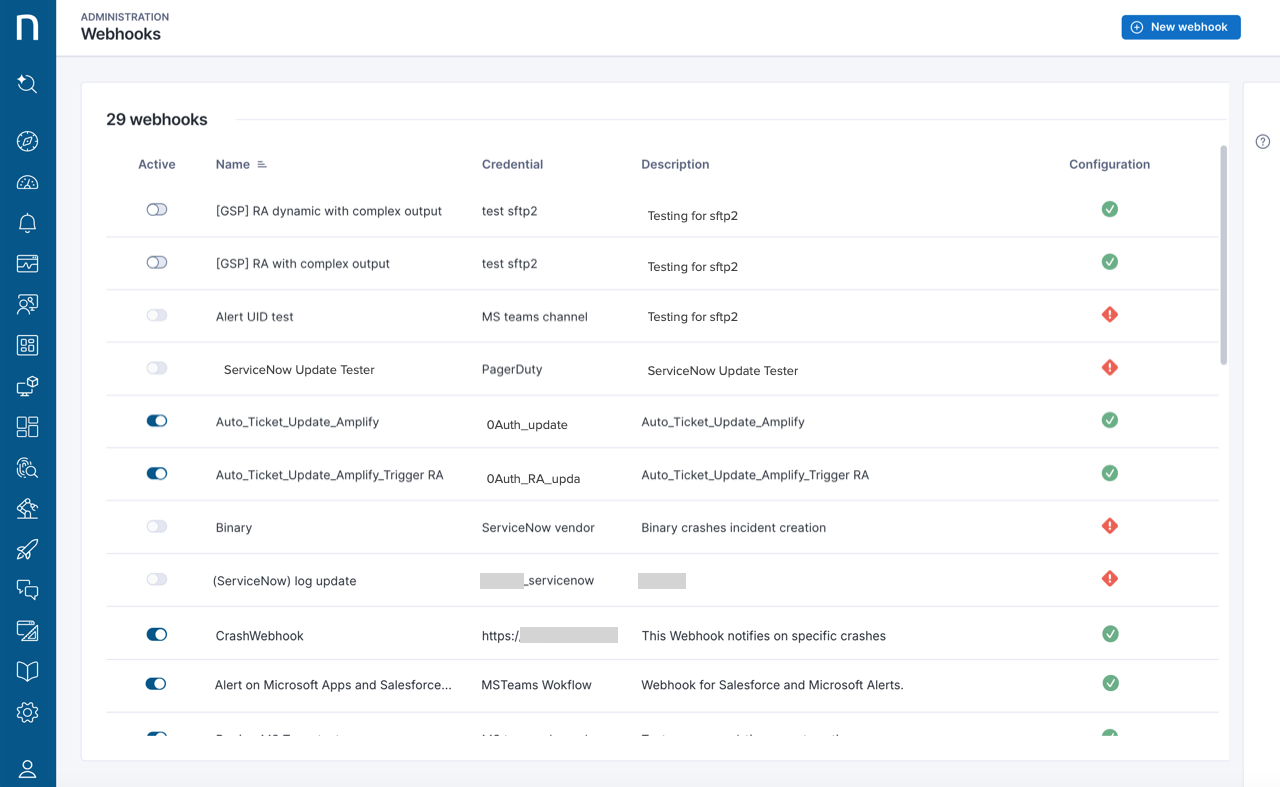
* システムは存在する全てのWebhookを一覧表示します。したがって、Webhookページに初めてアクセスするときは、要素は表示されません。
{% hint style="info" %}
**設定**欄のアイコンを確認してホバーすることで、既存のWebhookセットアップの有効性を確認できます。
{% endhint %}
Webhookページのテーブルフィールドは以下となります:
* **有効:** アラートやイベントが発生した場合にアクションを実行するためのWebhookを有効にするトグル
* **名前:** Webhookの名前
* **認証情報:** Webhookがデータをプッシュするサードパーティツールの認証情報を定義
* **説明:** Webhookによって実行されるアクションの意味のある説明
## Webhookの作成とテスト
**管理 > アウトバウンドコネクタ > Webhook**ページから:
1. Webhook設定ページを開くには、**新しいWebhook**ボタンをクリックしてください。
2. フォームに記入します。
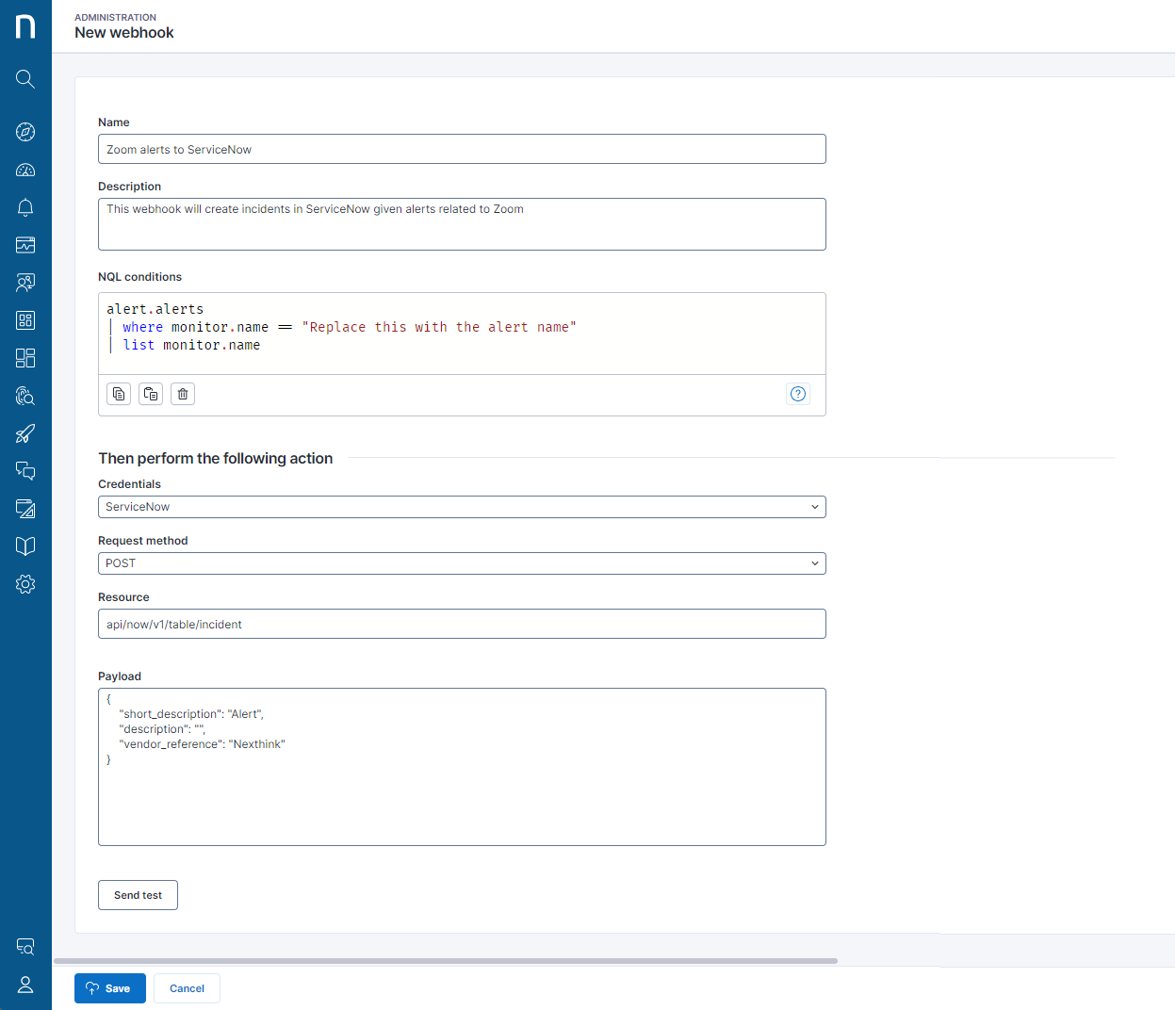
* 作成中のWebhookに**名前**を付けます。
* Webhookによって実行されるアクションの**説明**
* **NQL条件**は、**リクエストメソッド**セクションで構成されたアクションをトリガーするアラートまたはイベントの条件を指定するNQLクエリです。 [WebhookのNQL条件の設定](/platform/ja/configuring_nexthink/bringing-data-into-your-nexthink-instance/integrating-nexthink-with-third-party-tools/outbound-connectors/webhooks/managing-webhooks/configuring-webhook-nql-conditions.md)のドキュメントを参照してください。
* **認証情報**は、ターゲットにしたいサードパーティツールの認証情報を指定します。
* **リクエストメソッド**、**リソース**、および**ペイロード**は、サードパーティツールで実行されたアクションを表す情報を定義します。リクエストメソッド、**リソース**API、および**ペイロード**に関する情報については、[Webhookフィールド設定: メソッド、リソース、ペイロード](/platform/ja/configuring_nexthink/bringing-data-into-your-nexthink-instance/integrating-nexthink-with-third-party-tools/outbound-connectors/webhooks/managing-webhooks/configuring-webhook-fields_-method-resource-and-payload.md)のドキュメントを参照してください。
3. **テストの送信**を使用して、**認証情報**、**リクエストメソッド**、**リソース**、および**ペイロード**の正しい設定を確認します。
* システムは、設定フィールドに誤りや不足がある場合には警告を発します。
* テストはペイロード内のプレースホルダーの使用を置き換えません。例として: `{{variable_name}}`。システムはすべての変数をプレーンな文字列として扱います。
下の画像は、Webhook設定フィールドの例を示しています。
下の画像は、Webhook設定ページからの**テスト送信**ボタンを使用して作成したServiceNowインシデントを示しています。
## 既存のWebhookの編集/削除
**管理 > アウトバウンドコネクタ > Webhook**ページから:
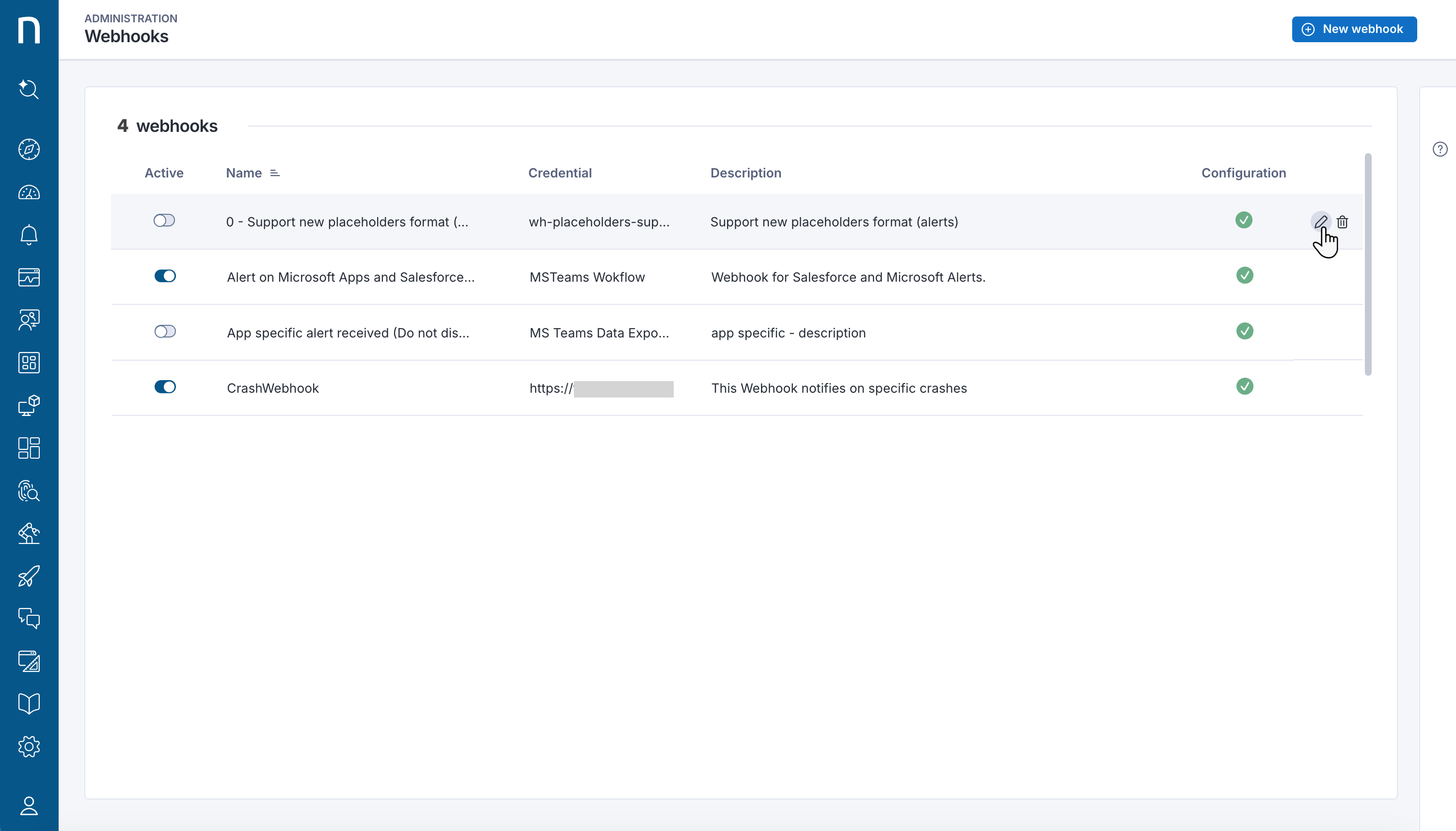
1. Webhookにカーソルを合わせると、選択したアイテムの右側にアイコンが表示されます。
* 鉛筆アイコンをクリックして、Webhookの設定ページを開きます。
* ゴミ箱アイコンをクリックしてWebhookを削除します。
{% hint style="info" %}
Webhookの削除は取り消すことができません。
{% endhint %}
## Webhookの無効化
Webhookを無効にすると、NQL条件がアラート設定の要件を満たしている場合でも、サードパーティツールの関与を解除します。
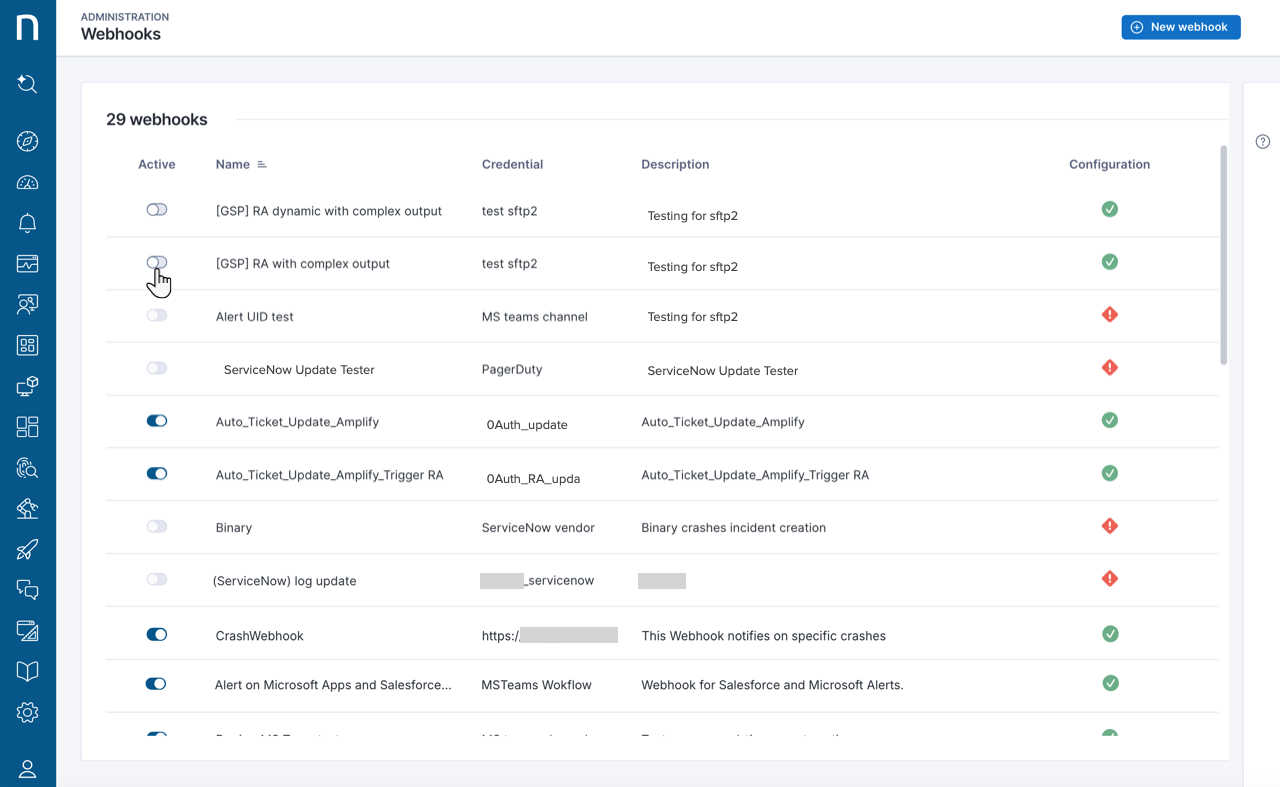
Webhookの**アクティブ**トグルをオフにすることができる場所は2つあります:
* WebhookページのWebhookリストの**アクティブ**列で。
* Webhook編集ページでWebhookのアクティブプロパティを編集します。
***
関連タスク
[コネクタの認証情報](/platform/ja/configuring_nexthink/bringing-data-into-your-nexthink-instance/integrating-nexthink-with-third-party-tools/outbound-connectors/connector-credentials.md)
---
# Agent Instructions
This documentation is published with GitBook. GitBook is the documentation platform designed so that both humans and AI agents can read, navigate, and reason over technical content effectively. Learn more at gitbook.com.
## Querying This Documentation
If you need additional information that is not directly available in this page, you can query the documentation by asking a question.
Perform an HTTP GET request on the following URL with the `ask` and `goal` query parameters:
```
GET https://docs.nexthink.com/platform/ja/configuring_nexthink/bringing-data-into-your-nexthink-instance/integrating-nexthink-with-third-party-tools/outbound-connectors/webhooks/managing-webhooks.md?ask=&goal=
```
`ask` is the immediate question: it should be specific, self-contained, and written in natural language.
`goal` is what the user is ultimately trying to achieve, the reason they need the answer. Sharing it helps GitBook give you a better, more relevant answer. A goal is most helpful when it describes the outcome the user wants rather than restating the question. For example, with `ask=how do I create an API token`, a goal like `automate deployments from our CI pipeline` lets GitBook tailor the answer to that use case.
The response will contain a direct answer to the question and relevant excerpts and sources from the documentation.
Use this mechanism when the answer is not explicitly present in the current page, you need clarification or additional context, or you want to retrieve related documentation sections.