> For the complete documentation index, see [llms.txt](https://docs.nexthink.com/llms.txt). Markdown versions of documentation pages are available by appending `.md` to page URLs; this page is available as [Markdown](https://docs.nexthink.com/platform/ja/understanding-key-data-platform-concepts/nexthink-query-language-nql/nql-functions/nql-time_elapsed.md).
# NQL time\_elapsed()
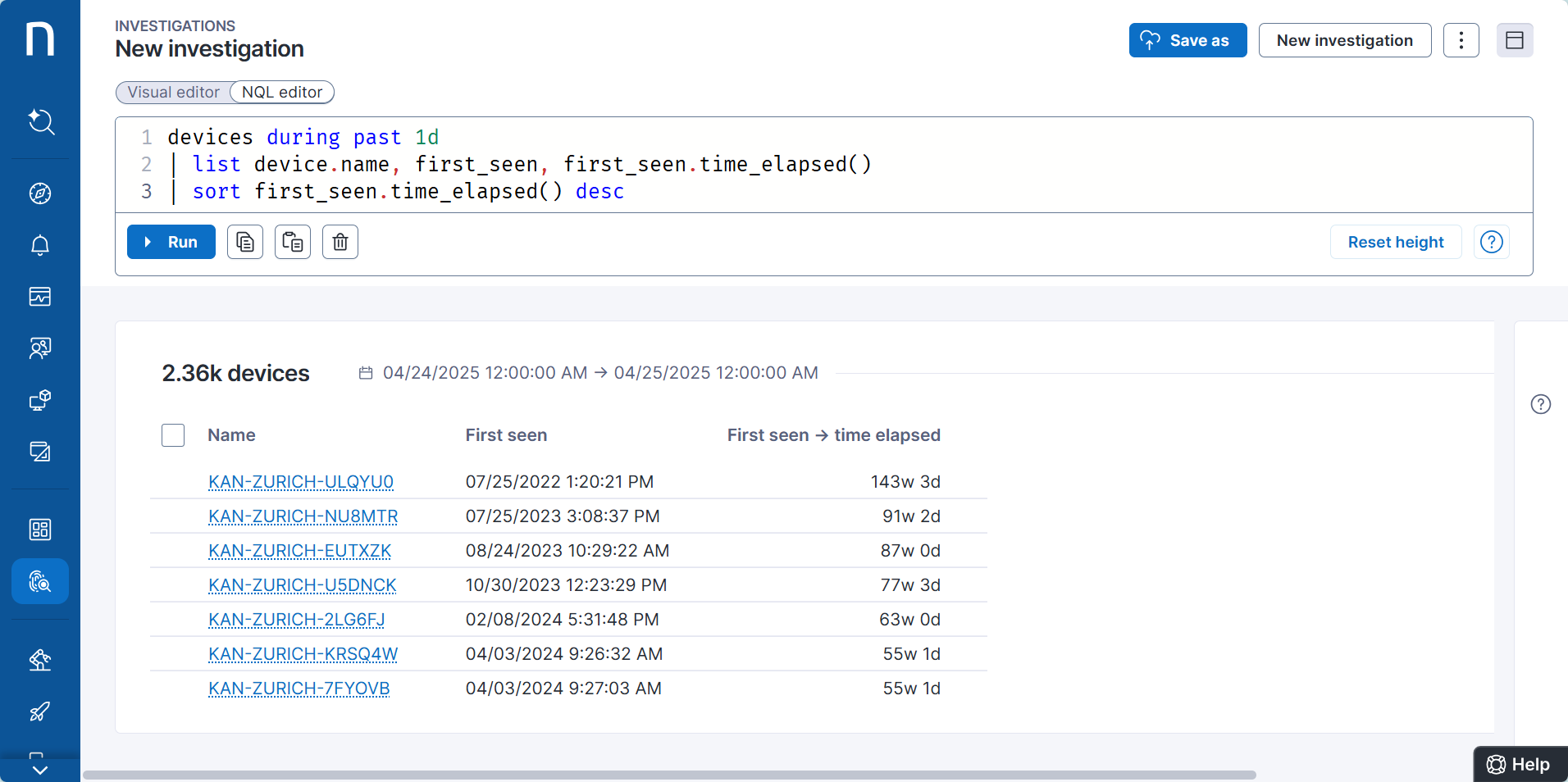
`time_elapsed()` 関数はイベントからの経過時間を計算します。関数は値を秒単位で返します。
この関数は *datetime* [データ型](/platform/ja/understanding-key-data-platform-concepts/nexthink-query-language-nql/nql-syntax-overview/nql-data-types.md) のフィールドと共に使用します。例えば:
* `devices` テーブルの `last_seen` フィールド
* `device_performance.boots` テーブルの `time`
クエリで指定した期間は、`time_elapsed()` 関数により返される値を制限しません。例えば、次のクエリは過去1日にアクティブだったデバイスのみを取得しますが、`time_elapsed()`により返される値はそれ以上の期間に及ぶ可能性があります。
### ‘where’句との使用
`where` 句で `time_elapsed()` 関数を使用します。
**例:**
最後のOSアップデートから15日以上経過しているデバイスのリストを取得します。
{% code overflow="wrap" lineNumbers="true" %}
```
devices
| where operating_system.last_update.time_elapsed() > 15d
```
{% endcode %}
### ‘list’句との使用
`list` 句で `time_elapsed()` 関数を使用します。
**例:**
デバイスとその最終起動からの経過時間を一覧表示します。
{% code overflow="wrap" lineNumbers="true" %}
```
devices
| include device_performance.boots
| where type == fast_startup
| compute last_fast_startup_time = time.last()
| list name, last_fast_startup_time.time_elapsed()
```
{% endcode %}
| 名前 | 最速起動時間 → 経過時間 |
| --------------- | ---------------------- |
| device-10d267d2 | 1週 0日 1時間 8分 22秒 0ミリ秒 |
| device-d1d5abc9 | 17時間 38分 22秒 0ミリ秒 |
| device-5117c4c3 | 3週 1日 10時間 33分 8秒 0ミリ秒 |
| device-16834449 | 57分 18秒 0ミリ秒 |
| … | … |
### ‘compute’句との使用
`compute` 句で `time_elapsed()` 関数を使用します。
**例:**
デバイスとその最終起動からの経過時間を一覧表示します。関数の連鎖を適用する(同じフィールドに複数の関数を呼び出す)。
{% code overflow="wrap" lineNumbers="true" %}
```
devices
| include device_performance.boots
| where type == fast_startup
| compute time_since_last_fast_startup = time.last().time_elapsed()
```
{% endcode %}
---
# Agent Instructions
This documentation is published with GitBook. GitBook is the documentation platform designed so that both humans and AI agents can read, navigate, and reason over technical content effectively. Learn more at gitbook.com.
## Querying This Documentation
If you need additional information that is not directly available in this page, you can query the documentation by asking a question.
Perform an HTTP GET request on the following URL with the `ask` and `goal` query parameters:
```
GET https://docs.nexthink.com/platform/ja/understanding-key-data-platform-concepts/nexthink-query-language-nql/nql-functions/nql-time_elapsed.md?ask=&goal=
```
`ask` is the immediate question: it should be specific, self-contained, and written in natural language.
`goal` is what the user is ultimately trying to achieve, the reason they need the answer. Sharing it helps GitBook give you a better, more relevant answer. A goal is most helpful when it describes the outcome the user wants rather than restating the question. For example, with `ask=how do I create an API token`, a goal like `automate deployments from our CI pipeline` lets GitBook tailor the answer to that use case.
The response will contain a direct answer to the question and relevant excerpts and sources from the documentation.
Use this mechanism when the answer is not explicitly present in the current page, you need clarification or additional context, or you want to retrieve related documentation sections.