> For the complete documentation index, see [llms.txt](https://docs.nexthink.com/llms.txt). Markdown versions of documentation pages are available by appending `.md` to page URLs; this page is available as [Markdown](https://docs.nexthink.com/user-guide/campaigns/managing-campaigns/creating-campaigns/types-of-questions.md).
# Creating campaign content
{% hint style="info" %}
Refer to the [Launching campaign programs](/user-guide/campaigns/managing-campaigns/launching-campaign-programs.md#step-3-plan-and-develop-an-engaging-campaign) documentation for guidelines on planning, gaining approval, testing and launching your campaign within your organization.
{% endhint %}
## Understanding types of questions
There are four types of questions that you can use in your campaigns: single answer, multiple answer, opinion scale and net promoter score (NPS). Additionally, create and add a final message to the end of a campaign.
### Single answer
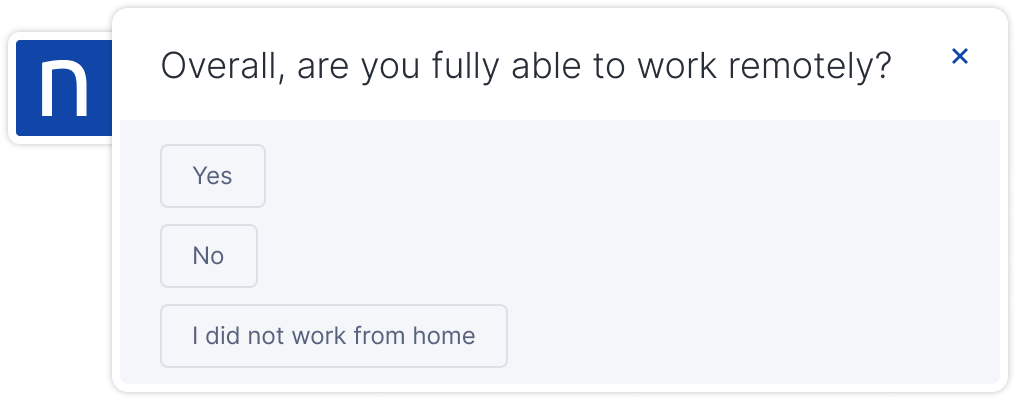
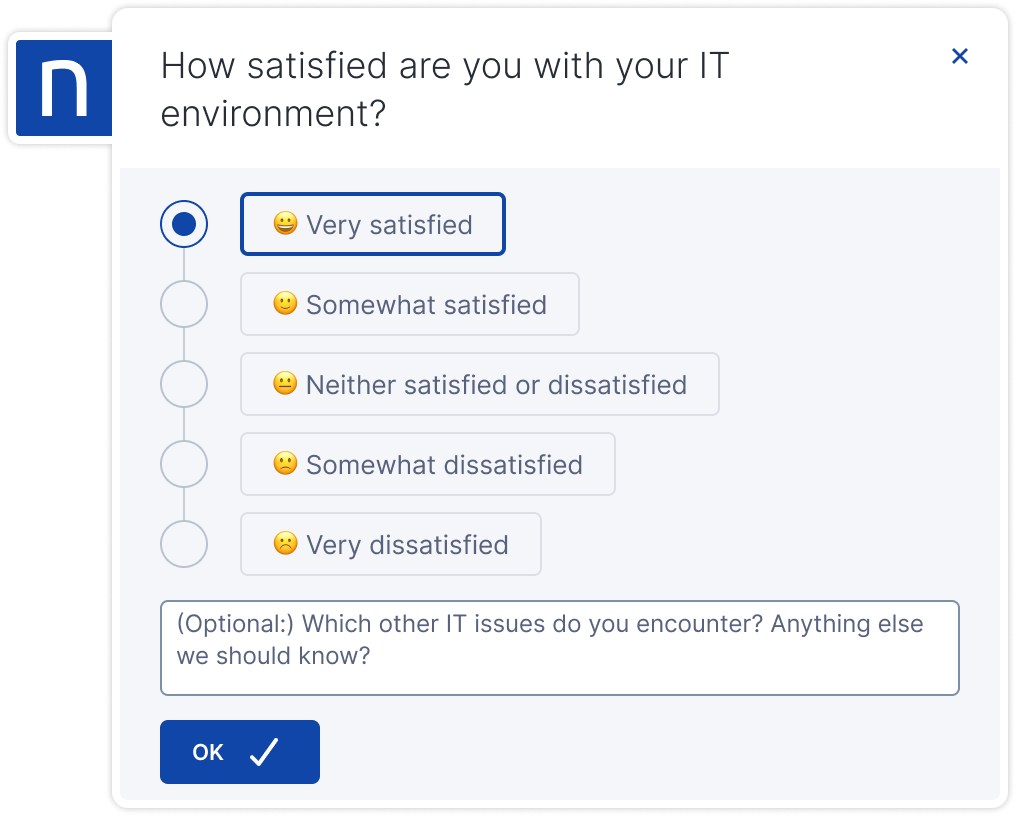
Use a single answer question when employees must select only one option among all possible choices. Choose this question type when choices exclude each other.
Include a third choice in case the question is not applicable to an employee. This third option helps you avoid collecting misleading information and stops the survey once the questions are no longer relevant to the employee.
### Multiple answer
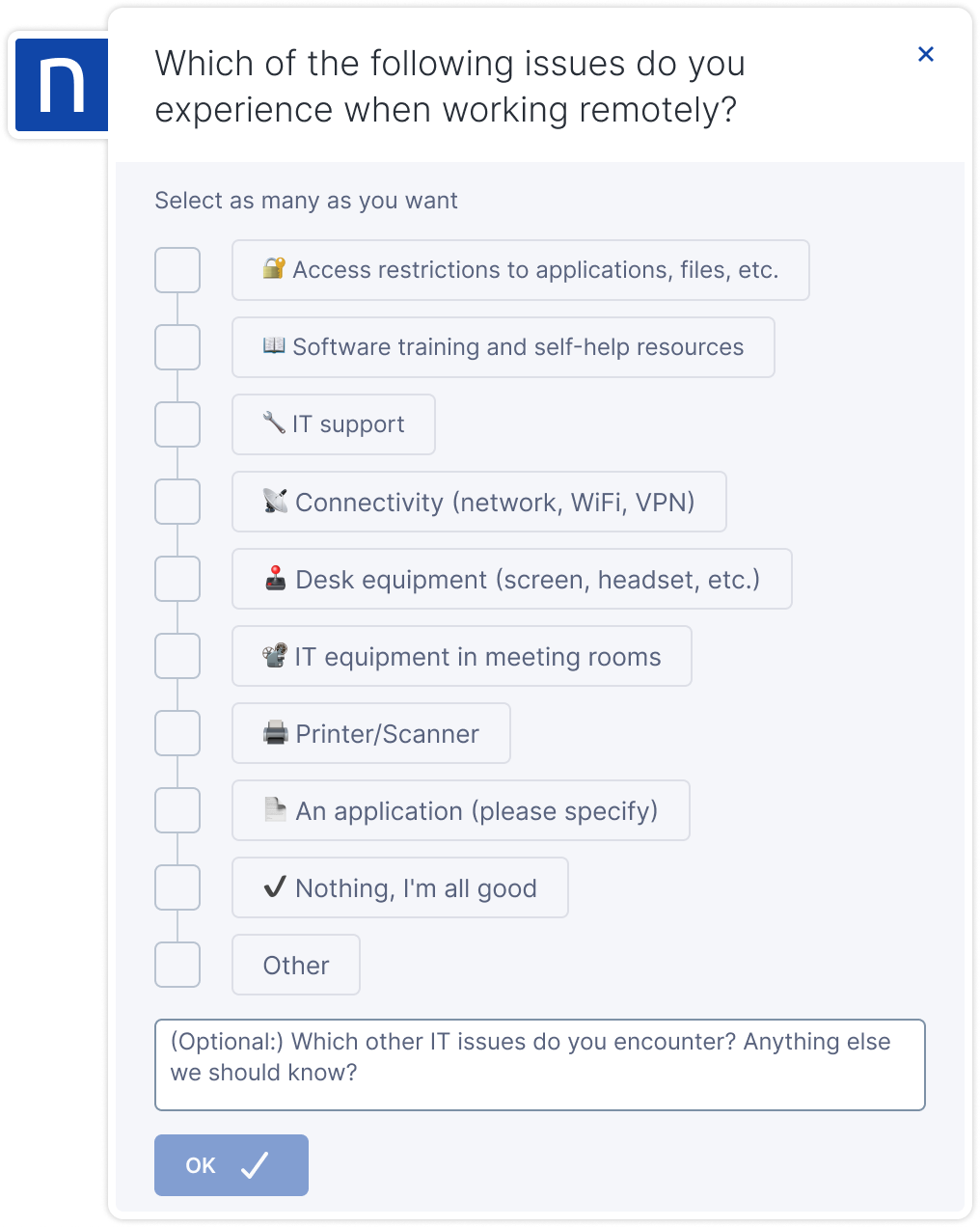
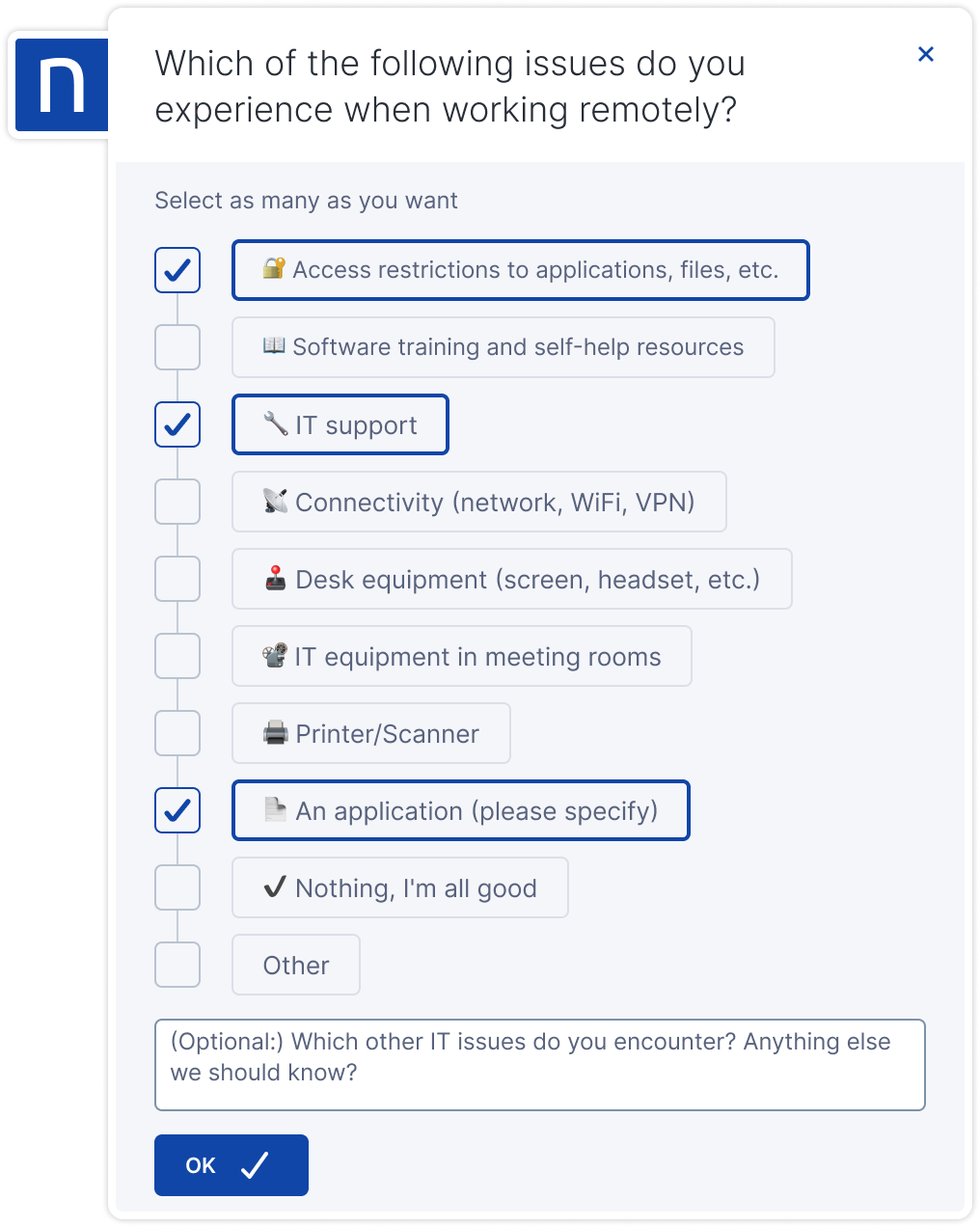
Use a multiple answer question when employees can select one or more of the possible choices simultaneously. Contrary to a single choice question, in a multiple answer question, the choices are not mutually exclusive.
Employees must select at least one option to continue with the survey. The system enables the **OK** button after the employee makes the first selection. Nexthink recommends adding an additional option for employees to tick if none of the others apply. See the last option in the example below.
### Opinion scale
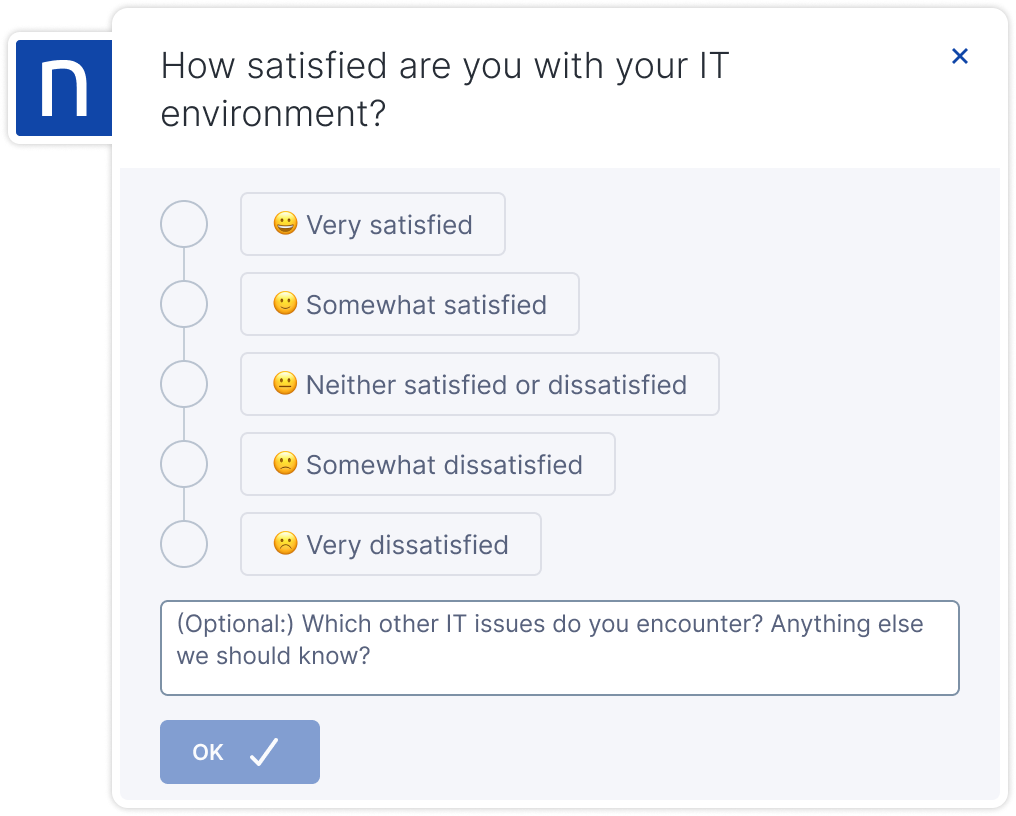
Use an opinion scale question when employees must evaluate a product by choosing from several options. Each possible answer has a numerical value associated with it. By default, the value attributed to the first specified answer is 1 and it increases automatically with each newly added answer. It is also possible to assign different values to each answer. Later, you can use these values to compute scores and metrics related to employee feedback.
You can have, at most, one answer choice without any value attributed to it. This type of answer is usually reserved for employees who do not have an opinion about that specific question. To avoid bias, the system does not take into account answers without a value assigned to them when computing averages for scores and metrics related to employee feedback.
Employees must choose an option to enable the **OK** button and proceed with the campaign.
### Net Promoter Score (NPS)\*
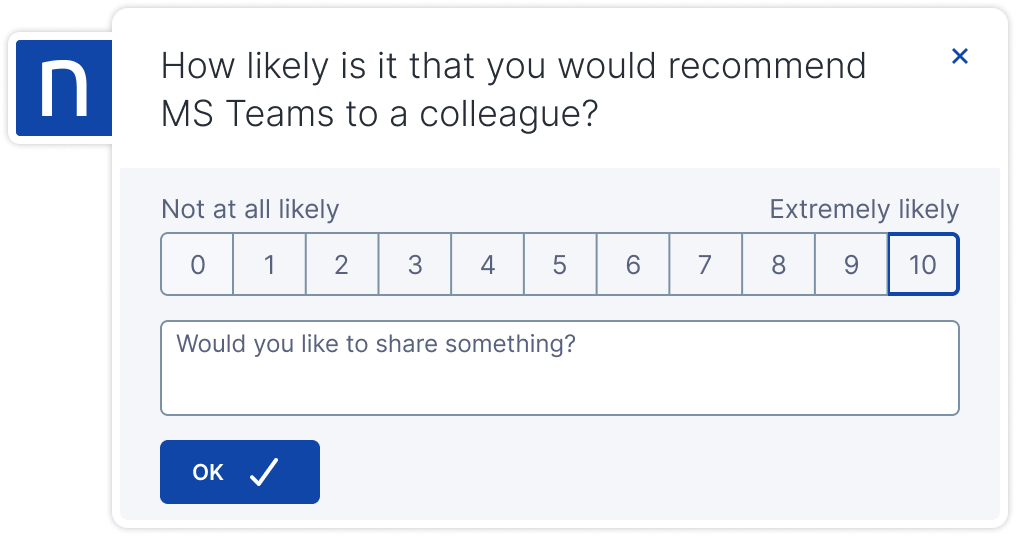
Use an NPS question when employees must evaluate a product or service and give it a mark. There is no preselected value and the user can select any mark between 0 and 10. The predefined NPS formula mechanism will then use the selected mark to compute the NPS score.
The system classifies employees as promoters, passives or detractors of the initiative, service or product in the question depending on their answer:
| Classification | Range |
| -------------- | ------ |
| Promoter | 9 - 10 |
| Passive | 7 - 8 |
| Detractor | 0 - 6 |
Employees must choose an option to enable the **OK** button and proceed with the campaign.
***
\**Net Promoter Score (NPS) is a registered trademark of Fred Reichheld and Bain\&Company, Inc.*
## Comment box
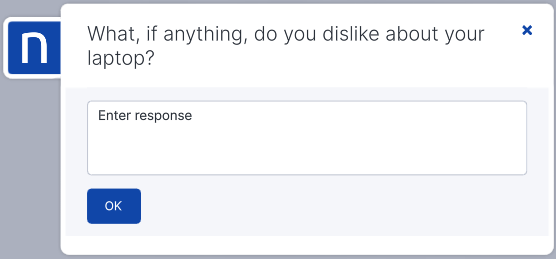
The comment-box question type allows you to ask open-ended questions when pre-selected response options do not apply.
Written responses provide valuable qualitative insight. However, typing a response requires more effort than selecting an option and may increase abandonment rates. For this reason, Comment box questions are set as optional by default, allowing recipients to proceed without entering text.
## Final message
Use the final message to acknowledge employees and inform them that they have completed the campaign. This message can also contain a link to support.
Add a final message only if you’ve added at least one other question type to the campaign content.
## Controlling the flow of questions
When you define the order of campaign questions, it naturally impacts the order in which employees answer them. There are times when it isn’t necessary to ask all defined questions. This occurs when a question depends on how an employee answered a previous question.
For instance, consider a campaign that contains the following two questions:
1. A single answer question: *Do you need a cloud storage service to share your work?* with possible outcomes *Yes* or *No*.
2. A multiple answer question: *Select the cloud storage services you prefer*, with possible choices *Dropbox*, *Google Drive*, *Microsoft OneDrive* or others.
An employee that answered NO to the first question will find the second question unnecessary. In this example, avoid this by removing the first question and adding a default choice to the second question: *I do not need a cloud storage service*. In more complex situations, you may want to entirely skip over specific questions.
### Setting question branching
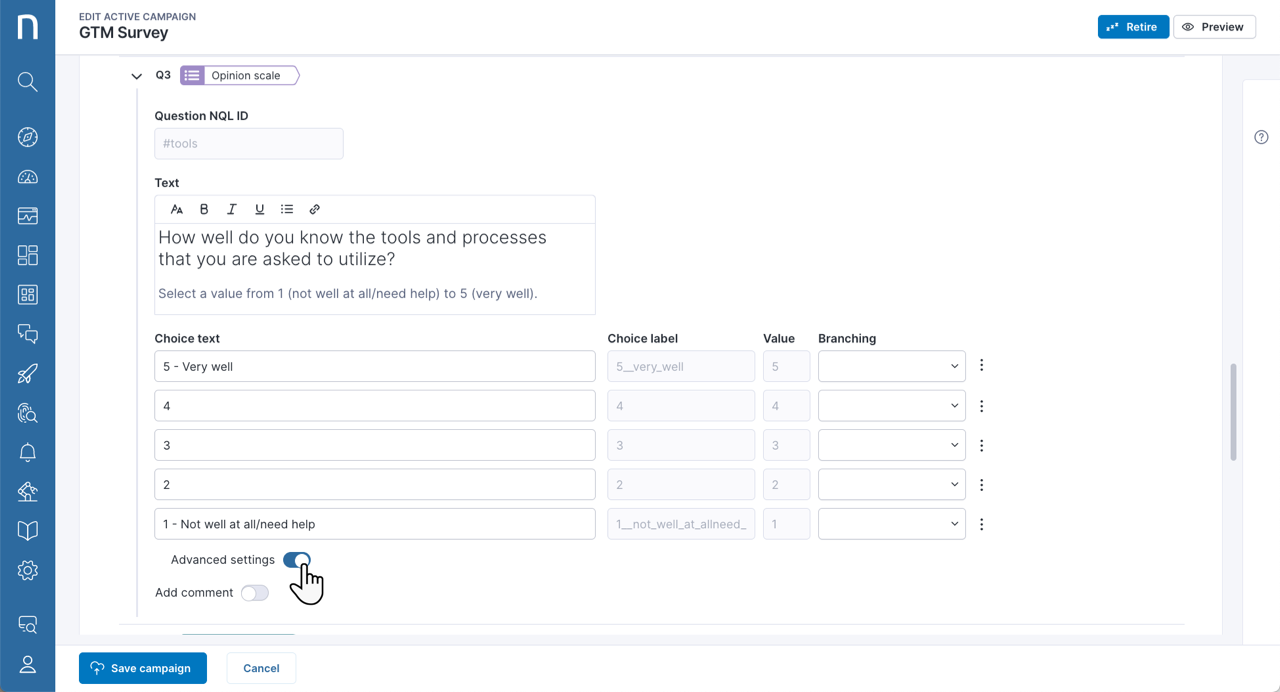
Create a branching question flow with the campaign branching functionality. Set up this function in the **Content** section by enabling the **Advanced settings** available for all question types except the final message which is always the last question of the campaign.
When you enable advanced settings, new fields appear based on the question type:
* For single-choice and opinion scale questions, the **Branching** drop-down menu appears for each choice.
* For NPS questions, a section appears with a **Branching** drop-down menu for each category of responses (promoters, neutral, and detractors).
* For multiple-choice questions, a single **Branching** drop-down menu appears, allowing you to choose the next question regardless of the selected choice.
When configured, they signal to the campaign that there is a deviation from the normal flow of questions. Instead of asking the user the next question in the defined order, the campaign skips to the question specified in the **Branching** option. You can also configure it to skip directly to the end of the campaign if no pertinent questions are left.
When creating a campaign:
1. Define your questions in the order that feels most natural to you.
2. Configure the branching options for each choice that will deviate from the flow.
***
Refer to [Authoring and formatting campaign content](/user-guide/campaigns/managing-campaigns/creating-campaigns/types-of-questions/authoring-and-formatting-campaign-content.md) for more information.
---
# Agent Instructions
This documentation is published with GitBook. GitBook is the documentation platform designed so that both humans and AI agents can read, navigate, and reason over technical content effectively. Learn more at gitbook.com.
## Querying This Documentation
If you need additional information that is not directly available in this page, you can query the documentation by asking a question.
Perform an HTTP GET request on the following URL with the `ask` and `goal` query parameters:
```
GET https://docs.nexthink.com/user-guide/campaigns/managing-campaigns/creating-campaigns/types-of-questions.md?ask=&goal=
```
`ask` is the immediate question: it should be specific, self-contained, and written in natural language.
`goal` is what the user is ultimately trying to achieve, the reason they need the answer. Sharing it helps GitBook give you a better, more relevant answer. A goal is most helpful when it describes the outcome the user wants rather than restating the question. For example, with `ask=how do I create an API token`, a goal like `automate deployments from our CI pipeline` lets GitBook tailor the answer to that use case.
The response will contain a direct answer to the question and relevant excerpts and sources from the documentation.
Use this mechanism when the answer is not explicitly present in the current page, you need clarification or additional context, or you want to retrieve related documentation sections.