> For the complete documentation index, see [llms.txt](https://docs.nexthink.com/platform/llms.txt). Markdown versions of documentation pages are available by appending `.md` to page URLs; this page is available as [Markdown](https://docs.nexthink.com/platform/user-guide/adopt/guide-insights-and-analytics/tracking-specific-guide-usage.md).
# Tracking specific guide usage
{% hint style="warning" %}
To ensure Adopt-related dashboards work properly, enable web usage time collection for applications.
{% endhint %}
The **Guide details** dashboard shows how employees interact with the individual steps of a specific guide.
The dashboard includes metrics for engagement with tooltips, media, and step progression—helping you assess which parts of the guide capture attention and where users may disengage.
To track the usage of a specific guide:
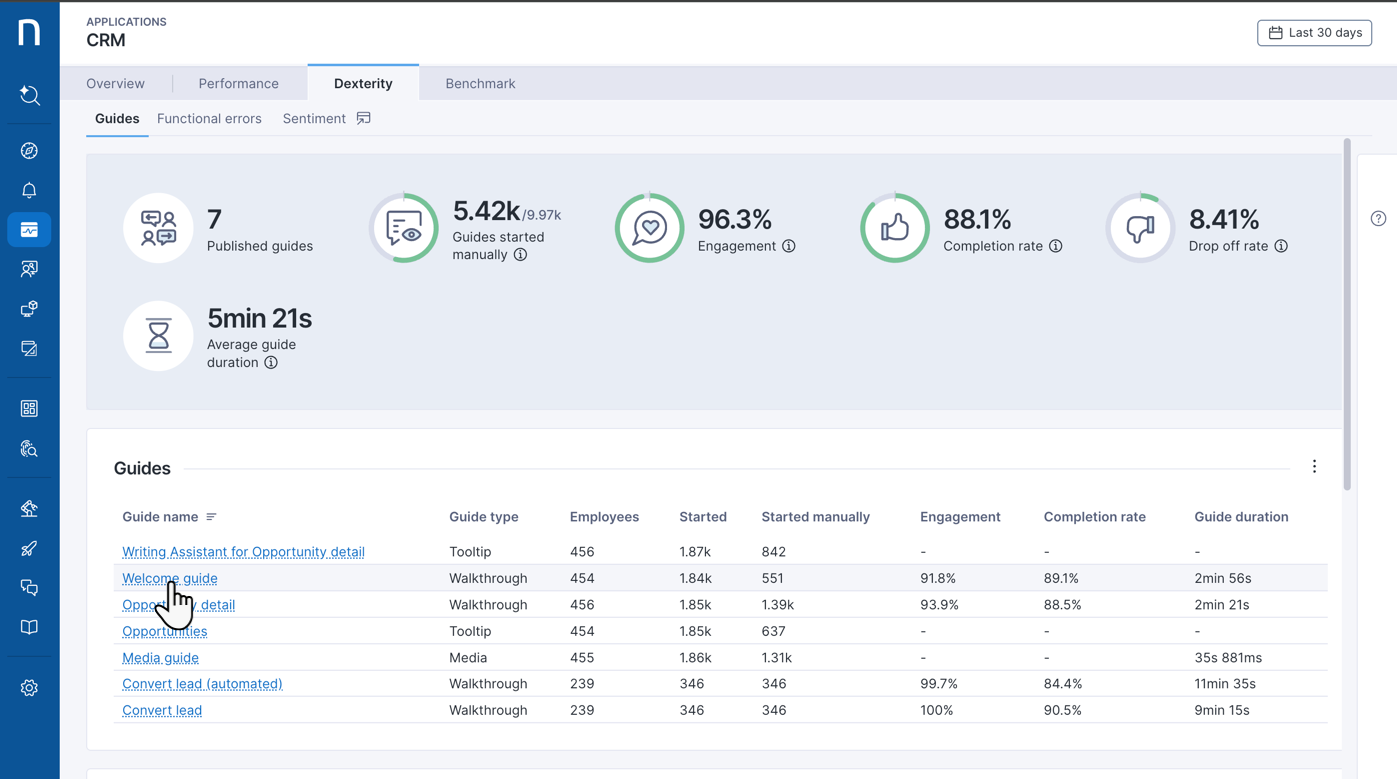
1. Open **Applications** from the navigation menu.
2. From the **Applications** menu, select the web application of interest with active guides.
3. Open the **Guides** tab—only visible for web applications with deployed in-app guides.
4. Click the target **Guide name** hyperlink to open the guide-specific dashboard.
To drive greater impact, go beyond guide tracking by [Executing a digital adoption strategy](/platform/solutions/executing-a-digital-adoption-strategy.md)—combining Adopt tools and Nexthink Infinity powerful DEX analytics.
## Guide-specific usage overview
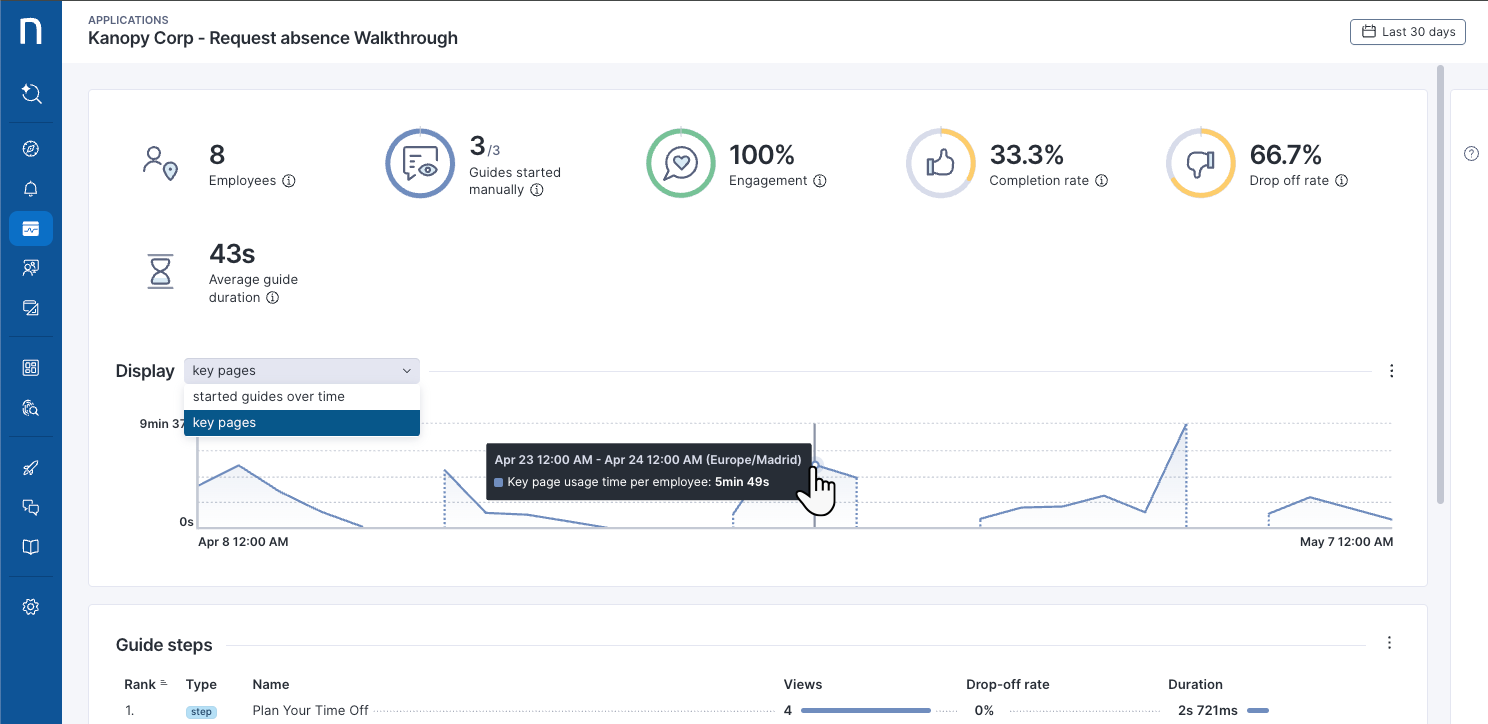
The top section of the guide-specific dashboard offers an overview that focuses on these metrics:
* **Employees:** The number of users who started the guide.
* **Guides started manually:** Number of times your selected guide has been started over the selected time period.
* **Engagement:** Measures the percentage of time employees complete at least one step of this guide. The system excludes single-step guides from this metric.
* **Completion rate:** Number of times employees have fully completed this specific guide. When the last step of a guide appears, it counts towards this metric without requiring employee interaction.
* **Drop-off rate:** Measures the percentage of guide-specific executions where employees complete at least one step—showing **Engagement**—but then choose to close the guide without finishing it. The system excludes from this metric guides closed at the very first step.
* **Average guide duration:** Average time spent by employees completing this guide. This is calculated based on all guide interaction metrics rather than guide completion.
Use the line chart to visualize **started guides over time** and **key pages** [usage time per employee](https://docs.nexthink.com/platform/user-guide/applications/monitoring-applications/monitoring-web-applications/overview#usage-time-per-employee).
{% hint style="info" %}
Refer to the [#interpreting-user-engagement-rates](#interpreting-user-engagement-rates "mention") section on this page.
{% endhint %}
### Guide steps table
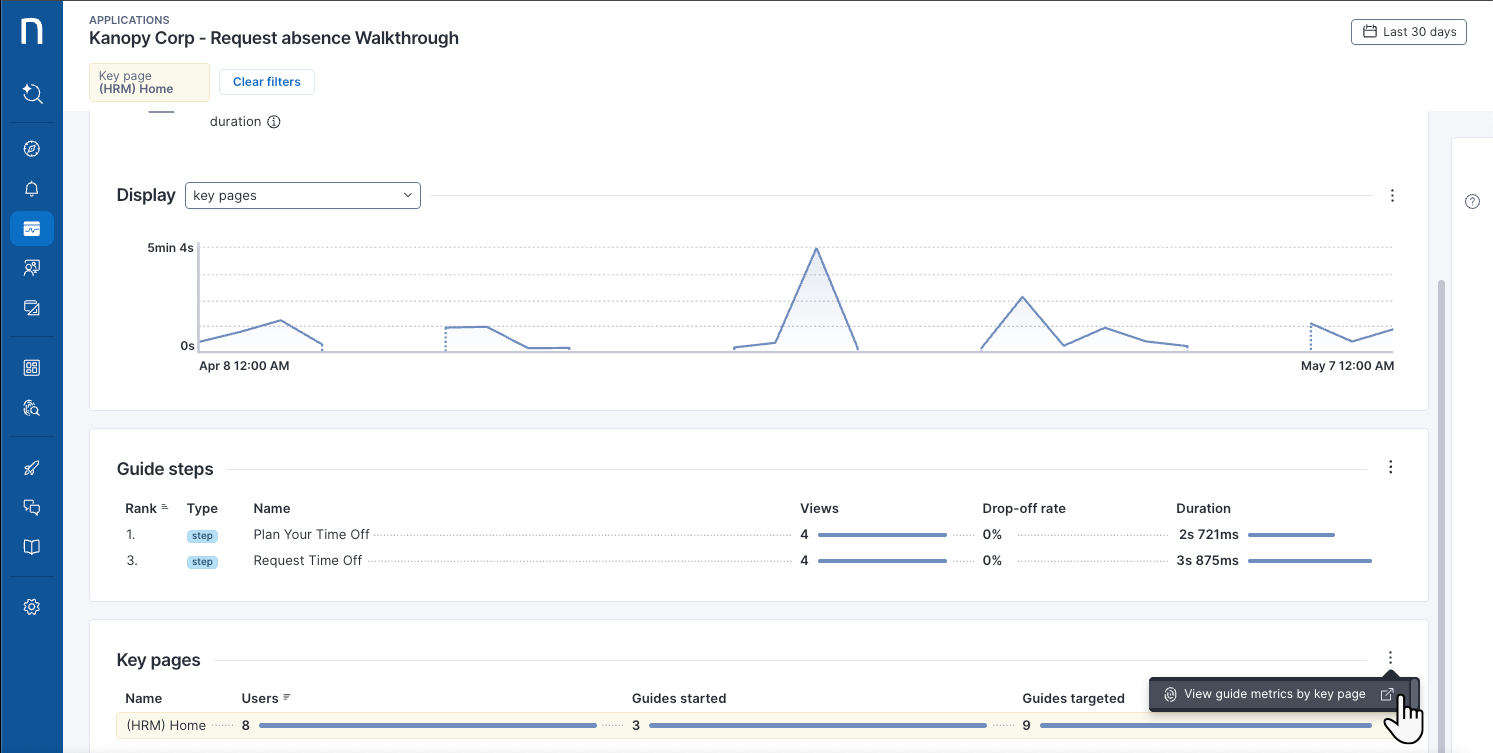
The **Guide steps** table details engagement data on the walkthrough steps, media steps or tooltips specific to the selected guide.
* Tooltips are considered a single step.
* Each page displayed in a media-type guide is considered a step.
This widget lists step-related breakdowns over the selected time period, including:
* **Rank** measured by an aggregation of all engagement data.
* Step **type**. This can be a **step**, **decision** or **action**.
* Step **names**. These are generated based on the first sentence in the content.
* Number of **views** for the specific step.
* **Drop-off rate** per step.
* Average **Duration** of time spent by employees interacting with the step.
### Interpreting user engagement rates
When analyzing user engagement rates, consider:
* A low [Engagement rate](#dashboard-overview) indicates the need to improve employee targeting rather than revising the guide content. Users exiting at the first step likely means the guide targets employees who find the content irrelevant.
* A high [Drop off rate](#dashboard-overview) helps identify problematic guide steps that may be unclear or too complex, requiring content improvements to enhance guide effectiveness.
* The **Drop off rate** and [Completion rate](#dashboard-overview) do not add up to 100%, as they are not complementary.
The table below breaks down how Nexthink calculates the user engagement rates—for a 10-step guide:
Engagement rate
Completion rate
Drop off rate
Employee#1 closes the guide right away
0%
0%
0%
Employee#2 completes 3 out of 10 steps, and closes the guide
100%
0%
100%
Employee#3 completes all 10 steps
100%
100%
0%
Average
67%
33%
33%
## Key pages breakdowns
View guide-related data per key pages configured for the web application:
* Number of **Users**.
* Number of **Started** guides, meaning user-guide interaction and execution.
* Number of **Targeted** guides, meaning the guide was made available to the user.
***
RELATED TOPICS
* [Guide insights and adoption analytics](/platform/user-guide/adopt/guide-insights-and-analytics.md)
* [Monitoring guides](/platform/user-guide/adopt/guide-insights-and-analytics/understanding-the-adoption-tab.md)
---
# Agent Instructions
This documentation is published with GitBook. GitBook is the documentation platform designed so that both humans and AI agents can read, navigate, and reason over technical content effectively. Learn more at gitbook.com.
## Querying This Documentation
If you need additional information that is not directly available in this page, you can query the documentation dynamically by asking a question.
Perform an HTTP GET request on the current page URL with the `ask` query parameter, and the optional `goal` query parameter:
```
GET https://docs.nexthink.com/platform/user-guide/adopt/guide-insights-and-analytics/tracking-specific-guide-usage.md?ask=&goal=
```
`ask` is the immediate question: it should be specific, self-contained, and written in natural language.
`goal` is optional and describes the broader end goal you are ultimately trying to accomplish on behalf of the user. GitBook uses it to tailor the answer towards what is most useful for that goal.
The response will contain a direct answer to the question and relevant excerpts and sources from the documentation.
Use this mechanism when the answer is not explicitly present in the current page, you need clarification or additional context, or you want to retrieve related documentation sections.