# 2022.1の新着情報
## Library Pack: Windows 11 - 操作
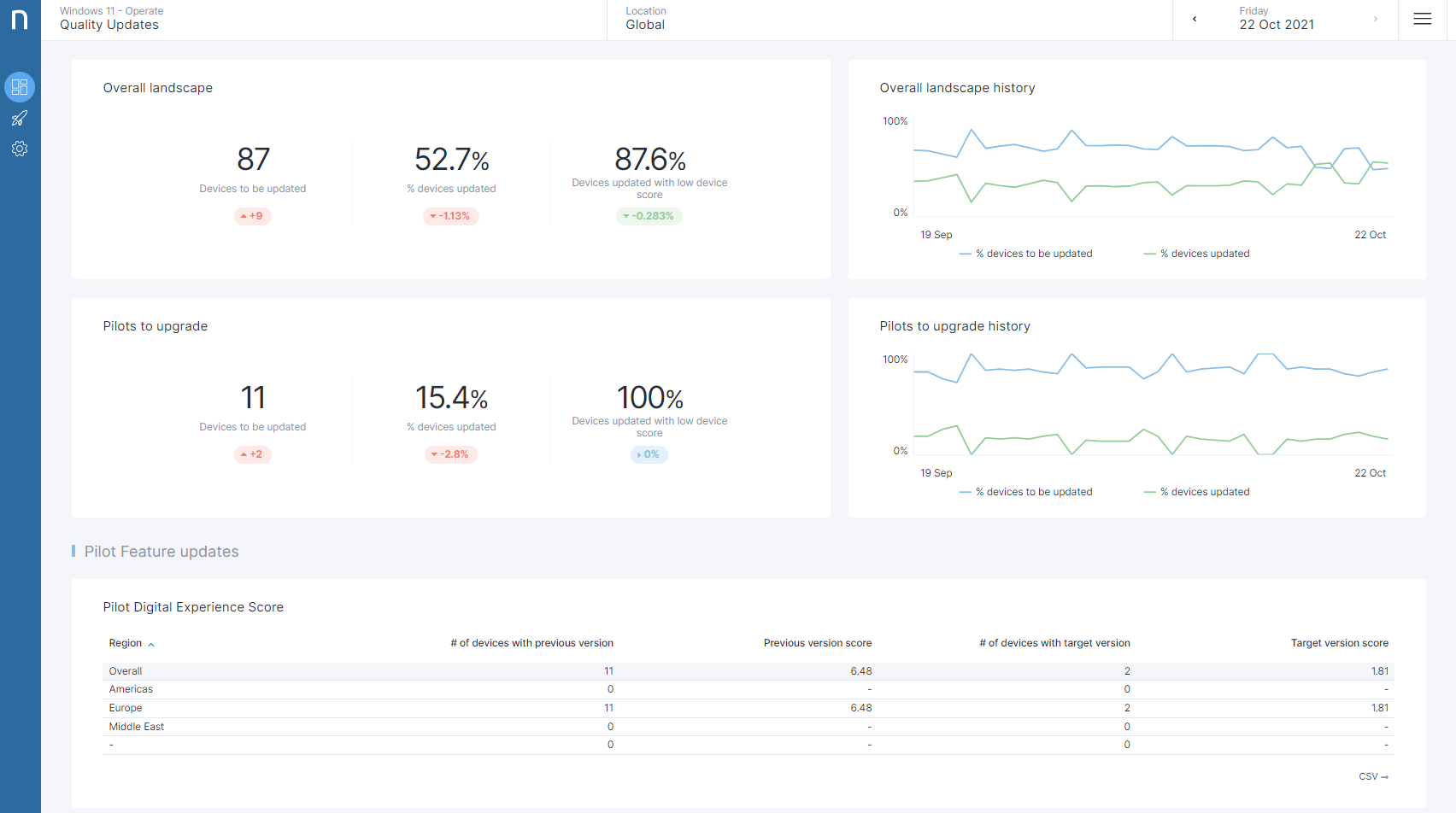
Windows 11のインストールベースの安定性と従業員の体験を管理し、パフォーマンスの低下を積極的に修正・予防します。 デバイスを最新の機能と品質の更新に保ち、セキュリティとコンプライアンスを確保するため、モニタリングランドスケープのバージョニングを行います。
[Windows 11 - 操作](https://www.nexthink.com/library/windows-11-operate/)を探索する
 ## アプリケーションエクスペリエンス
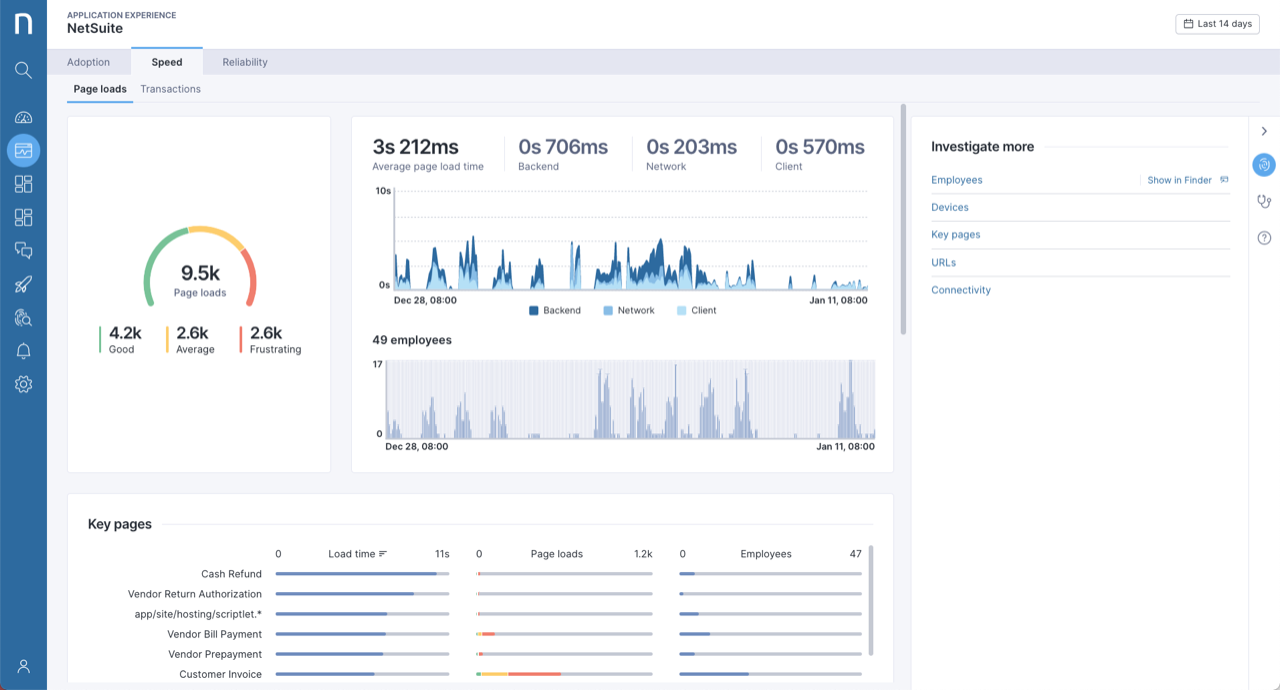
アプリケーションエクスペリエンスにおける新機能拡張を探索する:
* スピードと信頼性のタブで利用可能な影響を受けた従業員を示す新しいチャート。
* プライバシーを保護するためにURLテーブルに表示される非表示URLのクリーンなコード。
* デフォルトの時間枠は "直近14日間" に変更されました。
* デフォルトの内訳が「ブラウザ」となり、一般的な使用パターンに適合しました。
[アプリケーションエクスペリエンスのオンラインドキュメント](../../user-guide/applications/monitoring-applications) を訪問して詳細を確認してください。
## アプリケーションエクスペリエンス
アプリケーションエクスペリエンスにおける新機能拡張を探索する:
* スピードと信頼性のタブで利用可能な影響を受けた従業員を示す新しいチャート。
* プライバシーを保護するためにURLテーブルに表示される非表示URLのクリーンなコード。
* デフォルトの時間枠は "直近14日間" に変更されました。
* デフォルトの内訳が「ブラウザ」となり、一般的な使用パターンに適合しました。
[アプリケーションエクスペリエンスのオンラインドキュメント](../../user-guide/applications/monitoring-applications) を訪問して詳細を確認してください。
 ### より簡単なドリルダウン
新しいオプションで調査を深く掘り下げるために更新された**詳細に調査する**パネルを探索します。 アプリケーションエクスペリエンスの単純化されたNQLデータモデルでNQLクエリを記述する自信をさらに向上させます。
[アプリケーションエクスペリエンスのオンラインドキュメント](../../user-guide/applications/monitoring-applications) を訪問して詳細を確認してください。
### 自動トランザクション終了検出
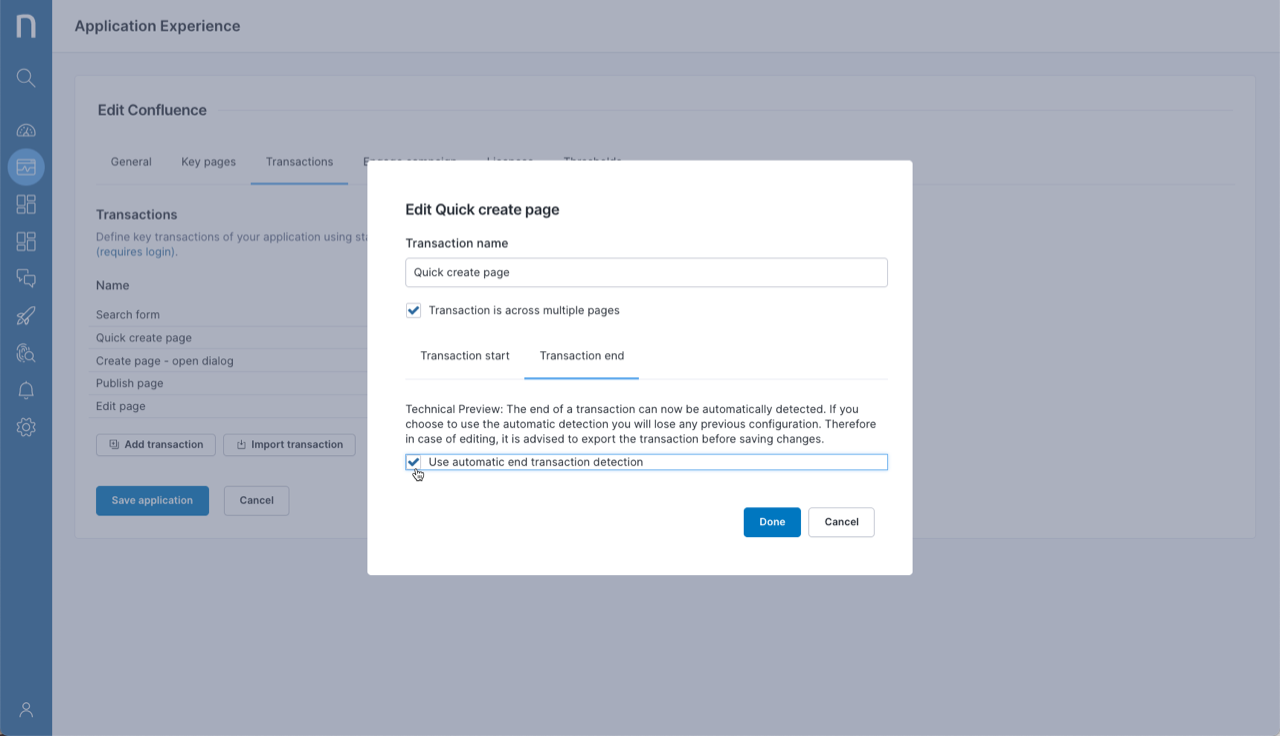
トランザクションは、従業員が重要なビジネスアクションを実行している際の体験を測るための重要な要素です。 トランザクションの設定を簡素化するために、Application Experienceはトランザクション終了の自動検出 (デフォルトでは無効) を提供します。
詳細については、アプリケーションエクスペリエンスの[アプリケーション設定ドキュメント](https://nexthink.gitbook.io/opd/user-guide/applications/managing-applications)をご覧ください。
### より簡単なドリルダウン
新しいオプションで調査を深く掘り下げるために更新された**詳細に調査する**パネルを探索します。 アプリケーションエクスペリエンスの単純化されたNQLデータモデルでNQLクエリを記述する自信をさらに向上させます。
[アプリケーションエクスペリエンスのオンラインドキュメント](../../user-guide/applications/monitoring-applications) を訪問して詳細を確認してください。
### 自動トランザクション終了検出
トランザクションは、従業員が重要なビジネスアクションを実行している際の体験を測るための重要な要素です。 トランザクションの設定を簡素化するために、Application Experienceはトランザクション終了の自動検出 (デフォルトでは無効) を提供します。
詳細については、アプリケーションエクスペリエンスの[アプリケーション設定ドキュメント](https://nexthink.gitbook.io/opd/user-guide/applications/managing-applications)をご覧ください。
 ## Webhookの新しいトリガー
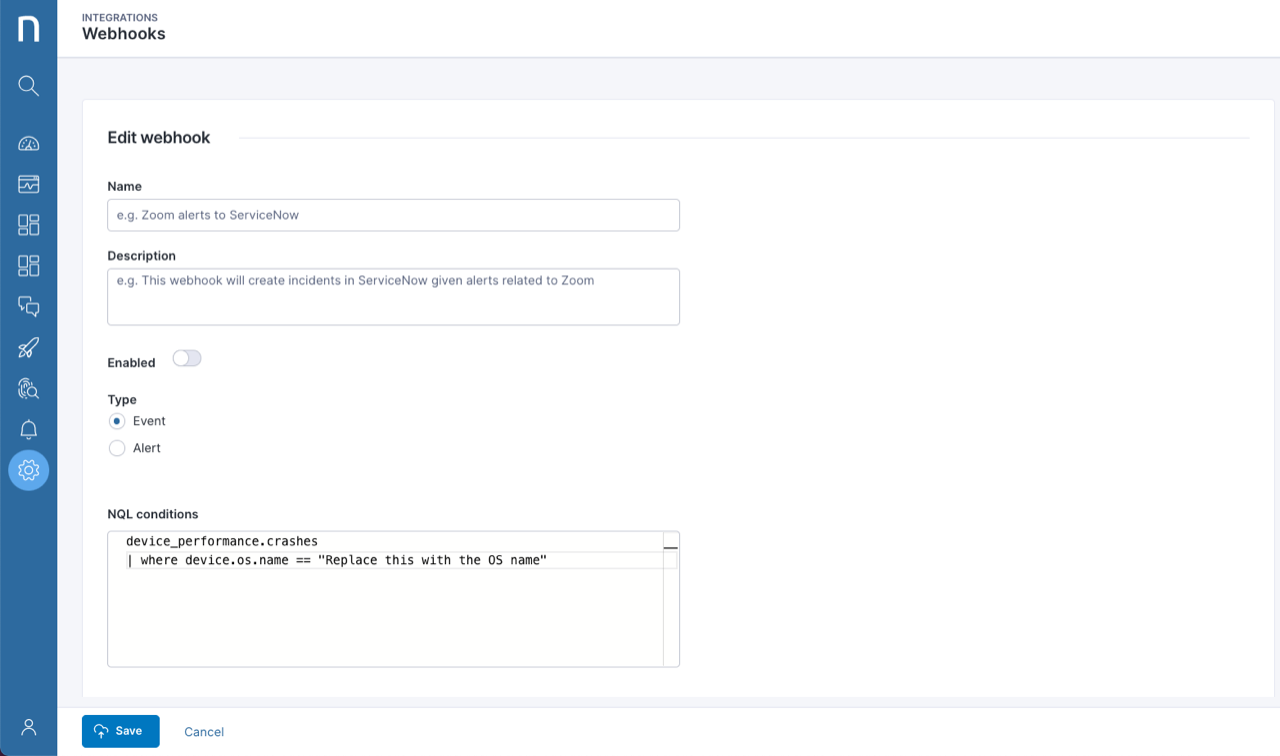
クラッシュ、ハードリセット、起動などの`device_performance`および`execution`イベントを傍受するようにWebhookを設定します。 これらのイベントは、その後、多くのサードパーティ製のツールでアクションをトリガーするために使用できます。
[Webhookテクニカルプレビュー](https://nexthink.gitbook.io/opd/integrations/outbound-connectors/webhooks)について詳しく学びます。
## Webhookの新しいトリガー
クラッシュ、ハードリセット、起動などの`device_performance`および`execution`イベントを傍受するようにWebhookを設定します。 これらのイベントは、その後、多くのサードパーティ製のツールでアクションをトリガーするために使用できます。
[Webhookテクニカルプレビュー](https://nexthink.gitbook.io/opd/integrations/outbound-connectors/webhooks)について詳しく学びます。