> For the complete documentation index, see [llms.txt](https://docs.nexthink.com/llms.txt). Markdown versions of documentation pages are available by appending `.md` to page URLs; this page is available as [Markdown](https://docs.nexthink.com/platform/ja/user-guide/administration/system-configuration/data-management/environment.md).
# 環境
**環境**ページを使用して、有効化された機能、分類ルール、従業員データの取り扱いに関するテナントレベルの設定を管理します。
このページには、以下のタブが含まれます:
* [#features](#features "mention"): AI Tools や Web 検索などの製品機能を有効化します。
* [デバイスとユーザーの分類](/platform/ja/user-guide/administration/system-configuration/data-management/environment/product-configuration.md): デバイスの場所、デバイス組織、ユーザー組織を定義し、アクセス、コンプライアンス、ハードウェアのライフサイクル、調査、セグメント化されたダッシュボードをサポートします。
* [データの保持、取得、削除](/platform/ja/user-guide/administration/system-configuration/data-management/environment/data-management.md): データ保持を設定し、従業員データを取得し、ユーザーおよびデバイスデータを削除または匿名化して、プライバシー要件をサポートします。
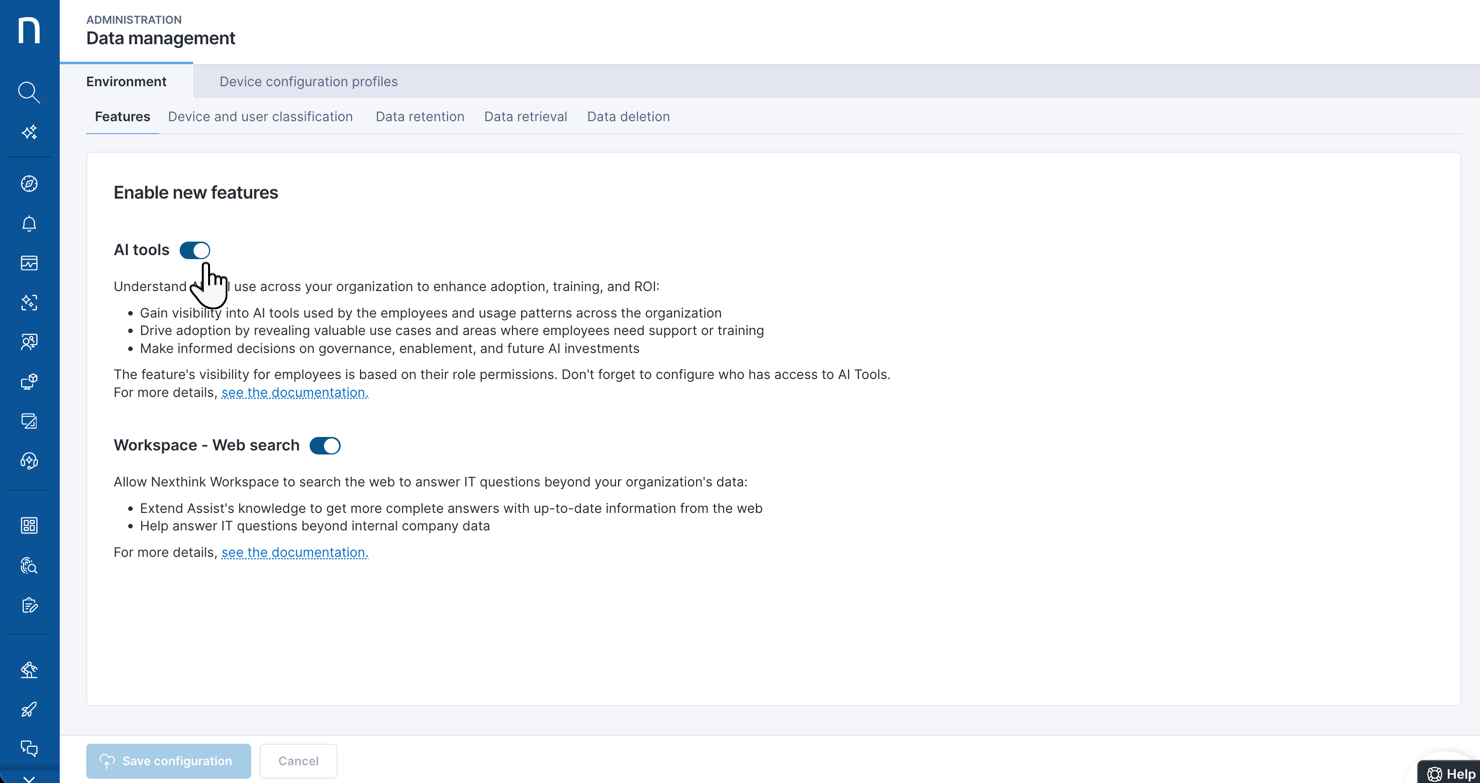
### 新しい機能を有効にする
**Data Management > Environment** > **Features** に移動して、Nexthinkテナントの特定の機能の有効化ステータスを変更します。
**AI Tools**: 次のことを可能にする AI ツールの利用を有効化します:
* 未承認またはシャドウツールを含む、組織内の AI 利用状況を明らかにします。
* 採用パターンを追跡し、推進者や課題箇所を可視化します。
* 競争力を維持するために、AI の採用状況を同業他社と比較します。
* 節約されたと認識される時間や従業員からのフィードバックを通じて、影響を定量化します。
* 推奨事項に基づいて AI 採用のインサイトを活用し、効果のある取り組みを拡大します。
* 詳細については、[AI ツールの監視](/platform/ja/user-guide/ai-tools/working-with-ai-tools.md) を参照してください。
**Web 検索**: 厳選された外部ソースから Workspace が情報を取得できるようにし、最新のベンダーガイダンス、既知の問題、業界のベストプラクティスを必要とする質問に答えるのに役立ちます。詳細については、[Workspace を設定する](/platform/ja/user-guide/search-and-workspace/configuring-workspace.md#enable-web-search) を参照してください。
---
# Agent Instructions
This documentation is published with GitBook. GitBook is the documentation platform designed so that both humans and AI agents can read, navigate, and reason over technical content effectively. Learn more at gitbook.com.
## Querying This Documentation
If you need additional information that is not directly available in this page, you can query the documentation by asking a question.
Perform an HTTP GET request on the following URL with the `ask` and `goal` query parameters:
```
GET https://docs.nexthink.com/platform/ja/user-guide/administration/system-configuration/data-management/environment.md?ask=&goal=
```
`ask` is the immediate question: it should be specific, self-contained, and written in natural language.
`goal` is what the user is ultimately trying to achieve, the reason they need the answer. Sharing it helps GitBook give you a better, more relevant answer. A goal is most helpful when it describes the outcome the user wants rather than restating the question. For example, with `ask=how do I create an API token`, a goal like `automate deployments from our CI pipeline` lets GitBook tailor the answer to that use case.
The response will contain a direct answer to the question and relevant excerpts and sources from the documentation.
Use this mechanism when the answer is not explicitly present in the current page, you need clarification or additional context, or you want to retrieve related documentation sections.