> For the complete documentation index, see [llms.txt](https://docs.nexthink.com/llms.txt). Markdown versions of documentation pages are available by appending `.md` to page URLs; this page is available as [Markdown](https://docs.nexthink.com/platform/ja/library-packs/security-and-compliance/workflow_-configuration-manager-sccm-client-continuity/usage-guide-configuration-manager-sccm-client-continuity.md).
# 使用ガイド: 構成マネージャー (SCCM) クライアント継続性
## 概要
このワークフローは、自動的に一般的な構成マネージャー(SCCM)の問題を解決し、フィルタリングして、全体のコンプライアンスを確保することができます。これは、どのサポートチームにとっても重要な時間を節約し、より深刻な問題の調査と集中を可能にします。
設定ガイドに記載されたステップに従って、ワークフローが適切に構成されていることを確認してください:
[構成ガイド: 構成マネージャー(SCCM)クライアントの継続性](https://docs.nexthink.com/platform/ja/library-packs/security-and-compliance/workflow_-configuration-manager-sccm-client-continuity/configuration-guide-configuration-manager-sccm-client-continuity.md)
### ワークフロー構造
このセクションでは、このワークフローの主要なステップについて説明します:
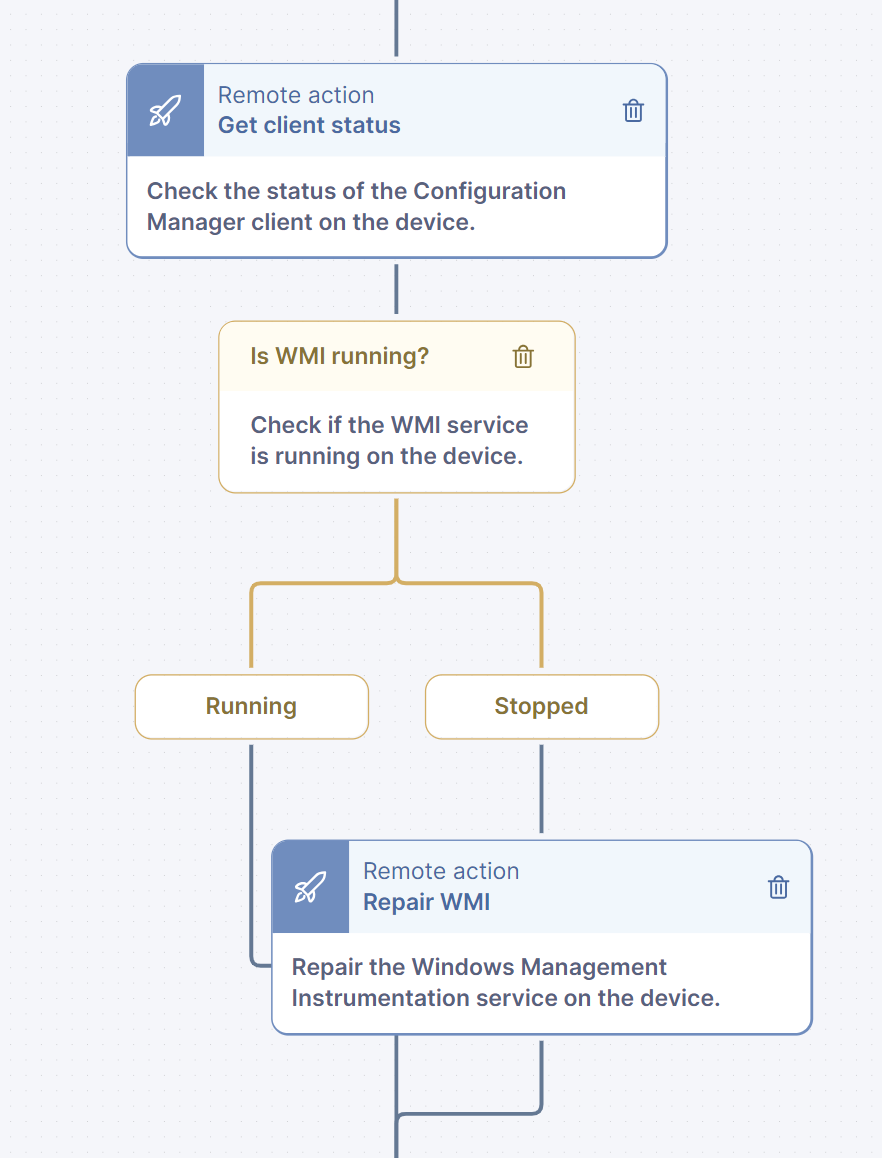
ワークフローの開始時に、「構成マネージャークライアントステータス取得」Thinkletが設定されており、Remote Actionを使用して構成マネージャー(SCCM)クライアントステータス情報を自動的に取得します。
このRemote Actionの結果に基づいて、ワークフローはさらにアクションを決定します:
* WMIサービスが動作しているか確認します。動作していない場合、Remote Actionを使用してWMIサービスの状態を復元し、その後のステップに進行します。
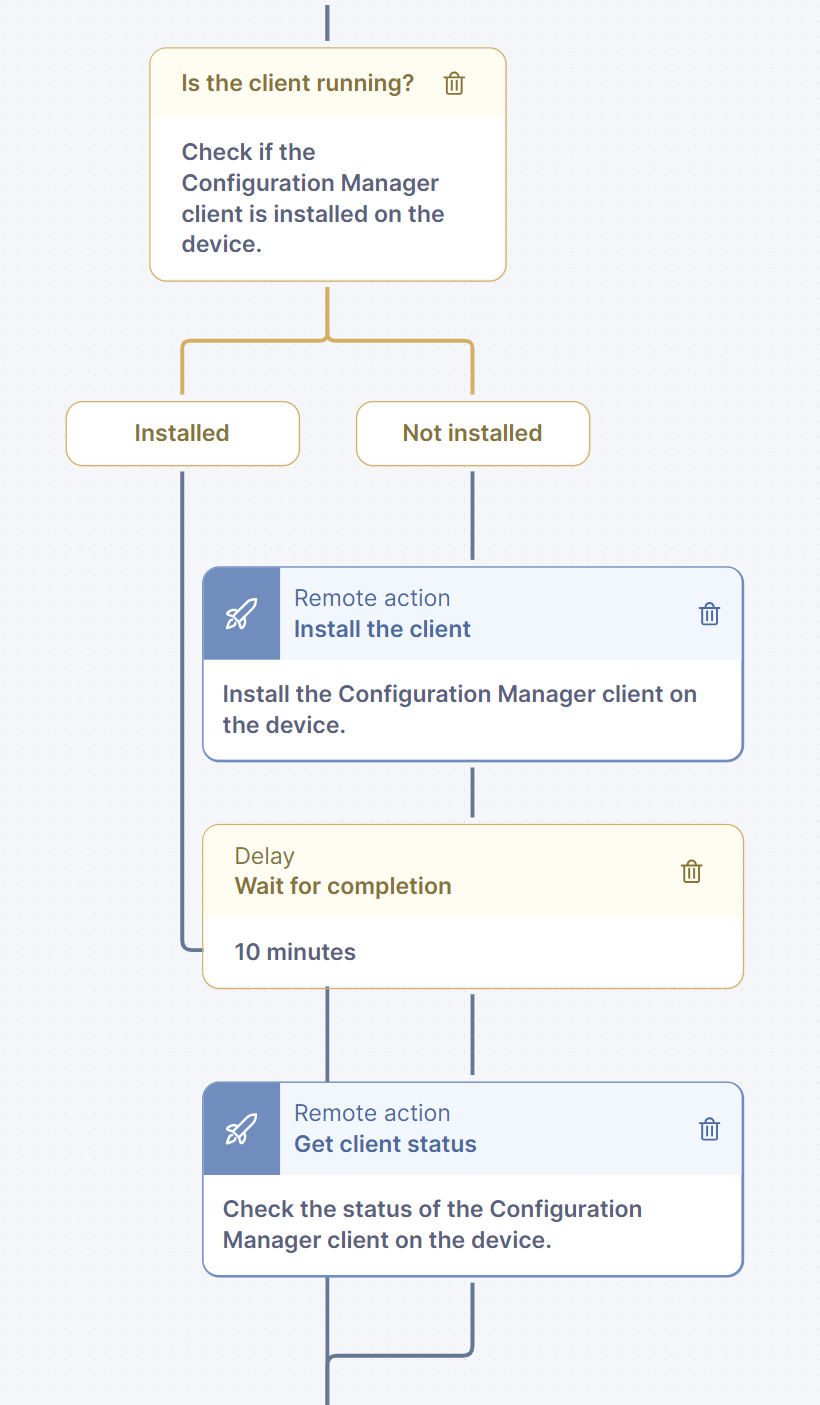
その後、デバイス上に構成マネージャークライアントが存在しているか確認します。クライアントがインストールされていない場合、Remote Actionを使用してクライアントのインストールを開始し、最新のステータス情報を取得するために構成マネージャークライアントステータスのRemote Actionを再実行します。
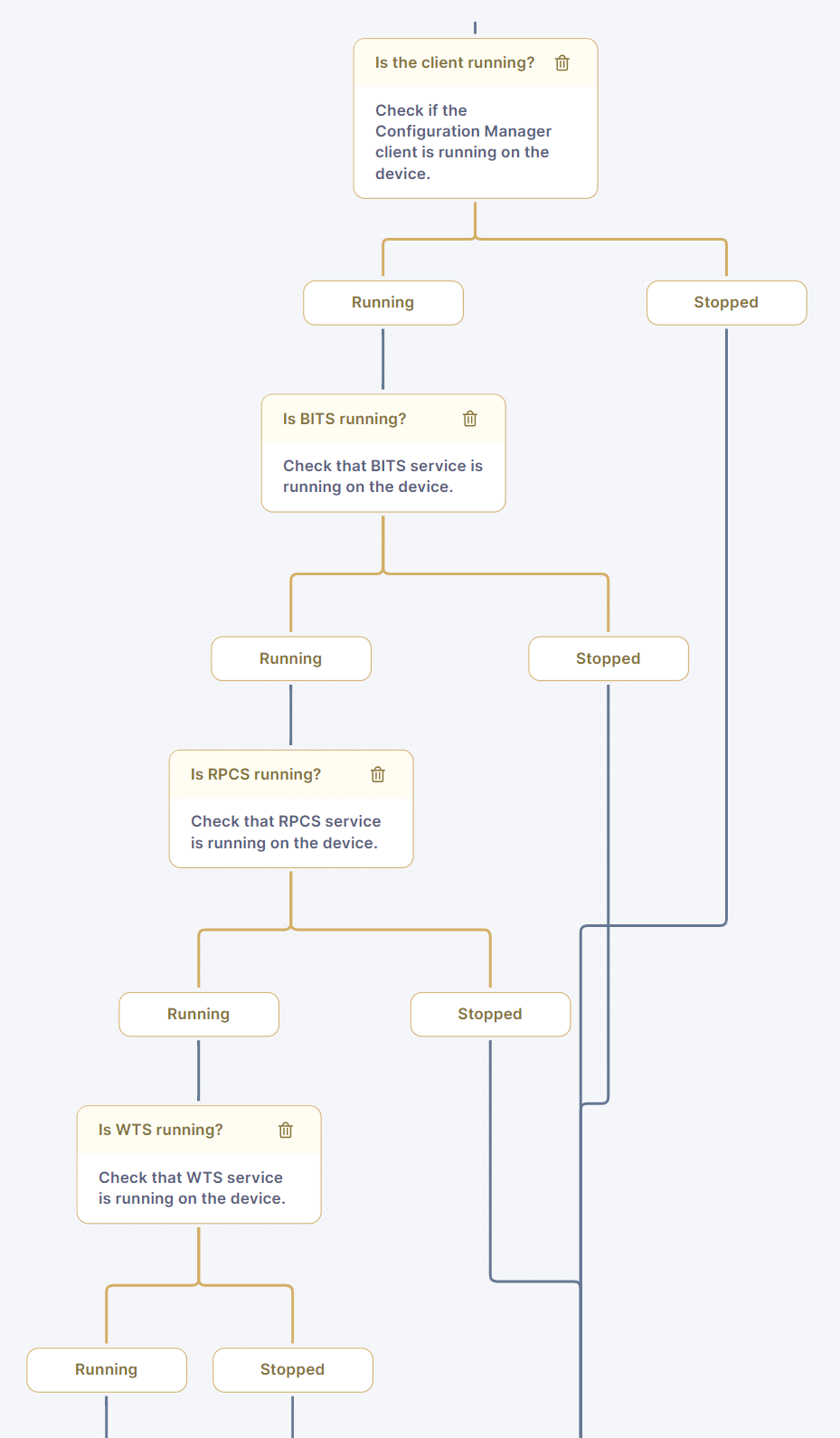
ワークフローは、構成マネージャークライアントサービス及びクライアント機能に必要なすべての基盤となるoperating systemサービス(BITS、RPCS、WTS)の状態を確認します。これらのサービスのいずれかに問題が検出された場合、ワークフローは回復手続きを開始し、最新のステータス情報を取得するために構成マネージャークライアントステータスのRemote Actionを再実行します。
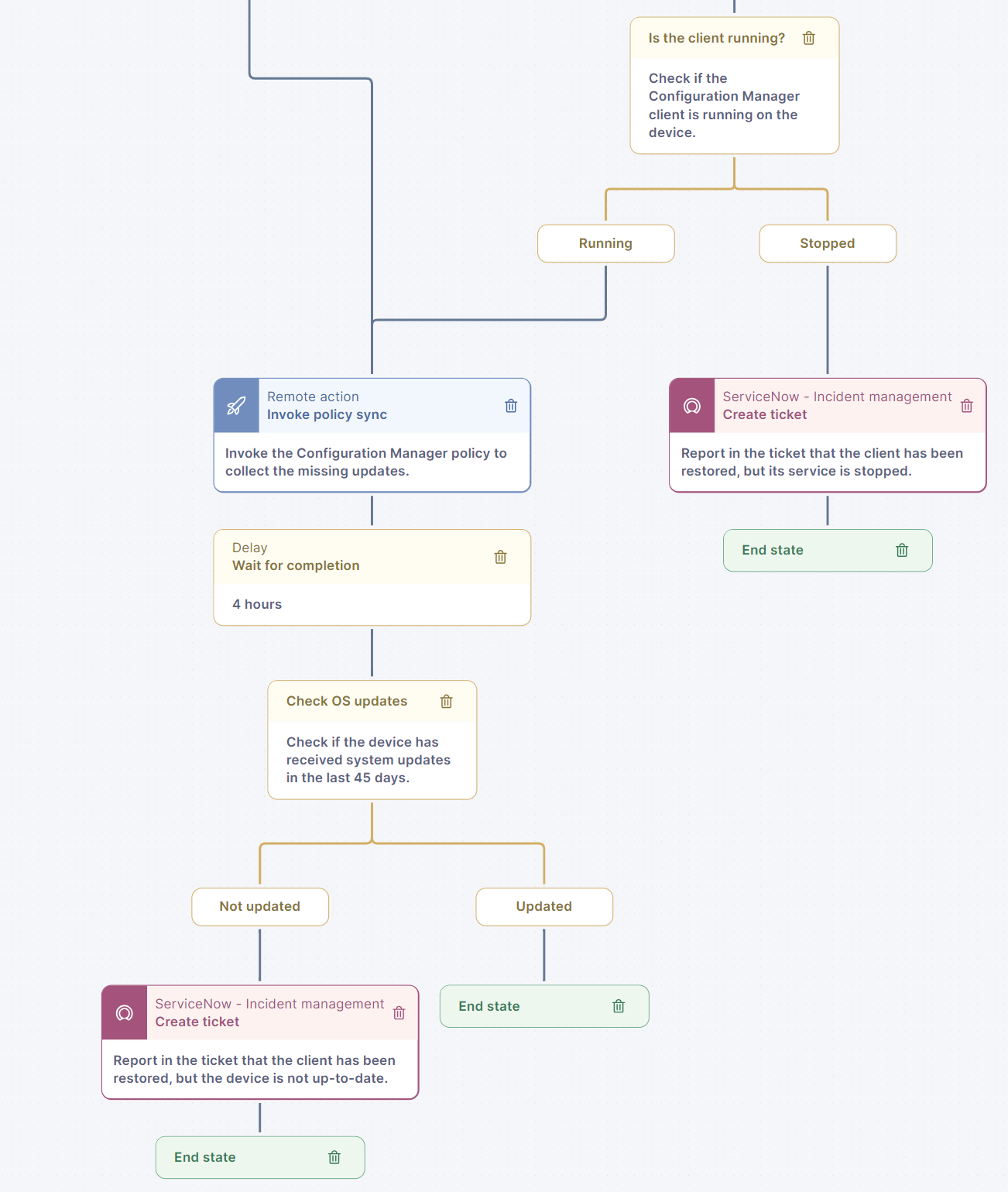
クライアントが復元された後、クライアントサービスが動作しているか確認します。そうでない場合、ITSM ticketを使用してデバイスを報告します。クライアントサービスが動作している場合、構成マネージャーポリシー同期のRemote Actionがトリガーされ、クライアントポリシーを同期します。その後、デバイスが過去45日以内にoperating systemアップデートを受け取っているか確認します。そうでない場合、デバイスはITSM ticketを使用して報告されます。
***
関連トピック
* [ワークフローの管理](https://docs.nexthink.com/platform/ja/user-guide/workflows/managing-workflows)
---
# Agent Instructions
This documentation is published with GitBook. GitBook is the documentation platform designed so that both humans and AI agents can read, navigate, and reason over technical content effectively. Learn more at gitbook.com.
## Querying This Documentation
If you need additional information that is not directly available in this page, you can query the documentation by asking a question.
Perform an HTTP GET request on the following URL with the `ask` and `goal` query parameters:
```
GET https://docs.nexthink.com/platform/ja/library-packs/security-and-compliance/workflow_-configuration-manager-sccm-client-continuity/usage-guide-configuration-manager-sccm-client-continuity.md?ask=&goal=
```
`ask` is the immediate question: it should be specific, self-contained, and written in natural language.
`goal` is what the user is ultimately trying to achieve, the reason they need the answer. Sharing it helps GitBook give you a better, more relevant answer. A goal is most helpful when it describes the outcome the user wants rather than restating the question. For example, with `ask=how do I create an API token`, a goal like `automate deployments from our CI pipeline` lets GitBook tailor the answer to that use case.
The response will contain a direct answer to the question and relevant excerpts and sources from the documentation.
Use this mechanism when the answer is not explicitly present in the current page, you need clarification or additional context, or you want to retrieve related documentation sections.