> For the complete documentation index, see [llms.txt](https://docs.nexthink.com/platform/llms.txt). Markdown versions of documentation pages are available by appending `.md` to page URLs; this page is available as [Markdown](https://docs.nexthink.com/platform/ja/library-packs/security-and-compliance/hardware-refresh-insights/usage-guide-hardware-refresh-insights.md).
# 使用ガイド: ハイブリッドワークプレイス体験
{% hint style="warning" %}
このページでは、パックの様々な使用方法、ユースケースの例を説明します。
管理者は、インストールされたコンテンツの設定とカスタマイズを行うために[構成ガイド: ハイブリッドワークプレイスエクスペリエンス](/platform/ja/library-packs/security-and-compliance/hardware-refresh-insights/configuration-guide-hardware-refresh-insights.md)を参照できます。
{% endhint %}
**Hybrid workplace experience** ライブラリ パックにより、EUC チームは次のことが可能になります。
* DEXスコアやその他の指標に基づいて、オンサイトとリモートの両方の作業環境における改善の必要な領域を効率的に特定します。
* 接続性、アプリケーションのパフォーマンス、Collaboration Tools に関する課題に積極的に対応します。
* 勤務場所に関係なく、すべての従業員に一貫したポジティブなデジタルエクスペリエンスを保証します。
## ライブラリパックの使用法
{% hint style="info" %}
このページの[ユースケース](#use-cases)に移動し、関連するシナリオアプリケーションを確認してください。
{% endhint %}
ライブラリパックのコンテンツを次の目的で使用します。
### **ロケーションタイプに関するインサイト**
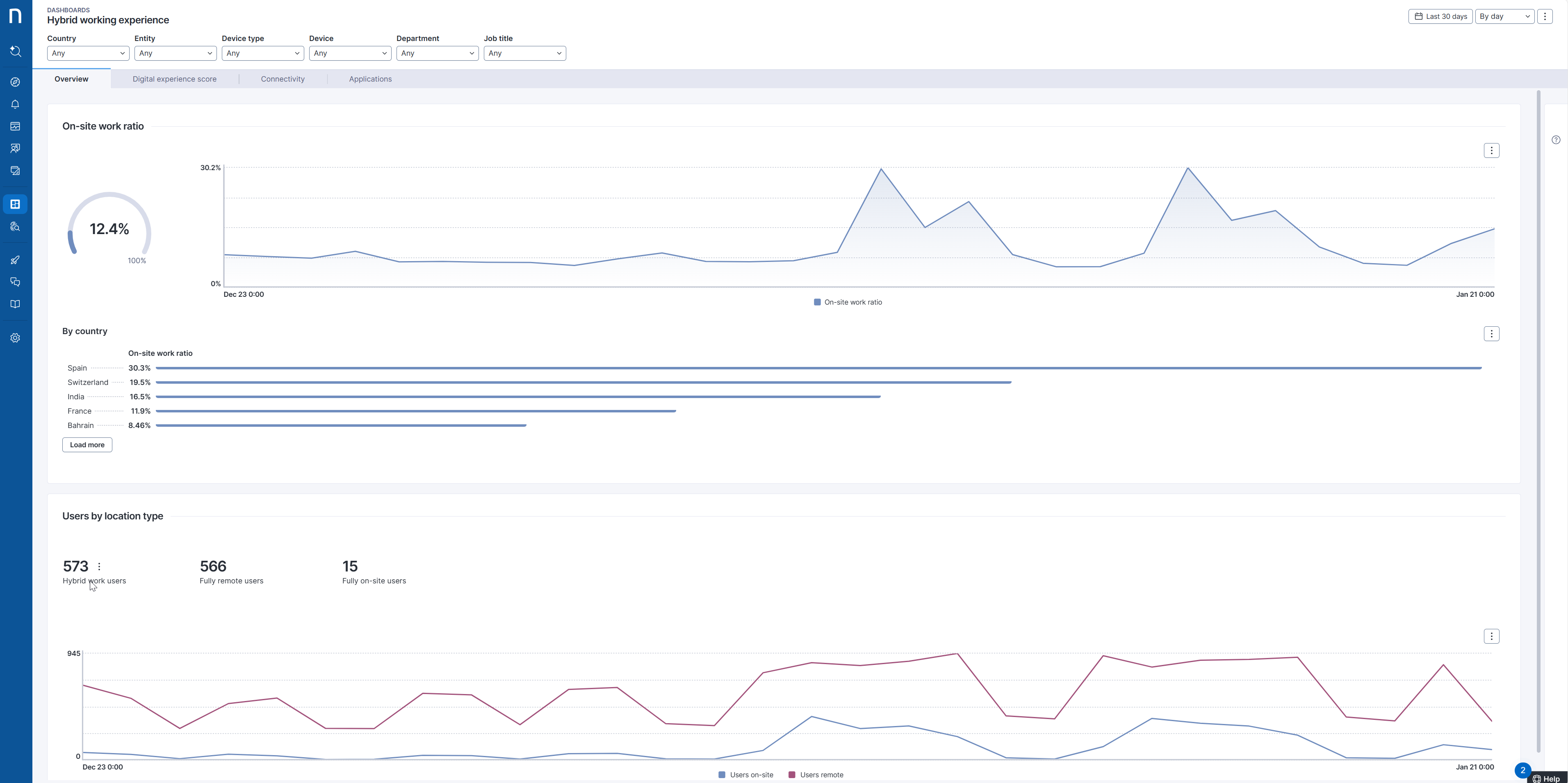
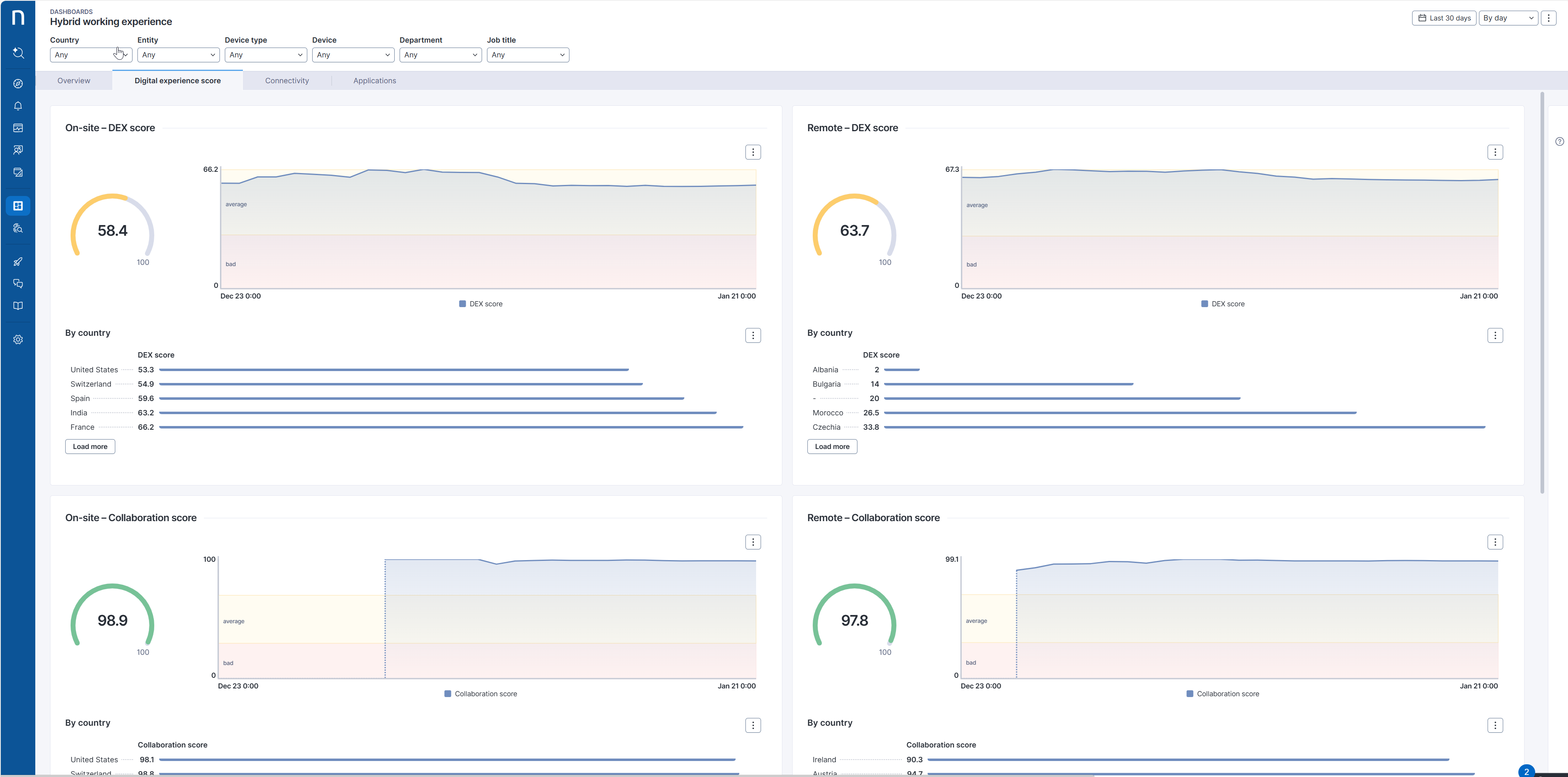
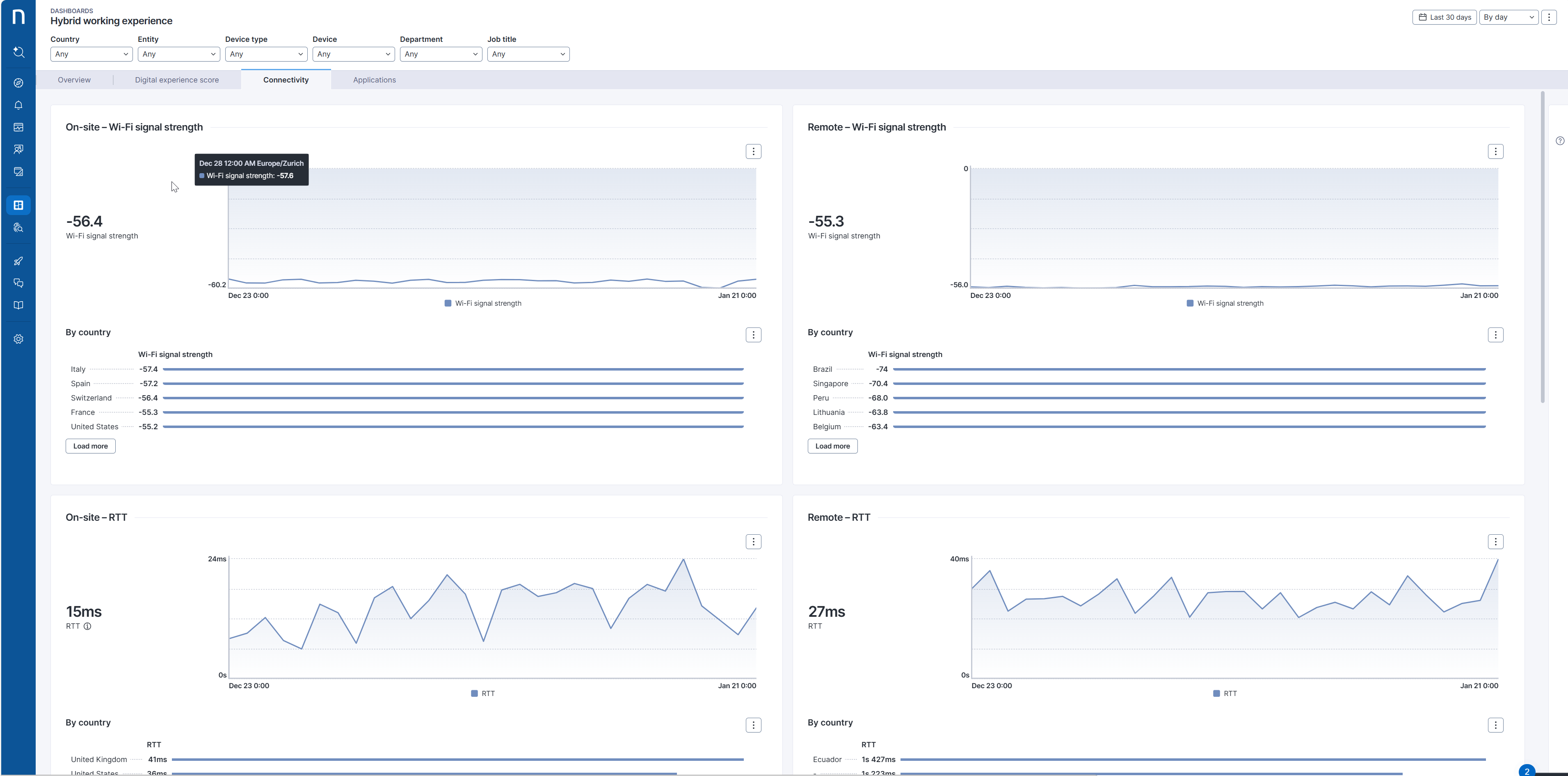
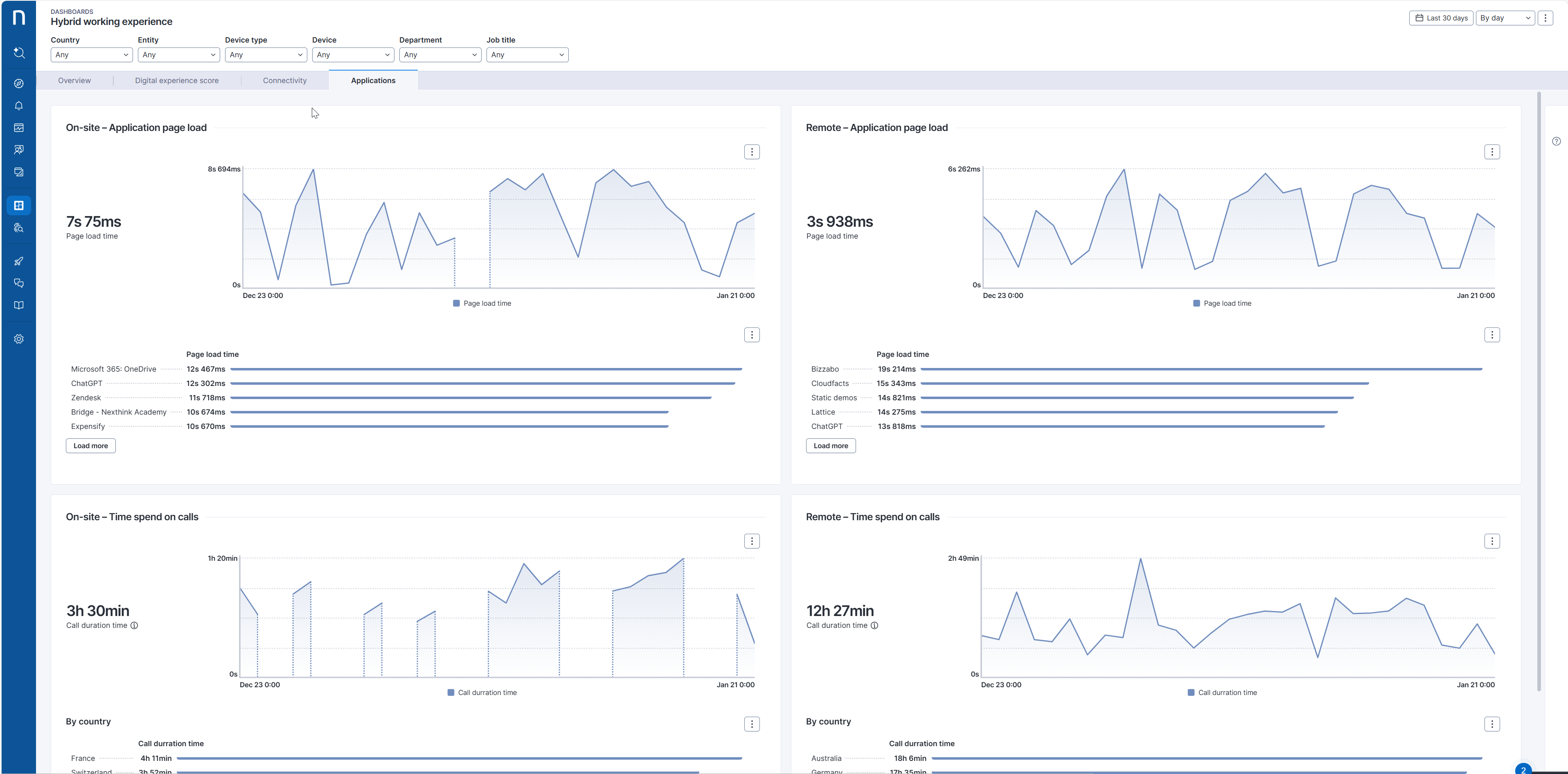
**ハイブリッド職場体験** [ライブダッシュボード](https://docs.nexthink.com/platform/ja/user-guide/live-dashboards) は、オンサイトとリモートの両方の場所でのデジタルエクスペリエンスを最適化するための包括的なソリューションを提供します。
このダッシュボードは、デバイスの接続性、アプリケーションのパフォーマンス、Collaboration Toolsに関する重要な洞察を提供します。[デジタル従業員エクスペリエンス](/platform/ja/user-guide/dex-score.md)(DEX)を用いて場所の種類ごとのエクスペリエンスを測定します。
## ユースケース
以下でカバーされている関連するユースケースに加えて、特定の環境に固有の他のトラブルシューティングシナリオを発見する可能性があります。
### ハイブリッドワークポリシーの影響を評価する
従業員のデジタルエクスペリエンスの指標の変化を追跡することで、組織はポリシーが意図した目標を達成しているかどうかを評価できます。例えば、新しい柔軟なワークアレンジメントを実施することが全体のDEXスコアを向上させ、報告された接続性やアプリケーションのパフォーマンスの問題を減少させる場合、これはポリシーのポジティブな結果を示しています。
### リモートワークエクスペリエンスの最適化
組織は、接続性メトリクス、アプリケーションパフォーマンス、コラボレーションツールの使用状況を調査することで、ボトルネックを特定し、リモートワークのExperienceを改善するためのソリューションを実装できます。
その手法には次のようなものが含まれます。
* リモートワーカーの接続性を高めるために、より優れた VPN ソリューションへの投資やネットワーク構成の最適化を行うこと。
* 重要なアプリケーションへのシームレスなアクセスを確保し、リモート従業員に影響するパフォーマンス問題に対処すること。
* Collaboration Tools のトレーニングやサポートを提供し、リモート環境での効果を最大化します。
***
関連トピック
* [ライブダッシュボードの管理](/platform/ja/user-guide/live-dashboards/managing-live-dashboards.md)
---
# Agent Instructions
This documentation is published with GitBook. GitBook is the documentation platform designed so that both humans and AI agents can read, navigate, and reason over technical content effectively. Learn more at gitbook.com.
## Querying This Documentation
If you need additional information that is not directly available in this page, you can query the documentation dynamically by asking a question.
Perform an HTTP GET request on the current page URL with the `ask` query parameter, and the optional `goal` query parameter:
```
GET https://docs.nexthink.com/platform/ja/library-packs/security-and-compliance/hardware-refresh-insights/usage-guide-hardware-refresh-insights.md?ask=&goal=
```
`ask` is the immediate question: it should be specific, self-contained, and written in natural language.
`goal` is optional and describes the broader end goal you are ultimately trying to accomplish on behalf of the user. GitBook uses it to tailor the answer towards what is most useful for that goal.
The response will contain a direct answer to the question and relevant excerpts and sources from the documentation.
Use this mechanism when the answer is not explicitly present in the current page, you need clarification or additional context, or you want to retrieve related documentation sections.