> For the complete documentation index, see [llms.txt](https://docs.nexthink.com/llms.txt). Markdown versions of documentation pages are available by appending `.md` to page URLs; this page is available as [Markdown](https://docs.nexthink.com/platform/ja/library-packs/applications/jira-experience/usage-guide-jira-experience.md).
# 利用ガイド:Jira エクスペリエンス
## イントロダクション
*Jira Experience* ライブラリパックは、社員のJiraアプリケーションの利用体験を監視し管理することを可能にします。このページでは、コンテンツの構成とその使用方法について説明します。
これはガイドであり、取り得る知見や行動の一部を示していますことをご了承ください。環境内で、多くのユースケースや具体的なトラブルシューティングシナリオが見つかる可能性があります。
構成ガイドの手順に従ってライブラリパックが正しく構成されていることを確認してください。
[構成ガイド: Jira Experience](https://docs.nexthink.com/platform/ja/library-packs/applications/jira-experience/configuration-guide-jira-experience.md)
### WebアプリケーションのExperienceの可視性
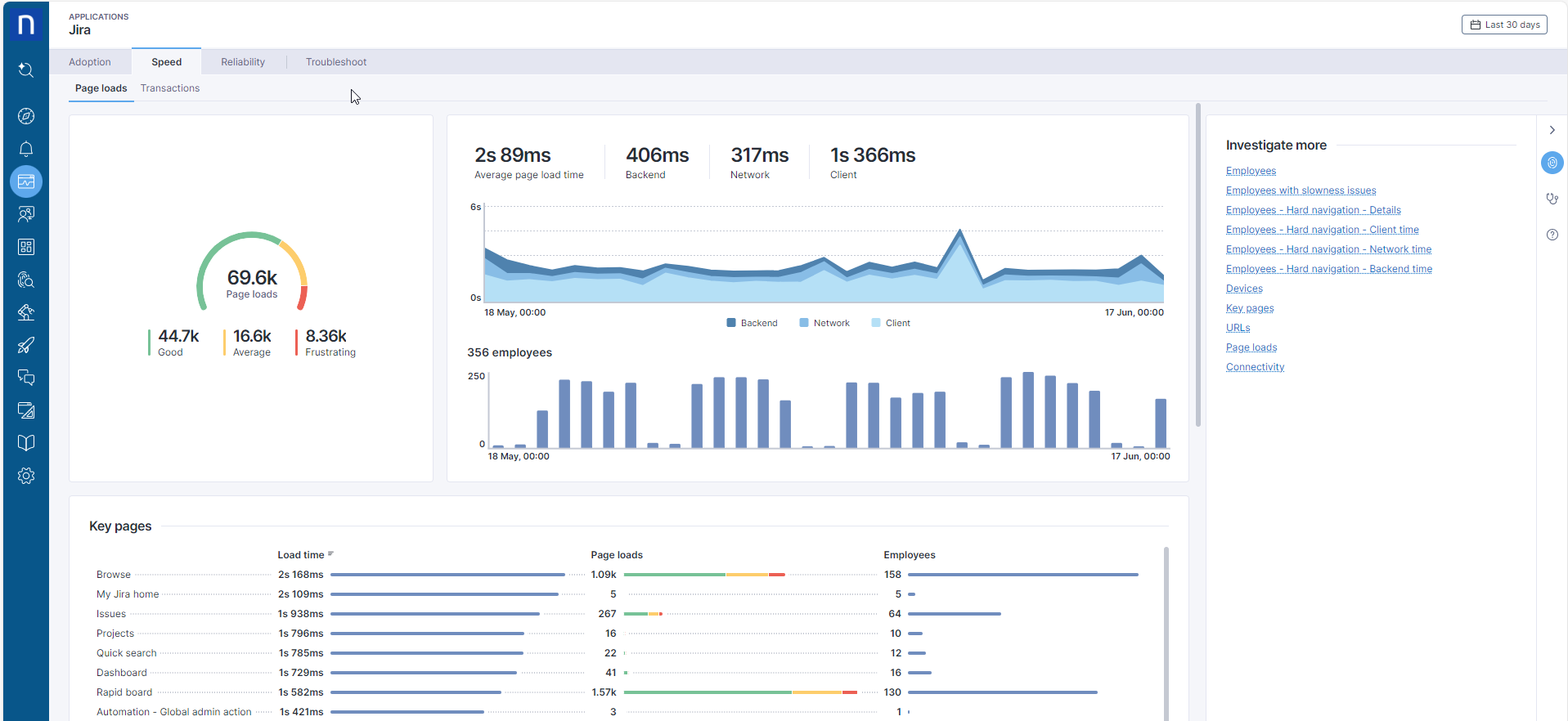
"Jira"アプリケーションは、このライブラリパックの重要なコンテンツとして機能します。それは、[Nexthink Applications](https://docs.nexthink.com/platform/ja/user-guide/applications)から直接、従業員のJiraの経験に関する貴重な洞察へのアクセスを提供します。
Applicationsダッシュボードを操作して、Webアプリケーションの導入状況、速度、信頼性を監視し、検出された問題をトラブルシューティングする方法については、[Webアプリケーションの監視に関するドキュメントページ](https://docs.nexthink.com/platform/ja/user-guide/applications/monitoring-applications/monitoring-web-applications)をご覧ください
***
関連トピック
| [アプリケーション](https://docs.nexthink.com/platform/ja/user-guide/applications) |
| ------------------------------------------------------------------------- |
---
# Agent Instructions
This documentation is published with GitBook. GitBook is the documentation platform designed so that both humans and AI agents can read, navigate, and reason over technical content effectively. Learn more at gitbook.com.
## Querying This Documentation
If you need additional information that is not directly available in this page, you can query the documentation by asking a question.
Perform an HTTP GET request on the following URL with the `ask` and `goal` query parameters:
```
GET https://docs.nexthink.com/platform/ja/library-packs/applications/jira-experience/usage-guide-jira-experience.md?ask=&goal=
```
`ask` is the immediate question: it should be specific, self-contained, and written in natural language.
`goal` is what the user is ultimately trying to achieve, the reason they need the answer. Sharing it helps GitBook give you a better, more relevant answer. A goal is most helpful when it describes the outcome the user wants rather than restating the question. For example, with `ask=how do I create an API token`, a goal like `automate deployments from our CI pipeline` lets GitBook tailor the answer to that use case.
The response will contain a direct answer to the question and relevant excerpts and sources from the documentation.
Use this mechanism when the answer is not explicitly present in the current page, you need clarification or additional context, or you want to retrieve related documentation sections.