# 設定ガイド:採用-セールスフォース・エッセンシャル

{% hint style="warning" %}
このページの構成オプションは[管理者](https://docs.nexthink.com/platform/ja/user-guide/administration/account-management/roles#roles-administration)のみが見ることができます。

「[使用ガイド：Adopt - Salesforce essentials](/platform/ja/library-packs/applications/adopt-library-packs/adopt-salesforce-essentials/usage-guide-adopt-salesforce-essentials.md)」を参照し、ライブラリコンテンツを標準ユーザーとして使用します。
{% endhint %}

## **前提条件** <a href="#documentation-pre-requisites" id="documentation-pre-requisites"></a>

このライブラリパックには、次の必要な[拡張製品](/platform/ja/overview/products.md)からのコンテンツが含まれています：

* [デジタルアダプション - Adopt](/platform/ja/user-guide/adopt.md)

{% hint style="info" %}
これらの製品のいくつかは、各コンテンツへのデフォルトのアクセスを提供し、[拡張製品](/platform/ja/overview/products.md)なしでも使用できます。

Nexthink Infinity の拡張製品の標準しきい値については、[Nexthink Infinity しきい値および制限の概要](https://edocs.nexthink.com/ja/nexthink-infinity/infinity-specifications/nexthink-infinity-default-thresholds-overview) ドキュメントをご参照ください。
{% endhint %}

## **含まれるコンテンツと依存関係** <a href="#documentation-contentanddependencies" id="documentation-contentanddependencies"></a>

このライブラリパックには以下のコンテンツと依存関係が含まれています:

<table><thead><tr><th width="135">コンテンツの種類</th><th width="196">名前</th><th width="293">説明</th><th width="216">依存関係</th></tr></thead><tbody><tr><td>Adopt ガイド</td><td>アカウント - 作成方法</td><td>新しいユーザーがリード変換フロー外でアカウントを自信を持って正しく作成し、データの整合性を維持しビジネスプロセスをサポートするのに役立ちます。</td><td>[なし]</td></tr><tr><td></td><td>コンタクト - 作成方法</td><td>新しい従業員がリード変換プロセスを使用せずに Salesforce でコンタクトを正しく作成する方法を理解するのに役立ちます。</td><td>[なし]</td></tr><tr><td></td><td>リード - 作成方法</td><td>新しいユーザーがリードを適切に作成することの重要性を理解するのに役立ちます。 目的は、リードを追求する価値があるかどうかを決定するために十分なデータを集めることです。</td><td></td></tr><tr><td></td><td>リード - 変換方法</td><td>新しい従業員がリードを自信を持って正しく変換し、組織の販売プロセスに沿ってアクション可能な記録（アカウント、コンタクト、商機）に変換するのをサポートします。</td><td></td></tr><tr><td></td><td>ユーザー - ナビゲーションバーをパーソナライズ</td><td>新しい従業員が、最も頻繁に使用するツールやオブジェクトに基づいてタブを追加、削除、並べ替えることでナビゲーションバーをカスタマイズするのに役立ちます。</td><td></td></tr><tr><td></td><td>ユーザー - 委任承認者の設定</td><td>CPQ を使用している Salesforce ユーザーが委任承認者を設定するための補助ツールです。</td><td></td></tr></tbody></table>

## **「Adopt - Salesforce essentials」の設定** <a href="#documentation-configurationguide" id="documentation-configurationguide"></a>

{% hint style="info" %}
この提案された設定ステップを適応させて、組織のニーズに応じてコンテンツを編集およびカスタマイズしてください。
{% endhint %}

Skynet をシステムにインストールするための手順に従ってください:

* 設定前： [Nexthink ライブラリ](/platform/ja/user-guide/nexthink-library.md) からライブラリパックコンテンツをインストールします​。
* ​[ステップ1 - ガイドの設定](#step-1-configure-guides)

### **ステップ 1 - ガイドの設定**

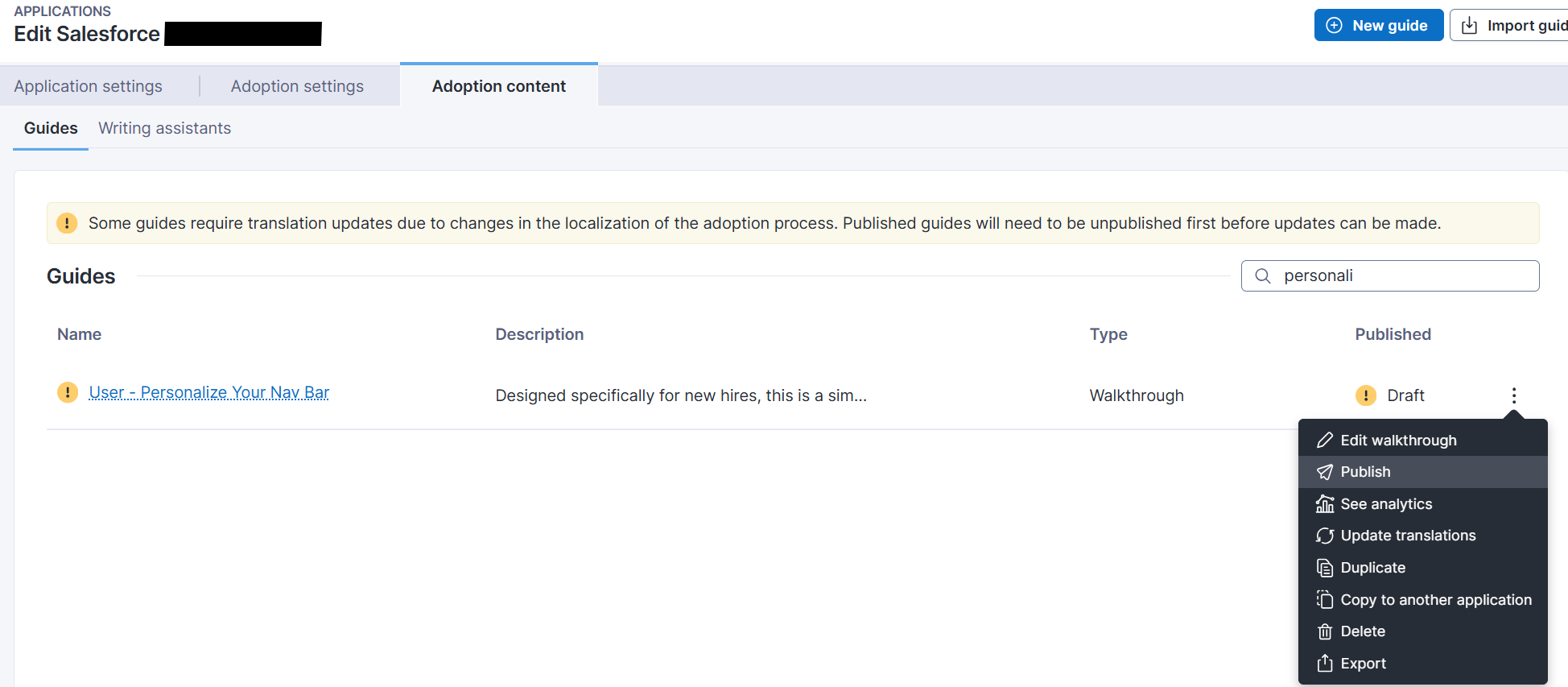
1. メインメニューから、**アプリケーション** > [採用ガイドの管理 ](/platform/ja/user-guide/adopt/guide-creation-and-management-from-nexthink-applications/managing-guides.md)ページに進みます。

<figure><img src="/files/p2FkzBs6QOS28yTDMame" alt=""><figcaption></figcaption></figure>

2. インストールされたガイドは未接続になります。
3. ガイドを選択し、メニューを使用して「アプリケーションにアタッチ」を選択します。

<figure><img src="/files/Z8w0LtMsM8UYyAuZaNob" alt=""><figcaption></figcaption></figure>

2. リストからアプリケーションを選択し、OKをクリックしてください。

<figure><img src="/files/4t6fBmoRBBOrNuuEVnF0" alt=""><figcaption></figcaption></figure>

5. デフォルトでは、インストールされたガイドはドラフトモードになります。
6. 自由にガイドを編集して、必要であれば説明を変更し重要ページの制限を任意に設定できます。
7. ガイドの設定が完了したら、ガイドを公開できます。
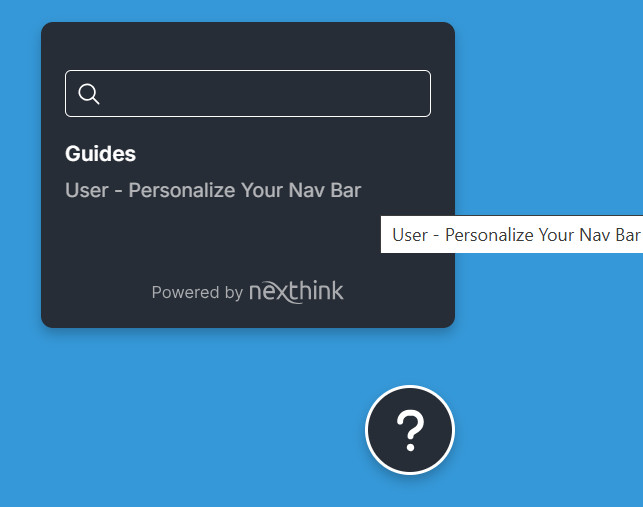
8. ガイドはコンテキストヘルプメニューで利用可能になります。

***

関連トピック

* [概要ページ：Adopt - Salesforce essentials](/platform/ja/library-packs/applications/adopt-library-packs/adopt-salesforce-essentials.md)
* [使用ガイド：Adopt - Salesforce essentials](/platform/ja/library-packs/applications/adopt-library-packs/adopt-salesforce-essentials/usage-guide-adopt-salesforce-essentials.md)


---

# Agent Instructions: Querying This Documentation

If you need additional information that is not directly available in this page, you can query the documentation dynamically by asking a question.

Perform an HTTP GET request on the current page URL with the `ask` query parameter:

```
GET https://docs.nexthink.com/platform/ja/library-packs/applications/adopt-library-packs/adopt-salesforce-essentials/configuration-guide-adopt-salesforce-essentials.md?ask=<question>
```

The question should be specific, self-contained, and written in natural language.
The response will contain a direct answer to the question and relevant excerpts and sources from the documentation.

Use this mechanism when the answer is not explicitly present in the current page, you need clarification or additional context, or you want to retrieve related documentation sections.