> For the complete documentation index, see [llms.txt](https://docs.nexthink.com/llms.txt). Markdown versions of documentation pages are available by appending `.md` to page URLs; this page is available as [Markdown](https://docs.nexthink.com/library-packs/applications/adopt-library-packs/adopt-salesforce-essentials/usage-guide-adopt-salesforce-essentials.md).
# Usage guide: Adopt - Salesforce essentials
The **Adopt - Salesforce essentials** library pack enables new hires to:
* Navigate the Salesforce interface, and customize their Nav Bar according to their role and preferences.
* Discover how to create Accounts, Contacts, and Leads.
* Learn how the Lead conversion process works.
## Library pack uses
{% hint style="info" %}
Jump to [Use cases](#use-cases) on this page to see relevant scenario applications.
{% endhint %}
Use the library pack content for the following purposes.
### **Visibility**
The **Adopt - Salesforce essentials**[ in-app guides](/user-guide/adopt.md#make-any-software-easy-to-use-with-in-app-guides) are the starting point of this library pack. They provide an interactive process that empowers new hires to confidently navigate and use the Salesforce platform from day one.
## Use cases
In addition to the relevant use cases covered below, you may uncover other troubleshooting scenarios specific to your environment.
### **Creating a Lead**
For new employees, the concept and purpose of a Lead in Salesforce can be unclear, especially when distinguishing it from other record types like Accounts or Contacts. Without a solid understanding, Leads may be created with incomplete information, poor categorization, or missed qualification criteria, resulting in inefficient sales pipelines and lost business opportunities.
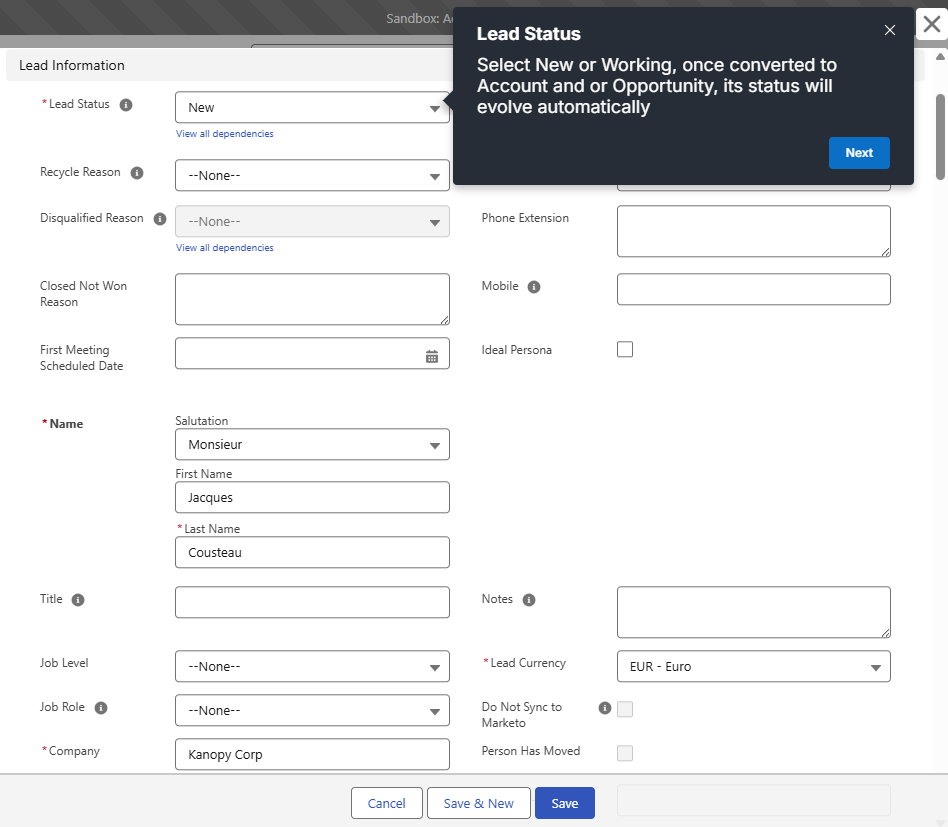
The provided guide "Lead - How to create" is designed to help new users understand the importance of properly creating a Lead and capturing the right data early in the sales cycle. This involves capturing and storing key information about a potential client or customer in the early stages of the sales process. The purpose is to gather enough data to determine whether the lead is worth pursuing, ultimately qualifying it into an Account, Contact, and Opportunity.
### Converting a lead
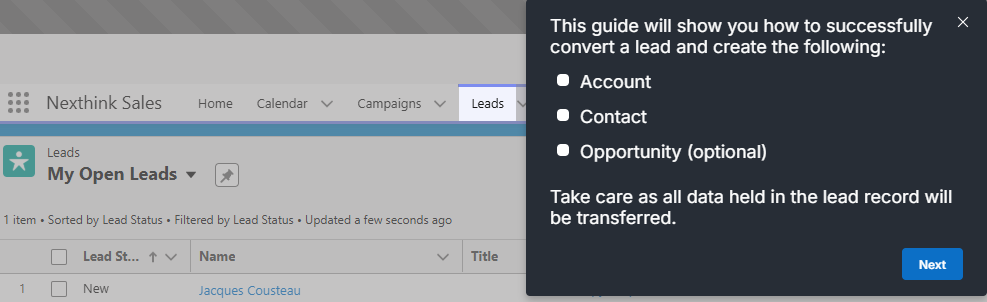
Lead Conversion in Salesforce is the process of turning a qualified Lead into three related standard objects:
* Account (the company)
* Contact (the individual)
* Opportunity (a potential sale — optional)
This conversion marks the transition from potential interest to an active sales process.
New Salesforce users often find this process confusing, especially when deciding whether to create new records, merge with existing ones, or generate an opportunity. Without clear guidance, users may accidentally duplicate data, miss critical associations between records, or fail to initiate the appropriate next steps in the sales process. This can disrupt pipeline visibility and hinder team collaboration.
The provided guide "Lead - How to convert" is designed to help new employees confidently and correctly convert qualified Leads into actionable records that align with the organization’s sales process.
### Additonal guides
Other use cases include creating Accounts and Contacts outside of the Lead Conversion process and user guides on customizing the nav bar and setting up a delegated approver (for customers using Salesforce CPQ).
RELATED TOPICS
* [Manage guides](/user-guide/adopt/guide-creation-and-management-from-nexthink-applications/managing-guides.md)
* [Overview: Adopt - Salesforce essentials](/library-packs/applications/adopt-library-packs/adopt-salesforce-essentials.md)
* [Configuration guide: Adopt - Salesforce essentials](/library-packs/applications/adopt-library-packs/adopt-salesforce-essentials/configuration-guide-adopt-salesforce-essentials.md)
---
# Agent Instructions
This documentation is published with GitBook. GitBook is the documentation platform designed so that both humans and AI agents can read, navigate, and reason over technical content effectively. Learn more at gitbook.com.
## Querying This Documentation
If you need additional information that is not directly available in this page, you can query the documentation by asking a question.
Perform an HTTP GET request on the following URL with the `ask` and `goal` query parameters:
```
GET https://docs.nexthink.com/library-packs/applications/adopt-library-packs/adopt-salesforce-essentials/usage-guide-adopt-salesforce-essentials.md?ask=&goal=
```
`ask` is the immediate question: it should be specific, self-contained, and written in natural language.
`goal` is what the user is ultimately trying to achieve, the reason they need the answer. Sharing it helps GitBook give you a better, more relevant answer. A goal is most helpful when it describes the outcome the user wants rather than restating the question. For example, with `ask=how do I create an API token`, a goal like `automate deployments from our CI pipeline` lets GitBook tailor the answer to that use case.
The response will contain a direct answer to the question and relevant excerpts and sources from the documentation.
Use this mechanism when the answer is not explicitly present in the current page, you need clarification or additional context, or you want to retrieve related documentation sections.